Every client, one workspace
Pre-production for agencies juggling several brands.
Every client gets a brand, every brand its projects. Pitch the concept, let Tilly AI write the shot list along the brand rules, plan the shoot and get the client to sign off via link.
Start for free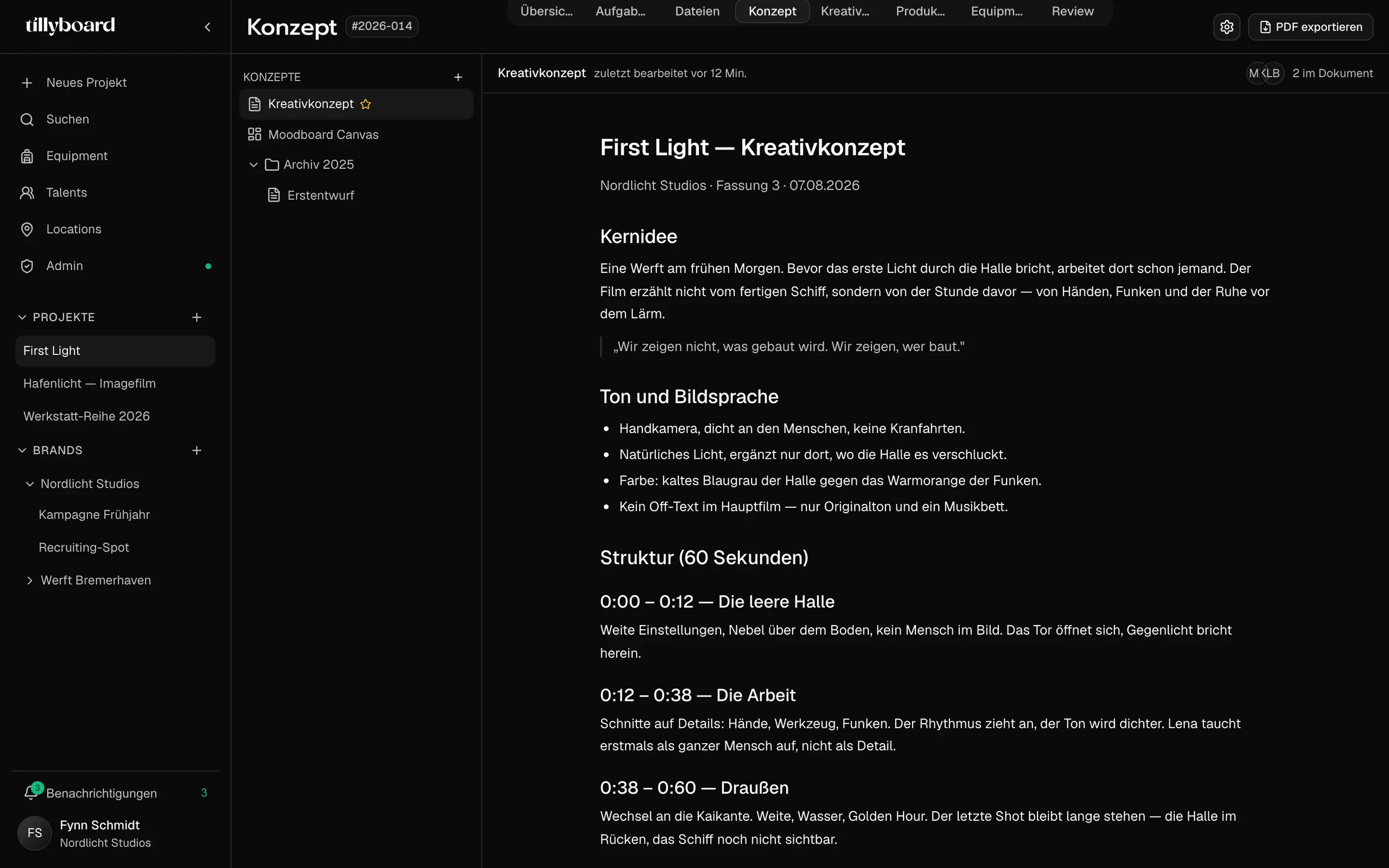
Teams shooting for these brands plan with TillyBoard





Watch a client feedback round
15 seconds from the real app: drawing on the frame, commenting on the timecode, ticking off notes.
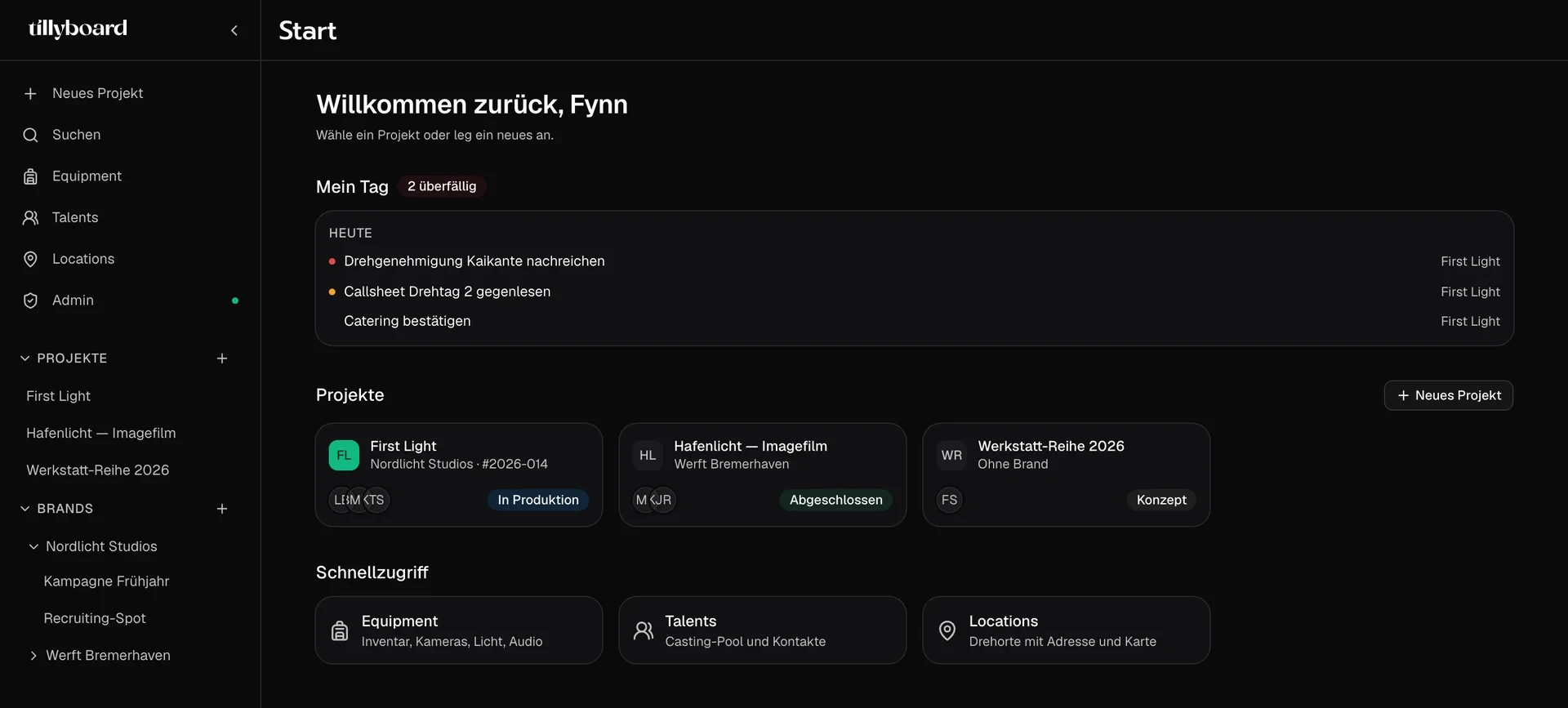
Brands in the sidebar
Each client is a brand with its projects underneath. The start page shows what is due today across all projects.
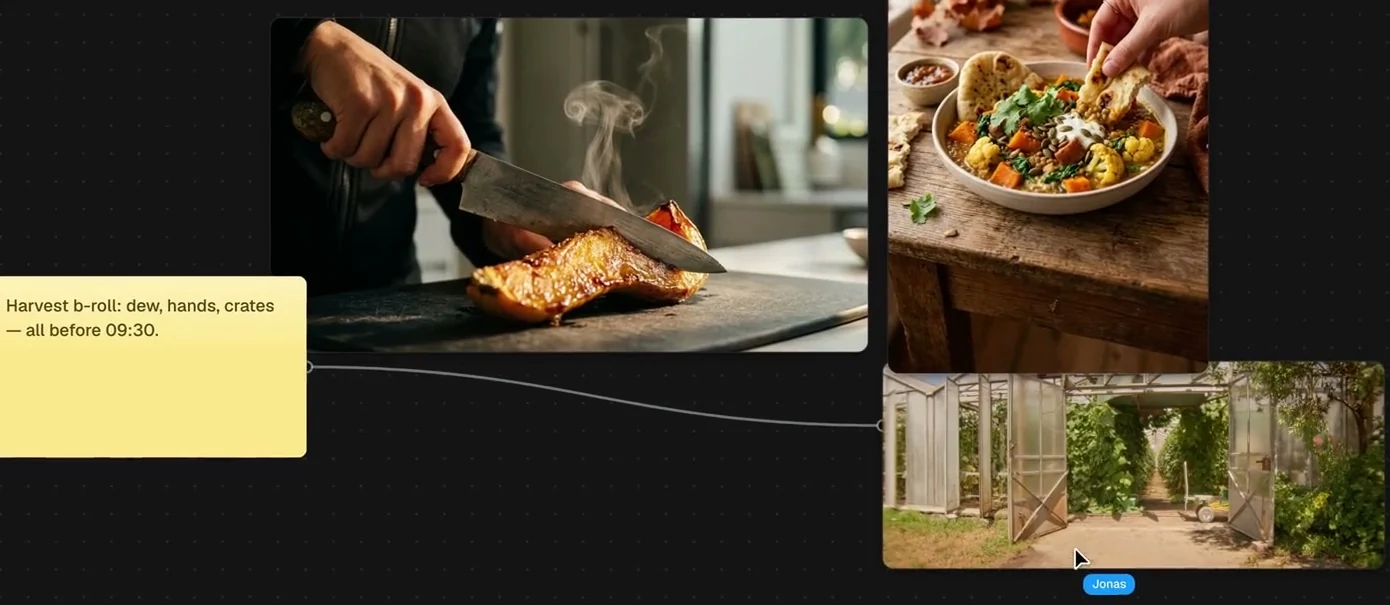
The look on one wall
Stills, locations and notes on the moodboard, with a line from each note to the image it means. The team works on it at the same time.
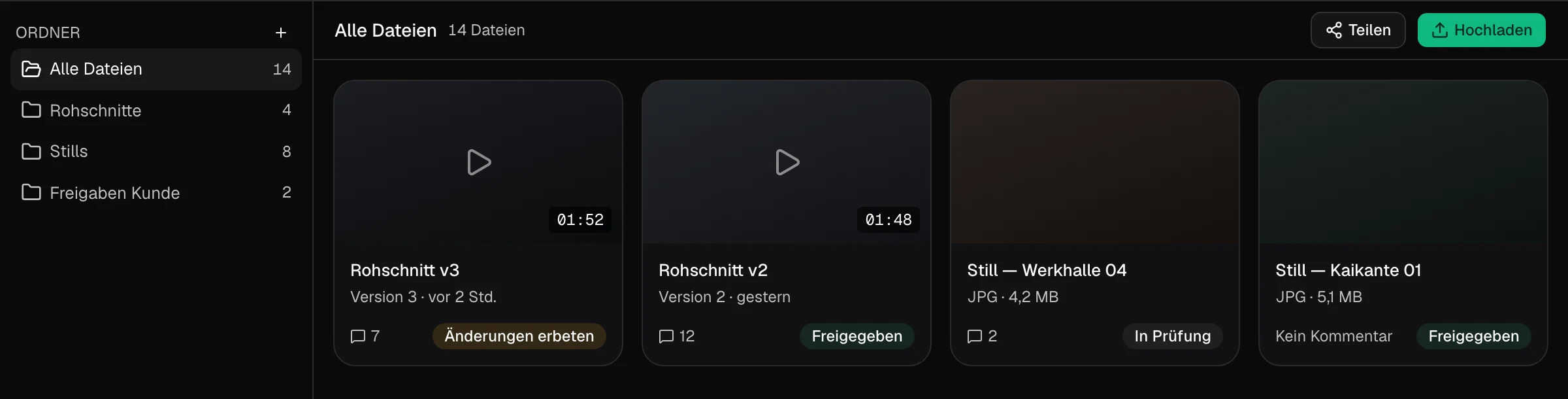
A status for every file
In review, changes requested, approved. You see where every cut stands with the client and how many notes hang on it.
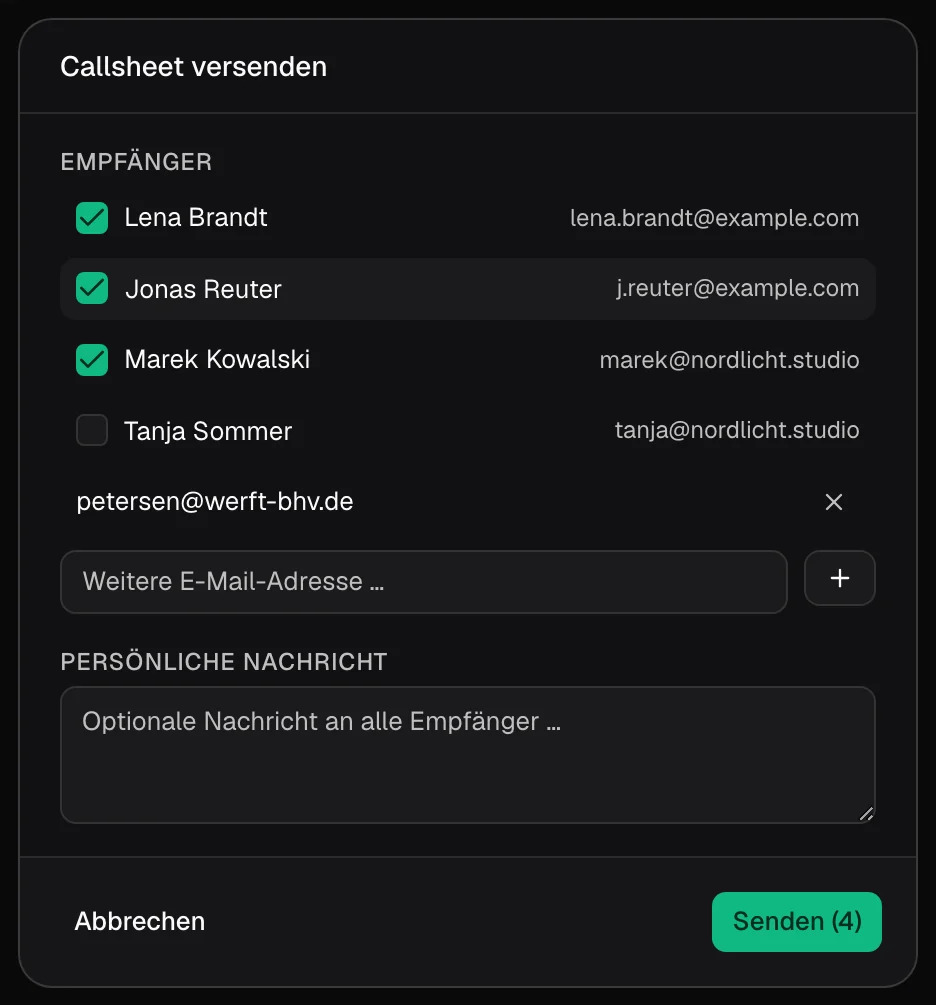
The call sheet out of the project
Tick the recipients, add the contact on location, write a line for everyone. Cast and crew confirm via link.
From brief to approved cut
The work of an agency, from the pitch to the last client note, mapped onto the parts of a TillyBoard workspace.
Every client with their own rules
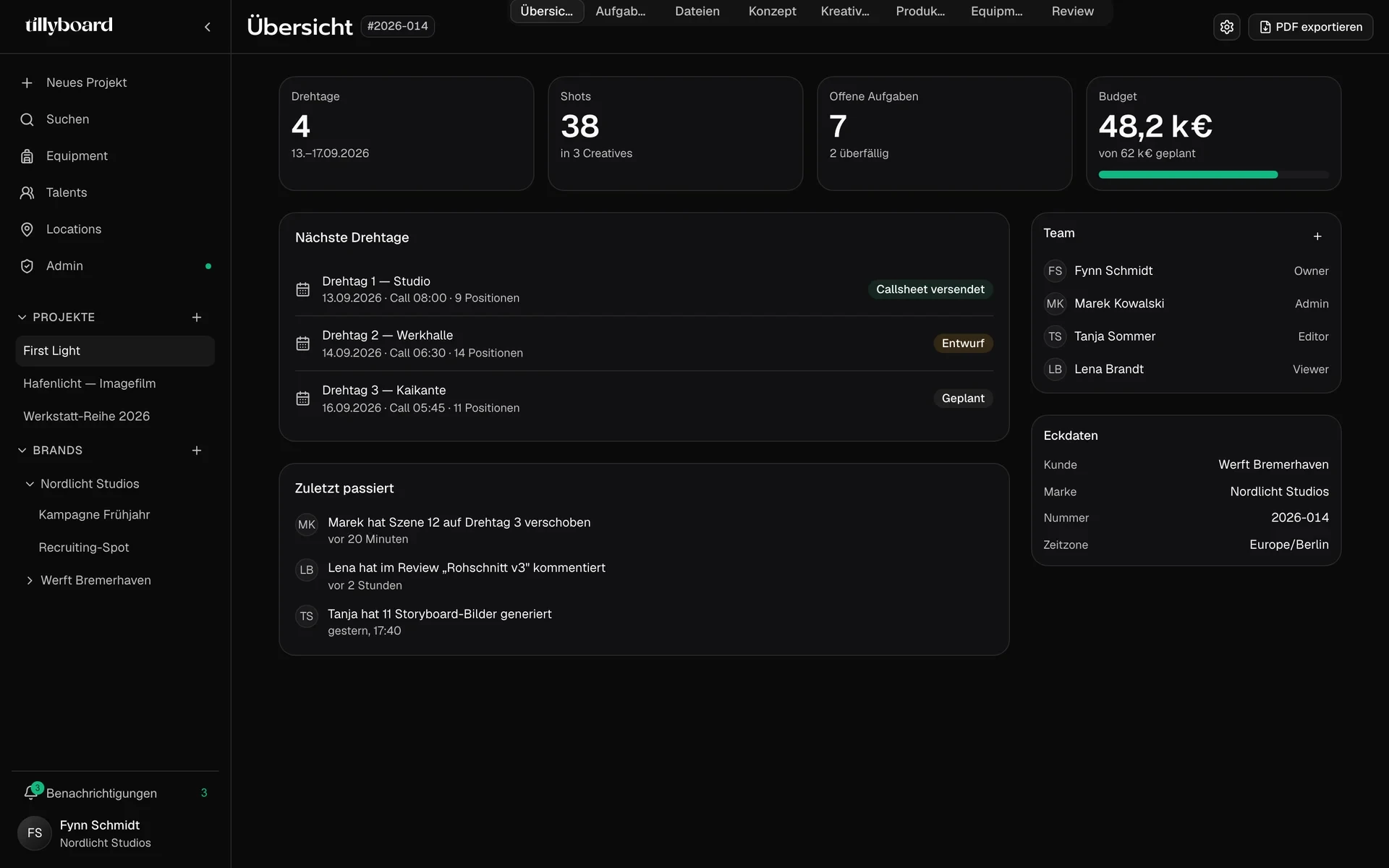
Brand rules stored once
Tone, audience and no-gos go into the brand once, not into every brief again.
Tilly AI keeps to them
Tilly AI drafts new creatives and complete shot lists along the rules of the brand.
Roles per project
Owner, admin, editor, viewer. Everyone in the project works with a role and its permissions.
A pitch the client can follow
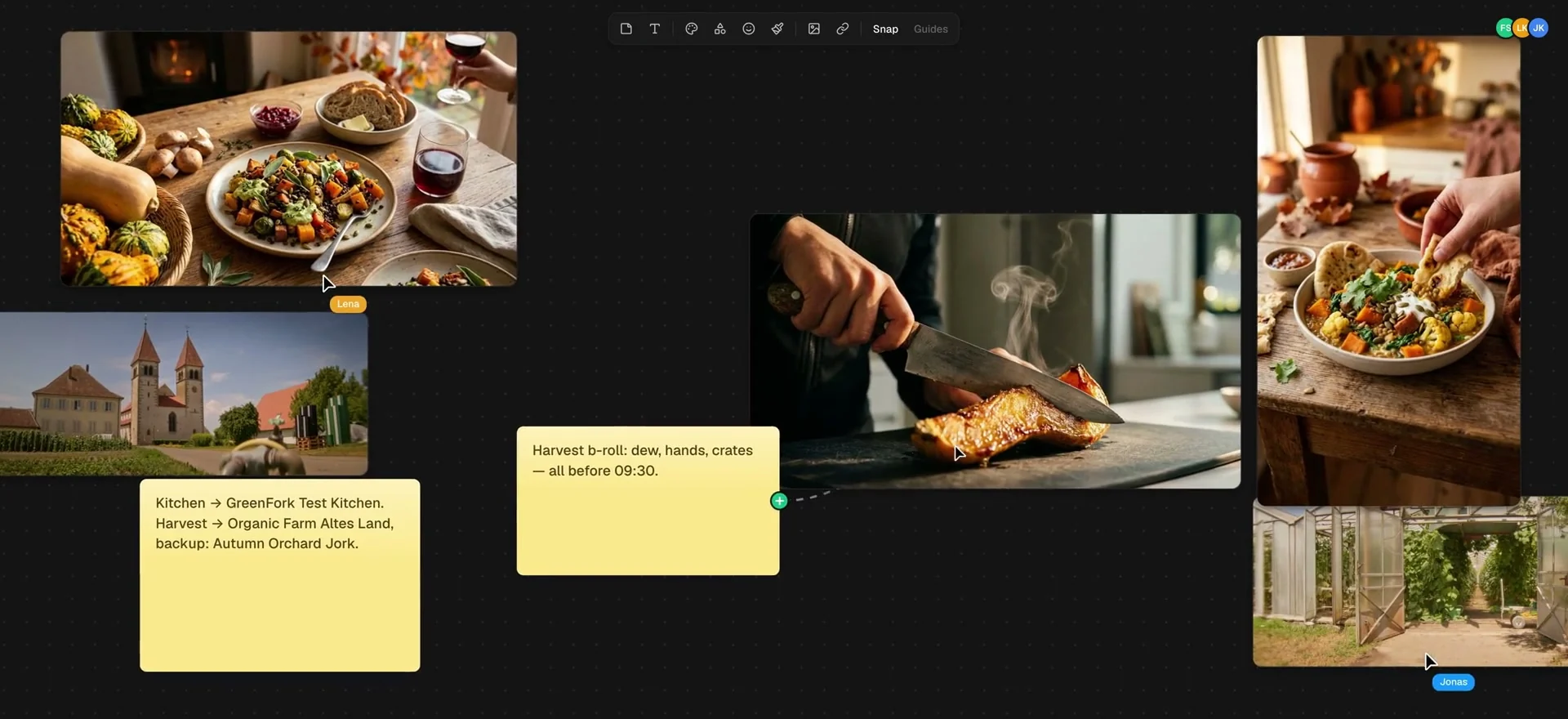
Several concepts per project
Creative concept, moodboard and earlier drafts sit side by side, older versions in folders.
Everyone at the same wall
Whoever works on the moodboard shows up by name at their cursor.
As a PDF to the client
Export the concept as a PDF. From the Team plan up, exports carry your own branding.
Client feedback on the frame
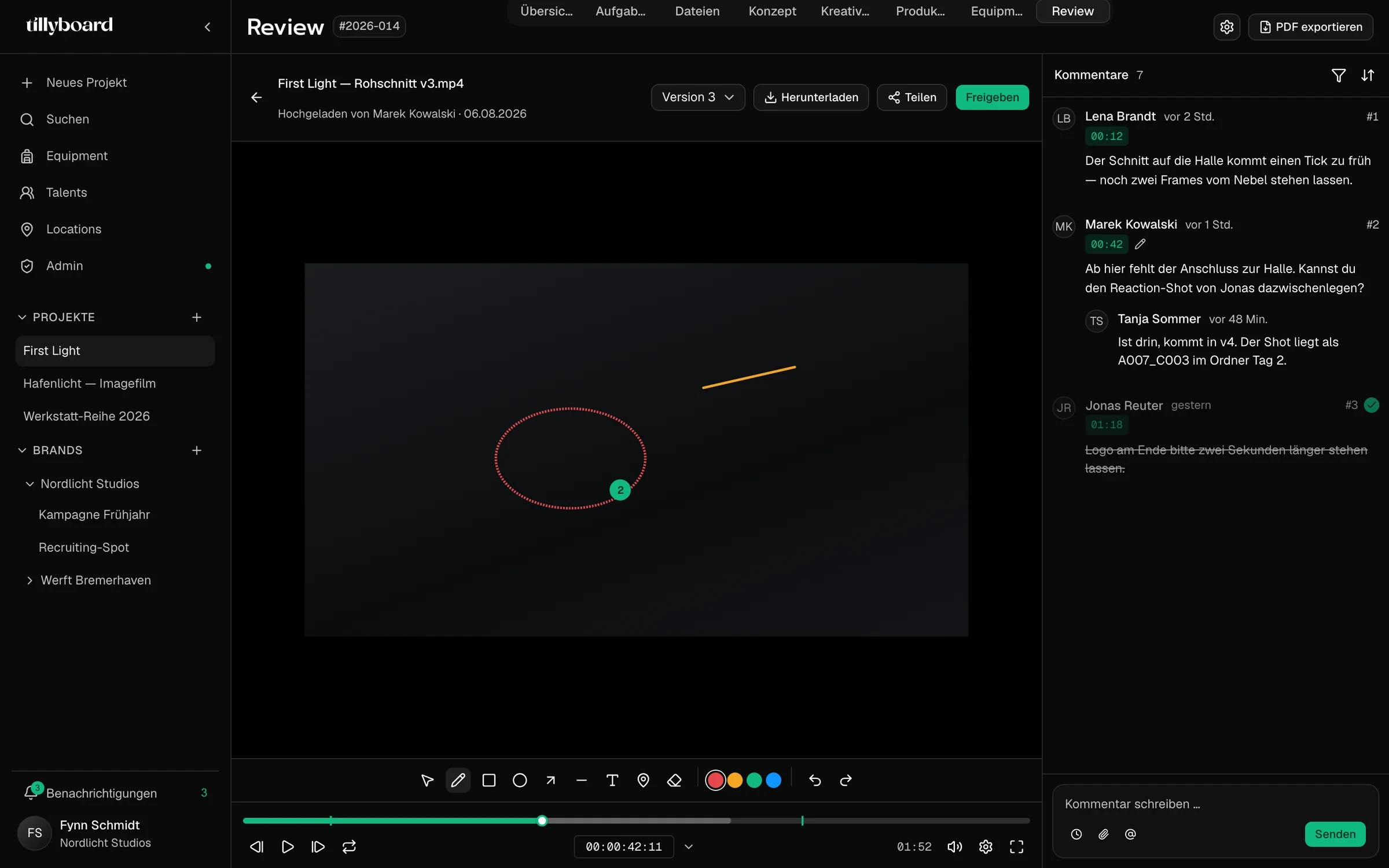
No account for the client
Clients review and approve right in the project without signing up. They get the review, not the rest of the project.
Versions stacked
A new cut sits on top of the old one. Old notes stay with the version they were written for.
Approve and download
When the cut is done, the client clicks Approve and downloads the video straight from the project.
Why agencies choose TillyBoard
An agency runs several productions for several clients at once. TillyBoard gives every client a brand and every production one project, from brief to delivery.
Clients kept apart
Every client is a brand with its own projects. You switch clients in the sidebar, not tools.
Brand context that sticks
Regular chat AI forgets. TillyBoard knows the brand context and builds on it, draft after draft.
One project, the whole job
Concept, shot list, schedule, call sheet and packing list in one place. Change the shot list, and schedule, call sheet and packing list follow.
Approval without a detour
The client comments frame-accurate, approves and downloads the finished video from you. No transfer link on the side.
White label
On Enterprise, clients work in a workspace with your logo and your colours that looks like your own platform.
Connects to your systems
A REST API connects TillyBoard to the tools your agency already runs on.
Your projects stay yours
Unreleased campaigns and client material need discretion, and clients ask where their data lives. Here are the answers.
With Tilly Terra, the AI is hosted entirely in the EU and your data stays there.
With Tilly Terra, GDPR-compliant processing, suitable for regulated industries too.
With Tilly Terra, your content and your clients’ content is never used to train models.
Clients see the review, not the schedule, packing list or the rest of the project.
Cast and crew confirm the call sheet via link, without a TillyBoard login.
Your projects belong to you. Concept, shot list and call sheet export as PDF.
From teams planning with TillyBoard
“We finally have a structured workflow for our social media videos. From the first idea to the shoot, everyone knows what’s coming up.”
“We plan everything in TillyBoard, from the first idea to the call sheet. One tool instead of three.”
Frequently asked questions
How do I keep several clients apart?
Every client is a brand in the sidebar, with its projects underneath. Tone, audience and no-gos are stored in the brand once, and Tilly AI drafts along them.
Does the client need an account?
No. Clients review and approve right in the project without signing up, and without seeing the schedule, packing list or the rest of the project.
Can TillyBoard carry our agency branding?
Yes. From the Team plan up, exports carry your own branding. With white label on Enterprise, clients work in a workspace with your logo and your colours.
Where is client data processed?
With Tilly Terra, all AI features run fully EU-hosted with zero data retention. Your content is not used for training and not stored.
What does it cost?
You can start for free. Enterprise is made for studios and agencies and includes annual and framework contracts. The plans are listed under Pricing on the homepage.