Equipment
Know what’s on the cart.
One inventory for every project, with inventory number, storage location, status and day rate. Every shoot gets its own packing lists for the camera cart, the lighting truck and sound, and the crew ticks them off on set, in the browser or on the iPhone.
Start for free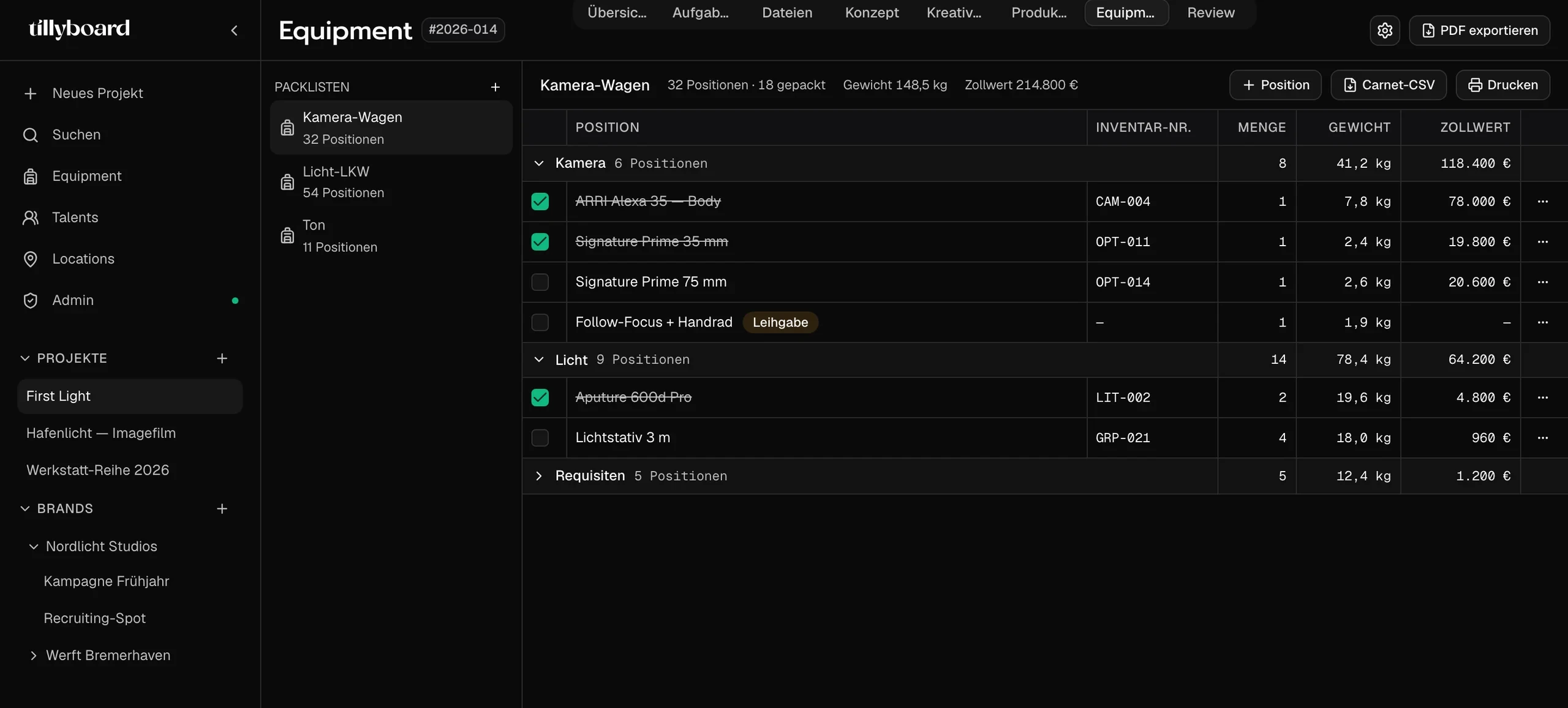
Teams shooting for these brands plan with TillyBoard





Watch a packing list come together
Just under 20 seconds from the real app: ticking off gear on the iPhone, adding items from the inventory, sorting what’s packed to the bottom.
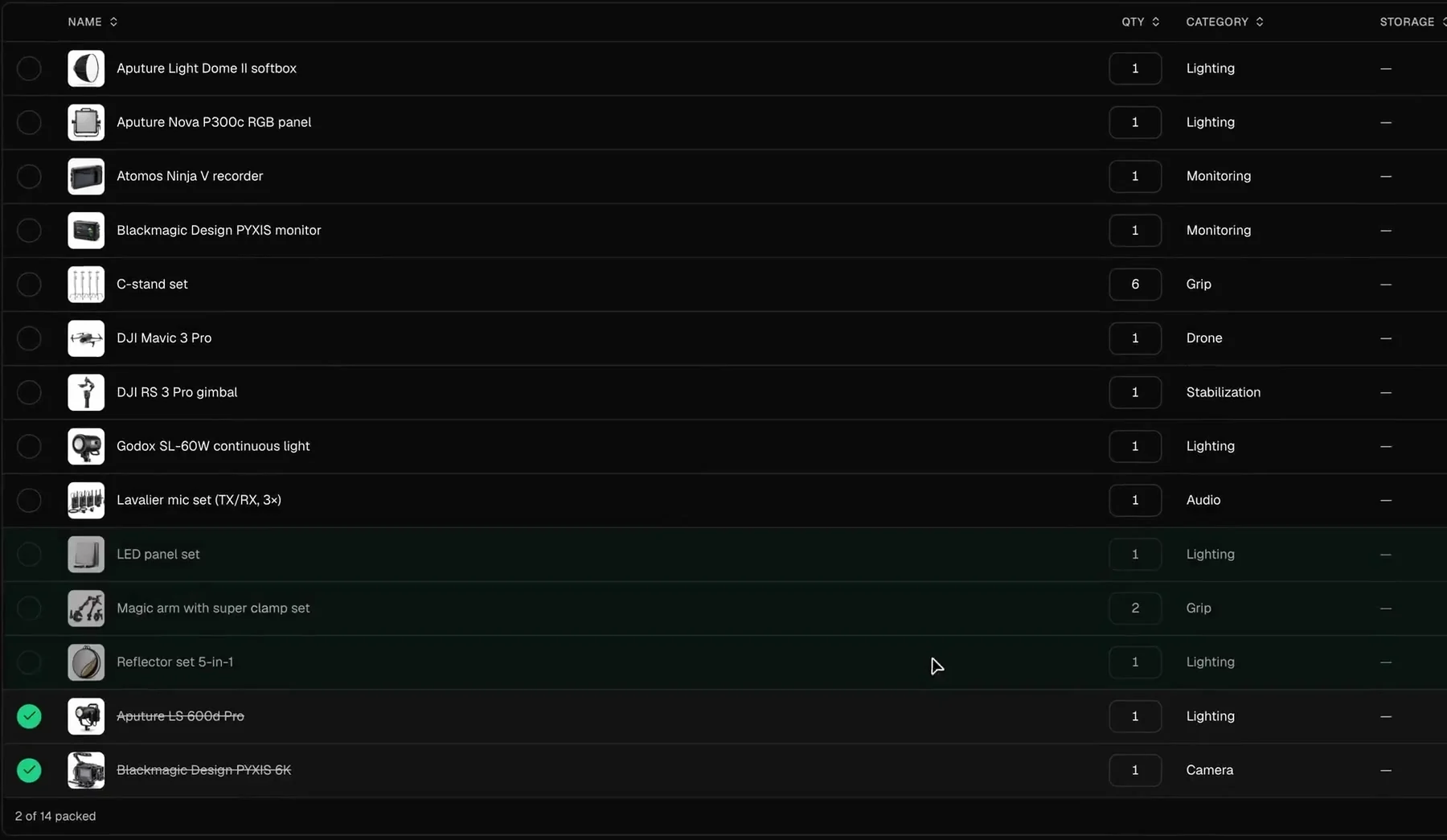
Packed drops to the bottom
One tick and the item is struck through and moves to the end of the list. What’s still missing stays on top. The footer keeps count: 2 of 14 packed.
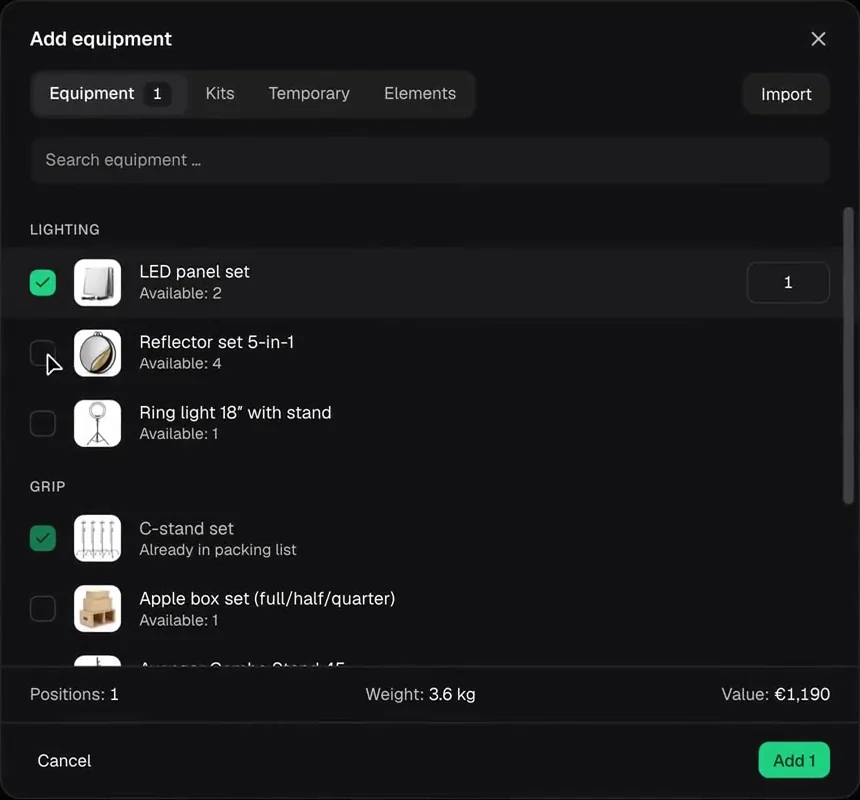
Picked from the inventory
Search, tick, set the quantity. Every item shows how many are available, and what’s already on the list is marked. Weight and value add up at the bottom.
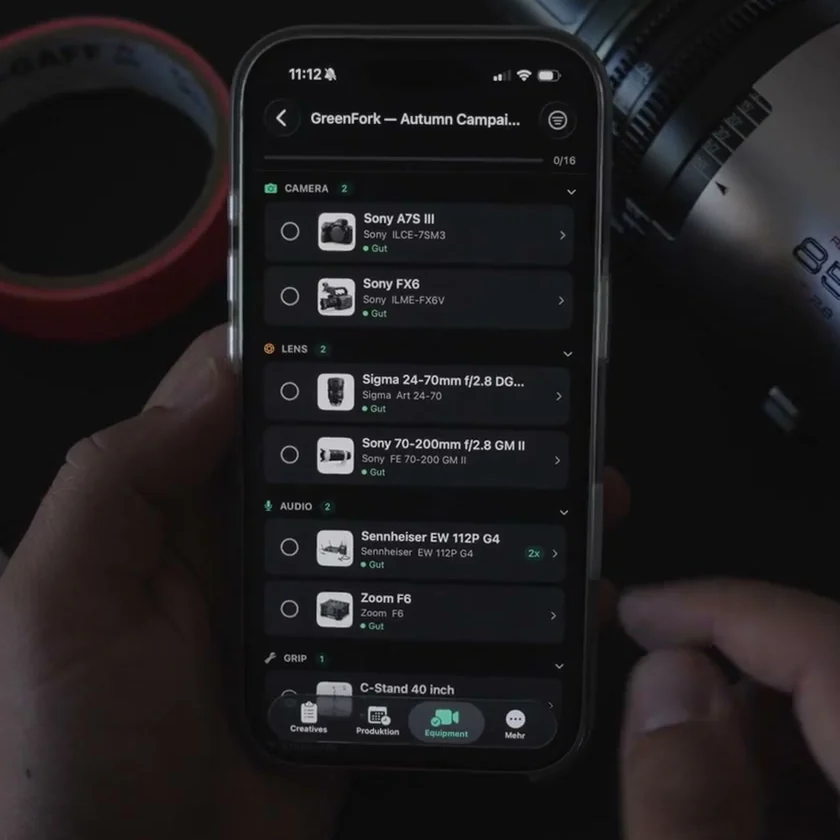
Ticked off at the cart
On the iPhone the list is sorted into camera, lens, audio and grip, with a counter running at the top. It works offline too.
What every item carries
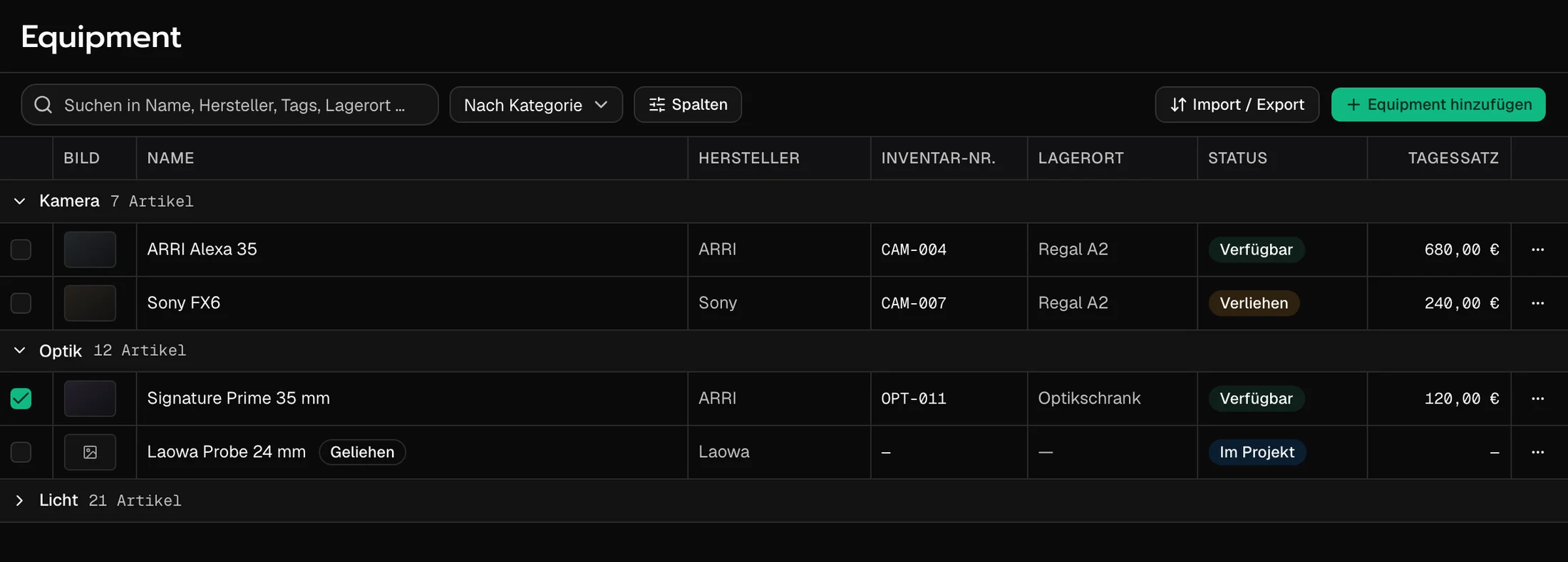
The questions asked at the cart: where is it, is it free, what does it cost, is it on the list. The inventory answers them once, for every item.
One inventory for every project
Sorted by category
Camera, lenses, lighting. Each group shows how many items it holds and folds away when you don’t need it.
Status in the row
Available, lent out or in a project. You see it before you promise the Alexa to a second shoot.
Borrowed gear stays marked
The lens you borrowed for the week carries its own label. It sits next to your kit without being mistaken for it.
A list for every cart
Conflicts in plain sight
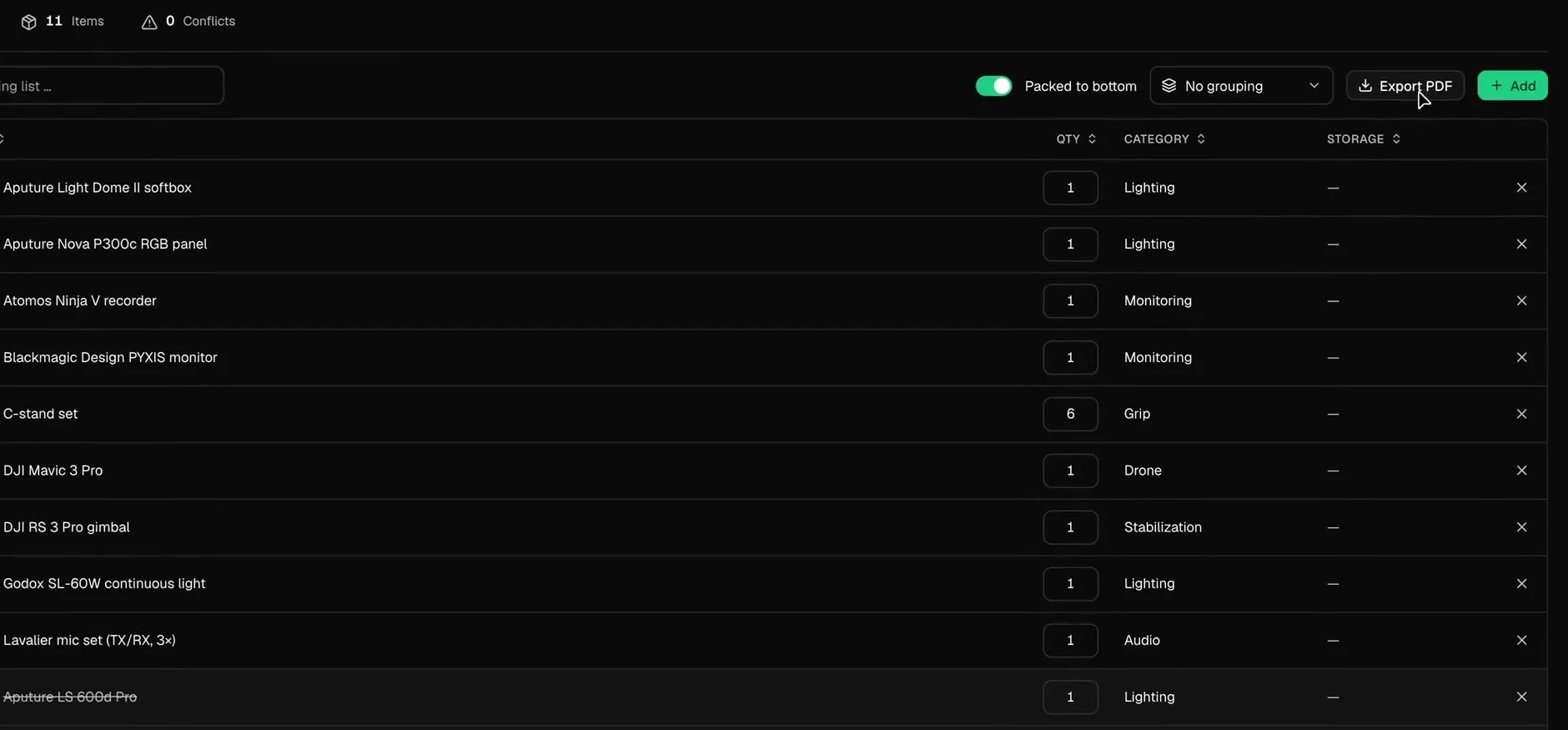
Next to the item count sits the conflict count. When a piece is booked twice across parallel productions, Tilly AI warns you before the kit leaves the office.
Several lists per shoot
Camera cart, lighting truck, sound. Each list adds up its items, its weight and its customs value.
PDF for the loader, CSV for customs
Export the list as a PDF, print it, or pull a carnet CSV when the kit crosses a border.
Cast and locations sit right next door
Talents with the details
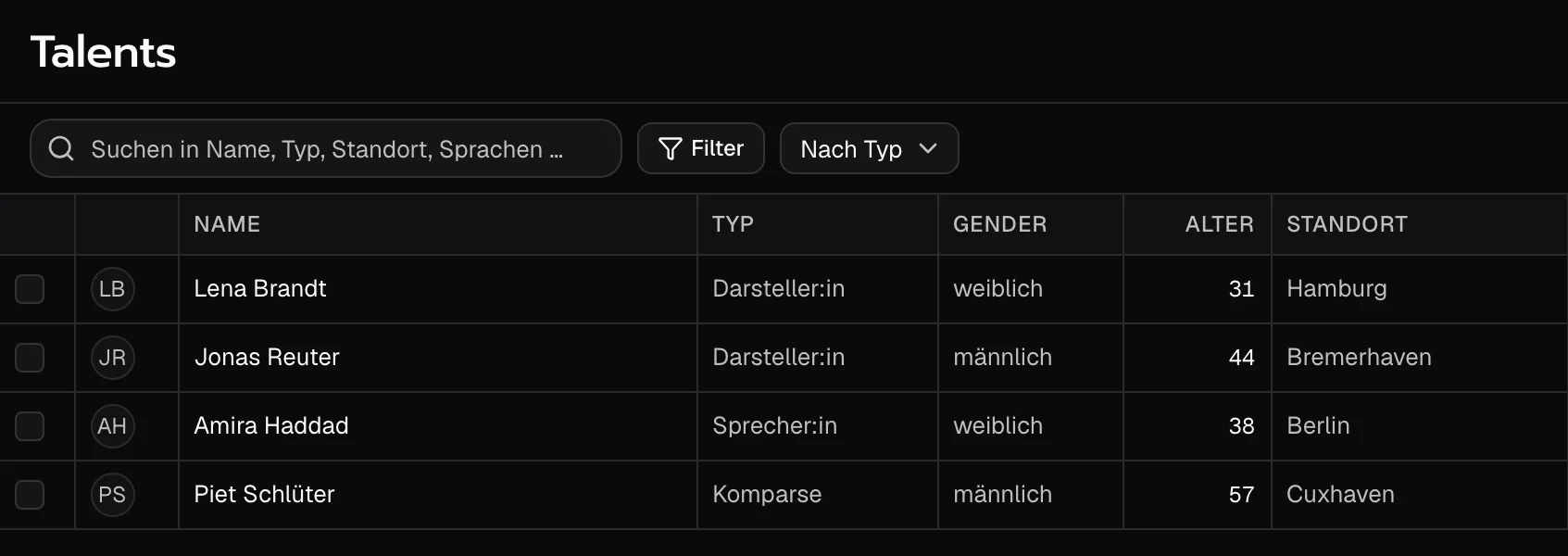
Type, age, home base, languages and day rate. As a table or as a grid.
Locations with an address
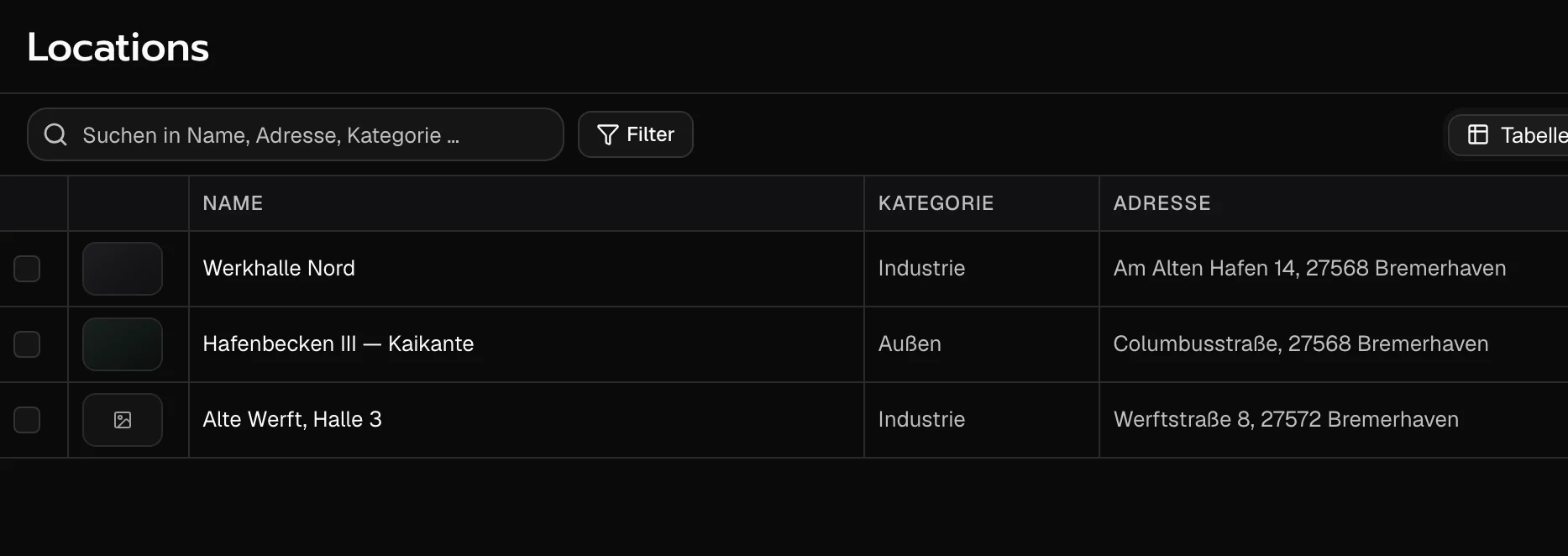
Category, address, crew size and day rate. Switch between table and map.
Picked in the shot list
You search and pick the same talents and locations right in a shot’s row.
From teams planning with TillyBoard
“We finally have a structured workflow for our social media videos. From the first idea to the shoot, everyone knows what’s coming up.”
“We plan everything in TillyBoard, from the first idea to the call sheet. One tool instead of three.”
Frequently asked questions
Where do the items on the packing list come from?
From your inventory. Under Add you search, tick and set the quantity. Kits, temporary items and elements have their own tabs in the same dialog.
How are double bookings caught?
Every packing list counts its conflicts next to the item count. Tilly AI warns when the same piece is planned for parallel productions, so you can re-plan before the kit leaves the office.
Does it work on set without signal?
Yes. In the iOS app the packing list is ticked off on set, offline too.
How does the list get out of the app?
As a PDF, on paper, or as a carnet CSV for customs. The inventory itself can be imported and exported.
What does it cost?
You can start for free. The plans are listed under Pricing on the homepage.