From moodboard to last setup
Pre-production for filmmakers.
For directors, DPs, indie crews, music video and documentary teams. Treatment and moodboard, the shot list with preview frames, the shoot day and the call sheet sit in one project, so the film you pitched is the film you shoot.
Start for free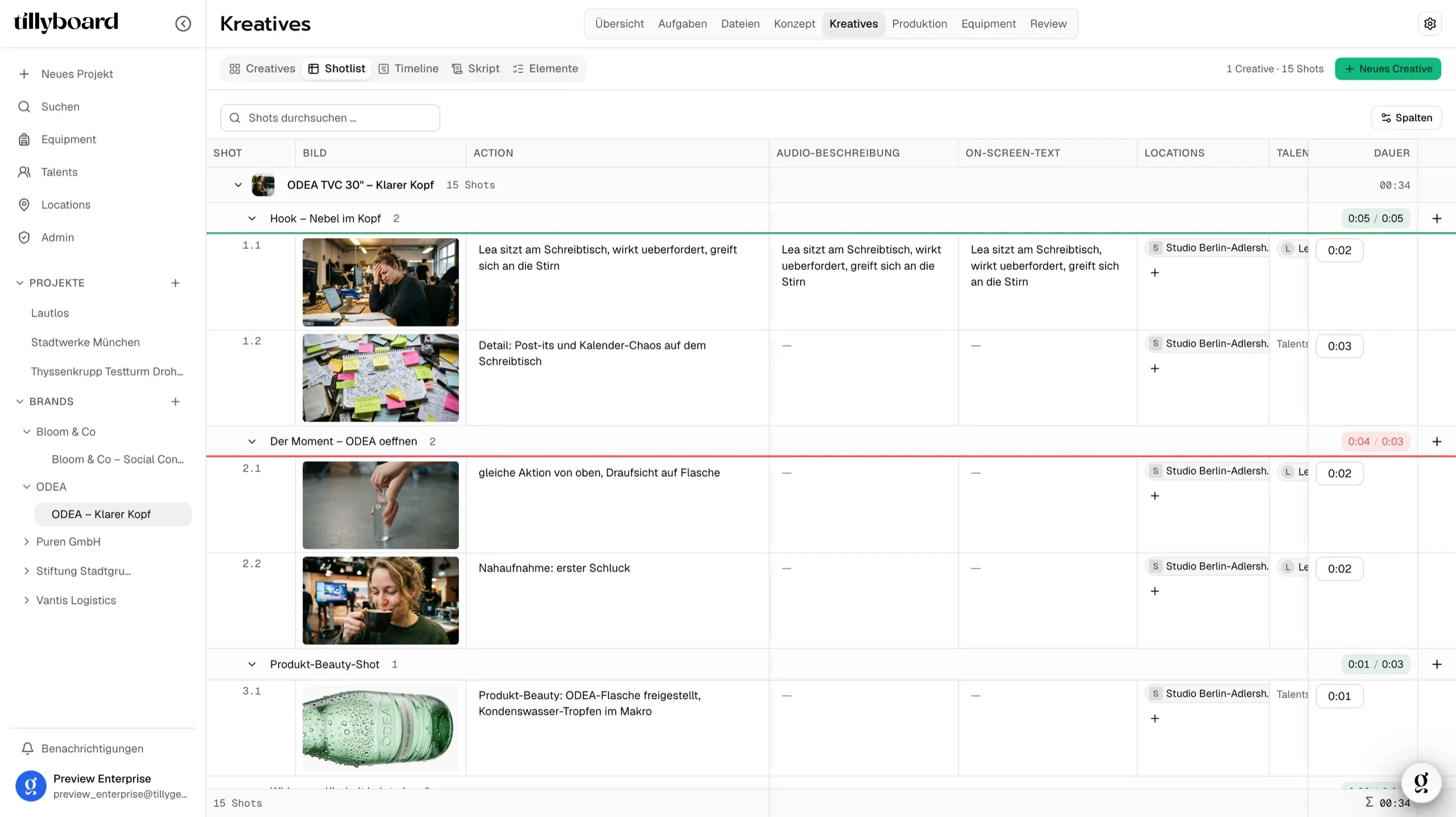
Teams shooting for these brands plan with TillyBoard





See how a film gets planned
Under half a minute, on set and in the app: moodboard, Tilly AI, shot list, tasks, and the call sheet on the phone.
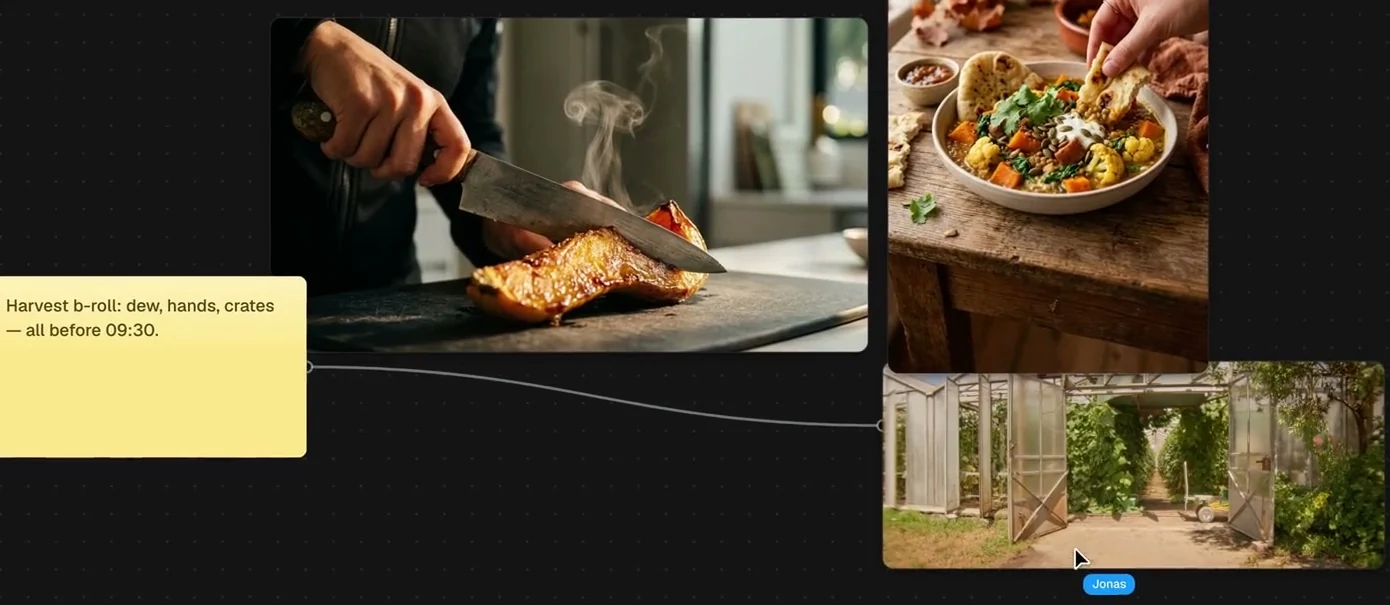
Pin the look to the wall
Stills, locations and sticky notes on one canvas. Draw a line from the note to the picture it means, and your DP knows which light you are after.
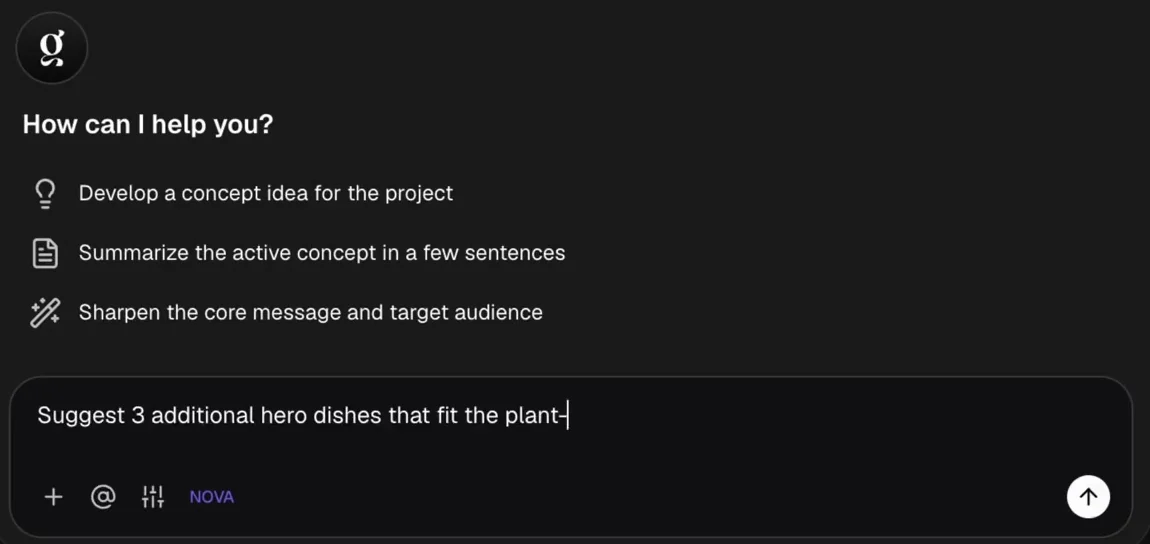
Tilly AI drafts, you direct
Have Tilly AI develop a concept idea, sum up the treatment in a few sentences or sharpen the core message. The direction stays yours.
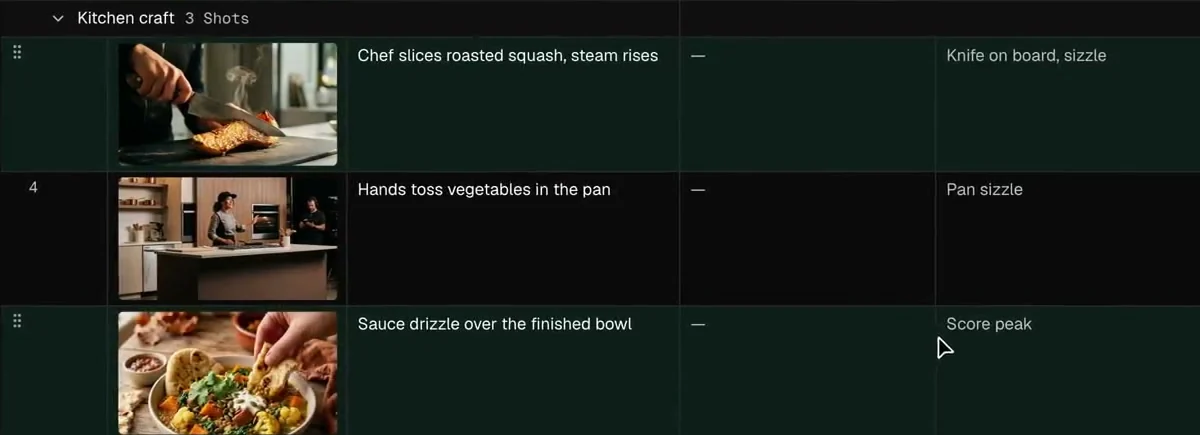
Frames before anyone draws them
Write the action, select the rows, click Generate images. Every shot gets a frame for framing and mood.
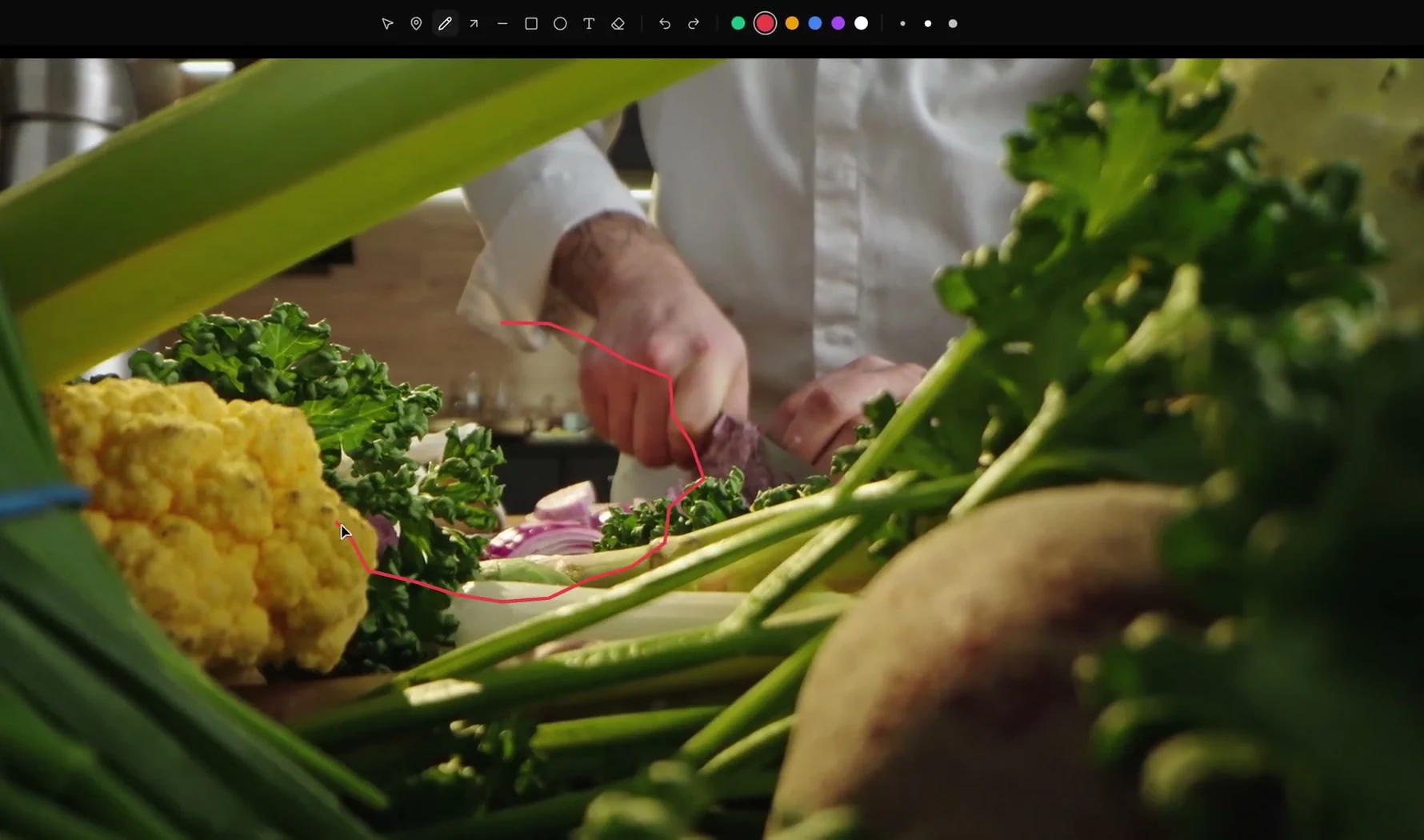
Notes on the frame, not in the mail
Upload the cut, circle what you mean, pin the note to the timecode. The client does the same, without an account.
From moodboard to call sheet
Every piece of the craft has its place in the project, from the first reference still to the note on the rough cut.
The look and the words, side by side
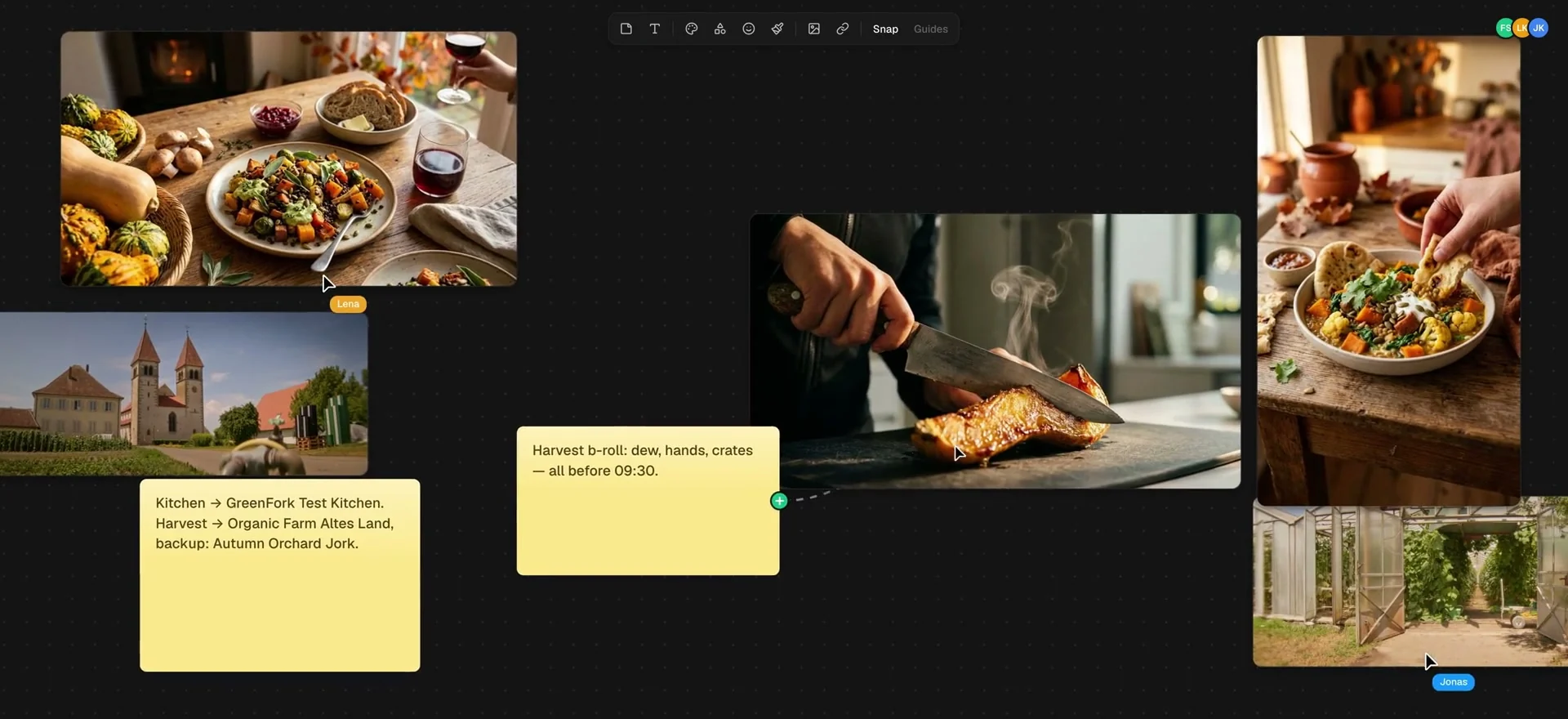
Stills next to locations
References for every beat hang side by side, as big as you drag them. Decisions go on a sticky note right next to them.
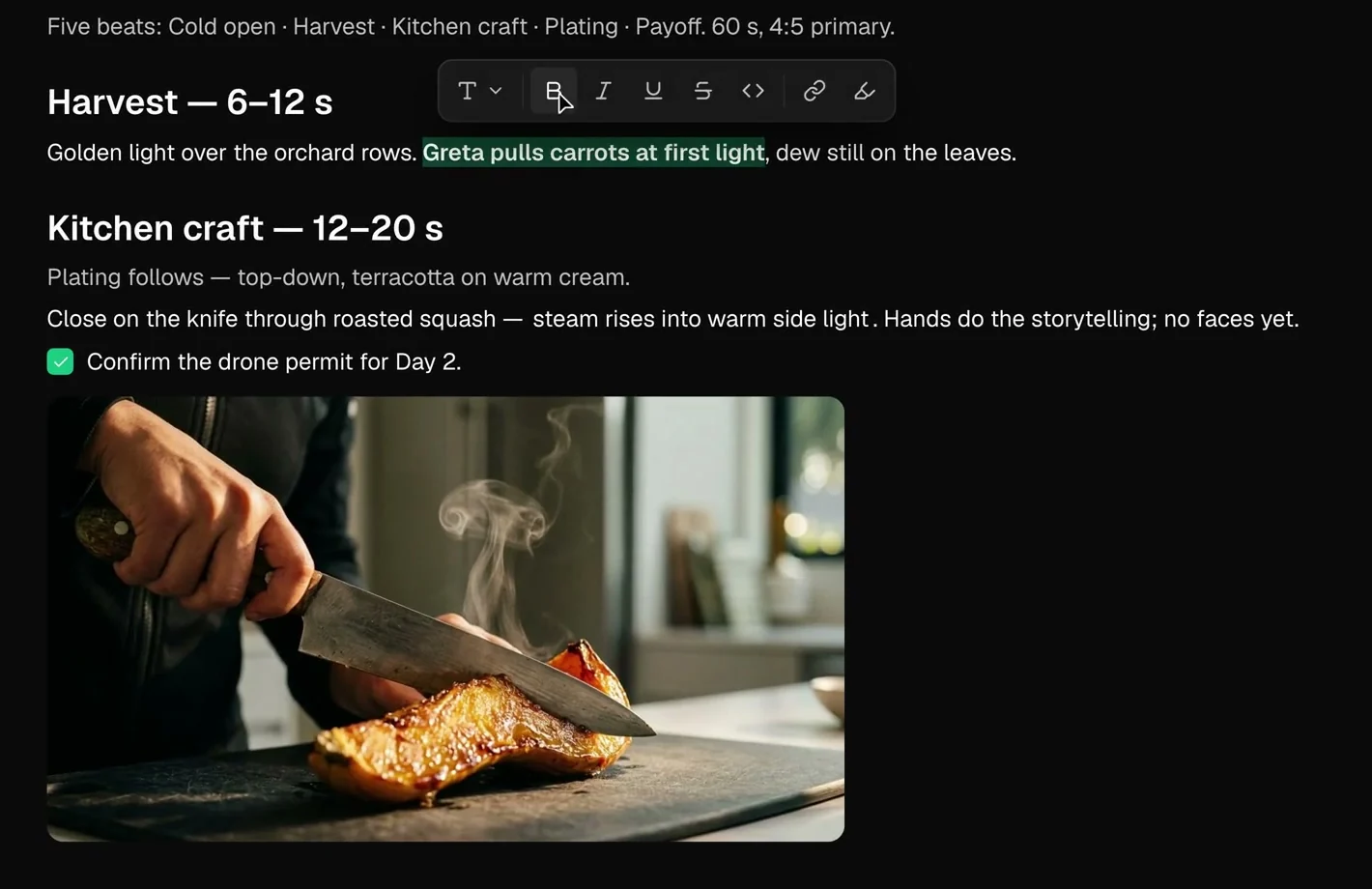
Beats with a time window
Harvest from second 6 to 12, kitchen from 12 to 20. The structure stands before the first line of the shot list.
The idea keeps its shots
Every concept lives in the project with its own shots. The idea and the shot list stay together.
A shot list your DP can read on the day
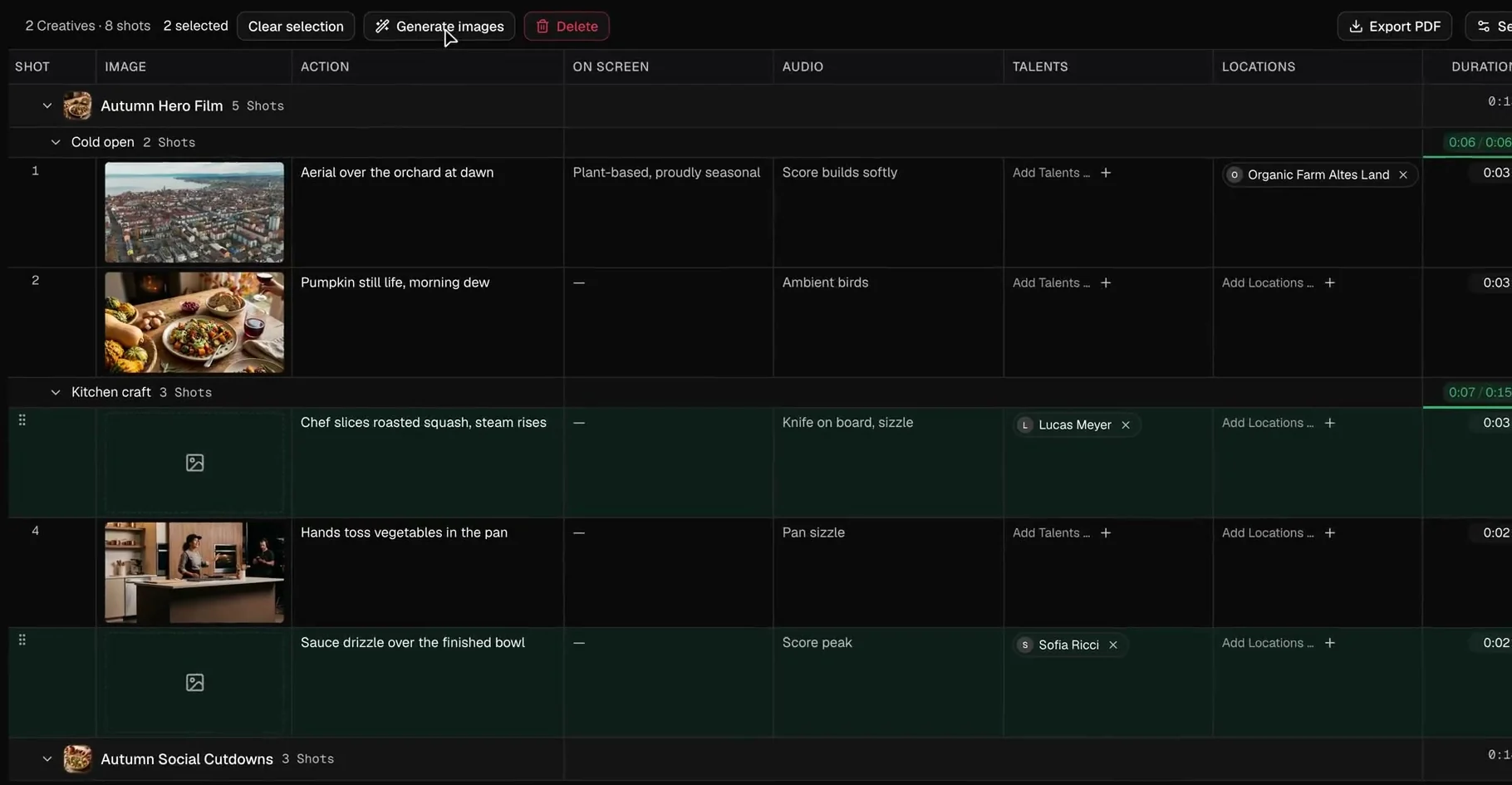
One row per shot
Action, on-screen text, sound, cast, location, duration and a preview frame. The questions from set, answered once.
Runtime against the target
Every segment adds up its shots. When the cold open runs long, the counter turns red while you write, not in the edit.
Your cast as reference
Tick the option and talent headshots and location photos go into the preview frames. The picture itself is still made on set.
Shoot where the light is
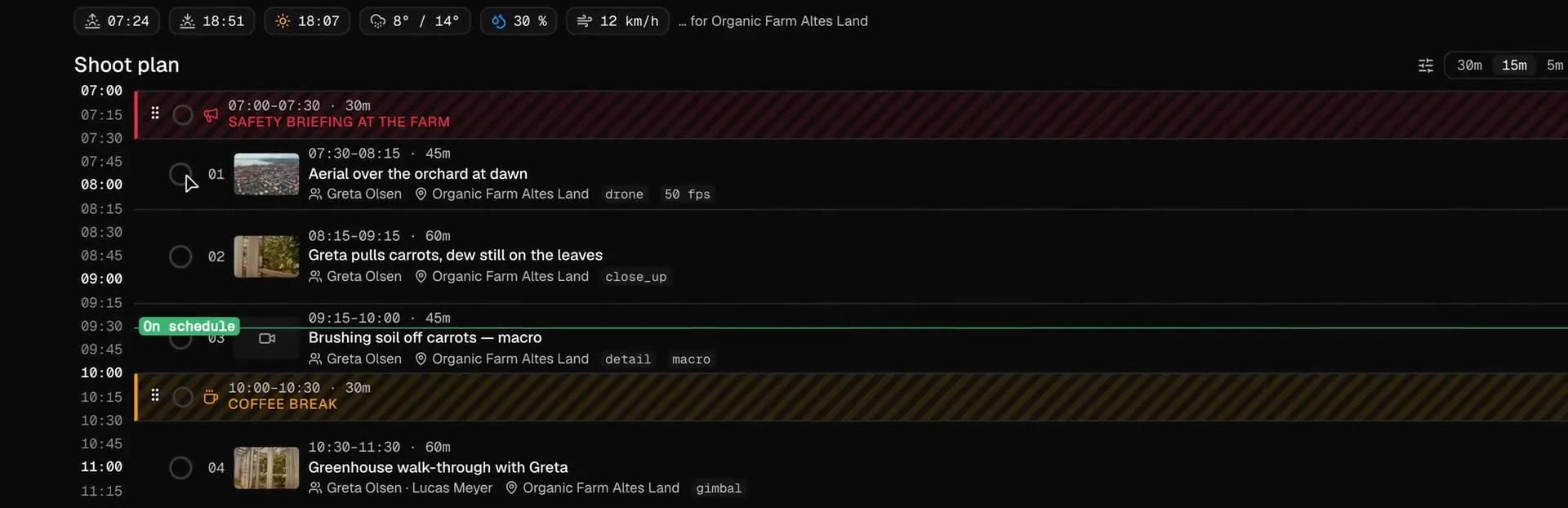
The sun above the plan
Sunrise, sunset and golden hour for the location, plus temperature, chance of rain and wind. The exteriors go where the light is.
Move a shot, the day follows
Drag a shot to a new slot and the start and end times of everything after it are recalculated.
The call sheet comes out of it
Times, locations, running order, cast and crew come from the project. Cast and crew confirm via link.
Why filmmakers choose TillyBoard
The look of the film and the plan behind it live in the same project, from the first reference to the approved cut.
Look and plan in one place
Moodboard, treatment, shot list and shoot day sit in one project instead of a folder of files.
Creative control stays with you
Tilly AI writes the first draft. What ends up in the film is your call.
Frames for every shot
Preview frames come from the action text, so the crew sees framing and mood before the first setup.
A cut that fits
Segments count their runtime against the target, so the 30-second spot is 30 seconds on paper.
Director, DP and producer together
Everyone works in the same project at the same time, with roles and permissions.
On every screen, on every set
Desktop in the browser, iPad with Apple Pencil, day plan and call sheet on the iPhone, call times on the Apple Watch.
Your projects stay yours
Treatments, unreleased cuts and client material deserve care. This is how TillyBoard handles them.
With Tilly Terra, the AI runs fully hosted in the EU and your data stays in the EU.
With Tilly Terra, processing is GDPR-compliant.
With Tilly Terra, your content is never used for model training.
Cast and crew confirm, clients review, all via link and without an account.
Concept, shot list, schedule and call sheet export as PDF.
You can start for free.
From teams planning with TillyBoard
“We finally have a structured workflow for our social media videos. From the first idea to the shoot, everyone knows what’s coming up.”
“We plan everything in TillyBoard, from the first idea to the call sheet. One tool instead of three.”
Frequently asked questions
Does Tilly AI make creative decisions for me?
No. Tilly AI writes the first draft, develops a concept idea or sharpens the core message when you ask. The creative control stays with you.
Can I storyboard without an artist?
Every shot can get a preview frame generated from its action text. If you tick the option, talent headshots and location photos go in as references. The frame shows framing and mood, the picture is still made on set.
Can my DP and producer work in the same project?
Yes. Directors, DPs and producers work in the same project at the same time, with roles and permissions. Cast and crew confirm call sheets via link, clients review and approve right in the project.
Does it work on set?
Yes. The iPhone app carries the day plan and the call sheet, the iPad works with Apple Pencil, the Apple Watch shows call times. Everything syncs as soon as you are back online.
What does it cost?
You can start for free. The plans are listed under Pricing on the homepage.