Concept
The idea, before the first shot.
Treatment, moodboard and brief in one project. You write the beats, pin up the references, and Tilly AI delivers the first draft. You set the direction.
Start for free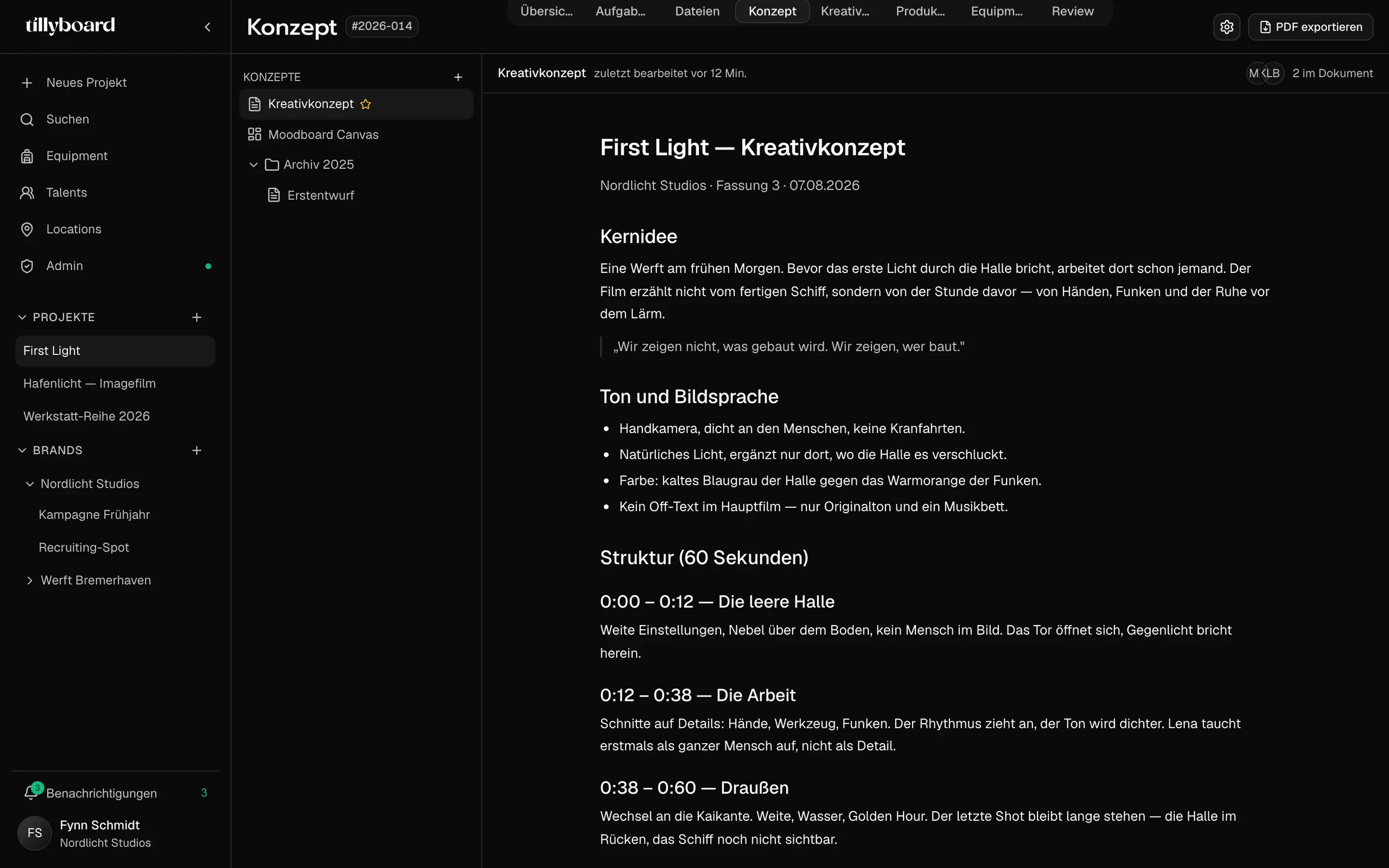
Teams shooting for these brands plan with TillyBoard





Watch a concept take shape
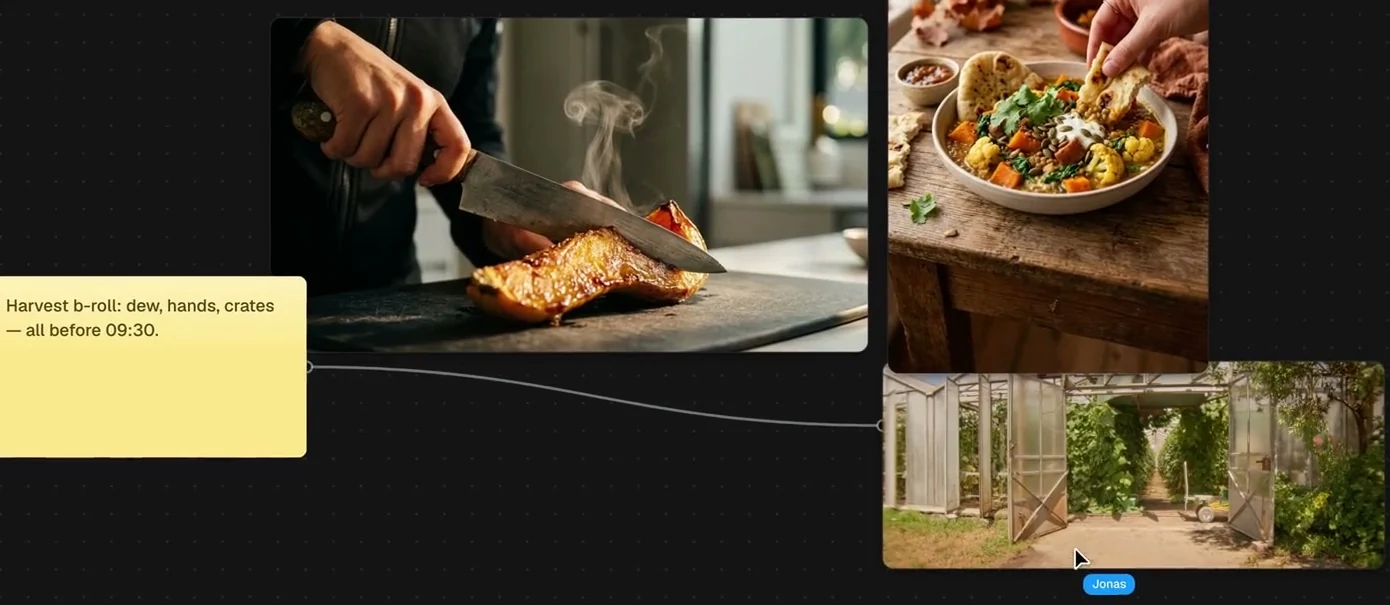
About 35 seconds from the real app: a moodboard with notes and references, then the treatment with beats, a to-do and an image.
Notes on the wall, lines between them
Put stills, locations and sticky notes on the canvas and draw a line from the note to the picture it means.
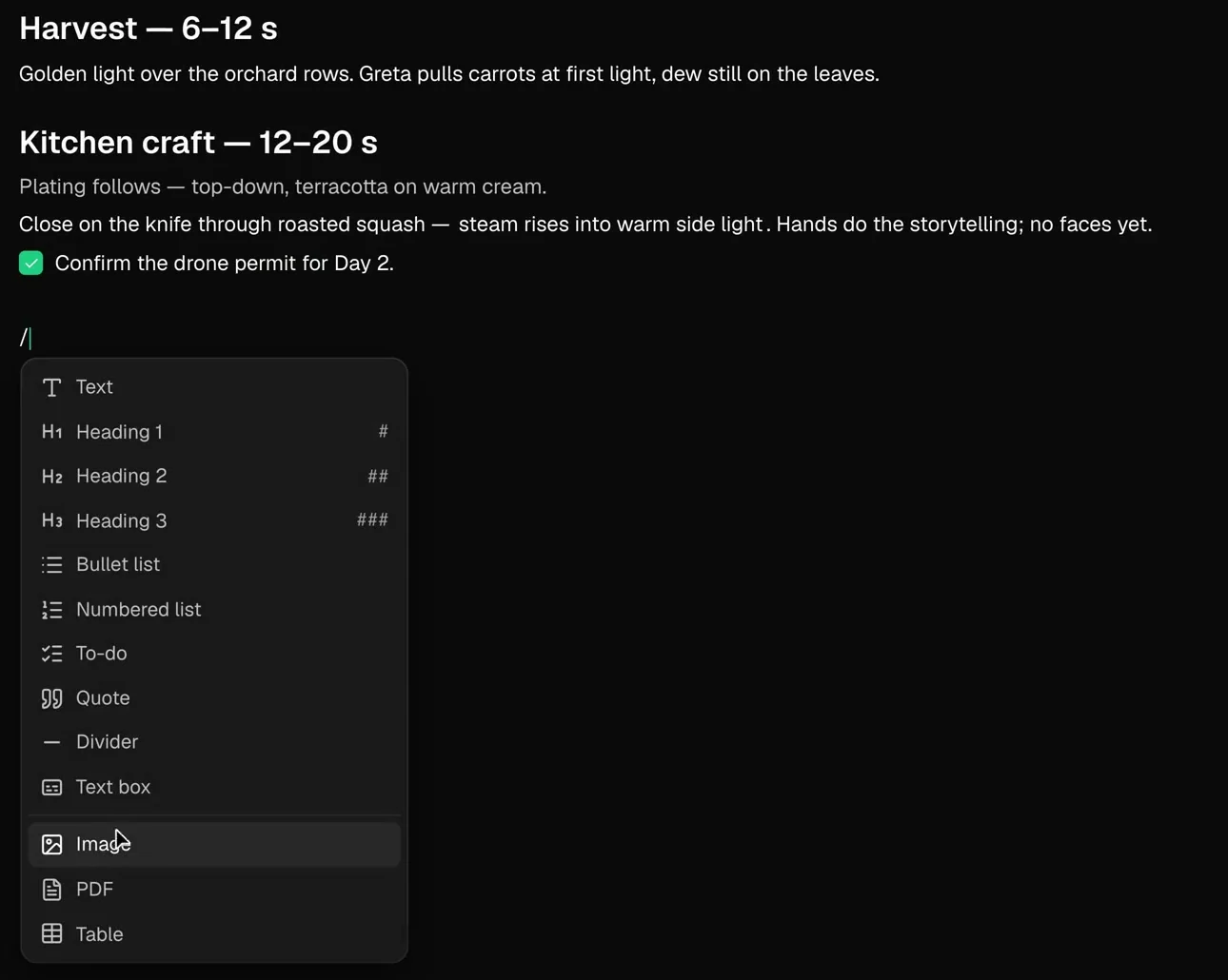
Type a slash, pick a block
Headings, lists, to-dos, quotes, tables, images and PDFs go into the treatment from one menu.
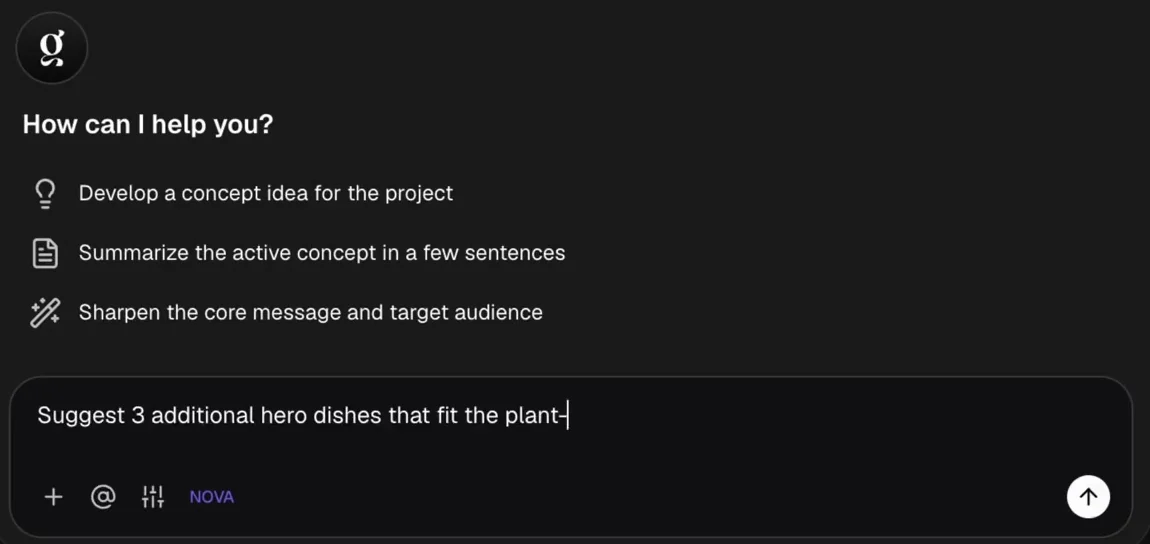
Tilly AI works in the concept you have open
Have it develop a concept idea, summarise the active concept in a few sentences, or sharpen the core message and target audience. Or type your own question.
What a concept is built from
The treatment is a document, the moodboard an open canvas. These are the pieces you build both from.
Put the look on one wall
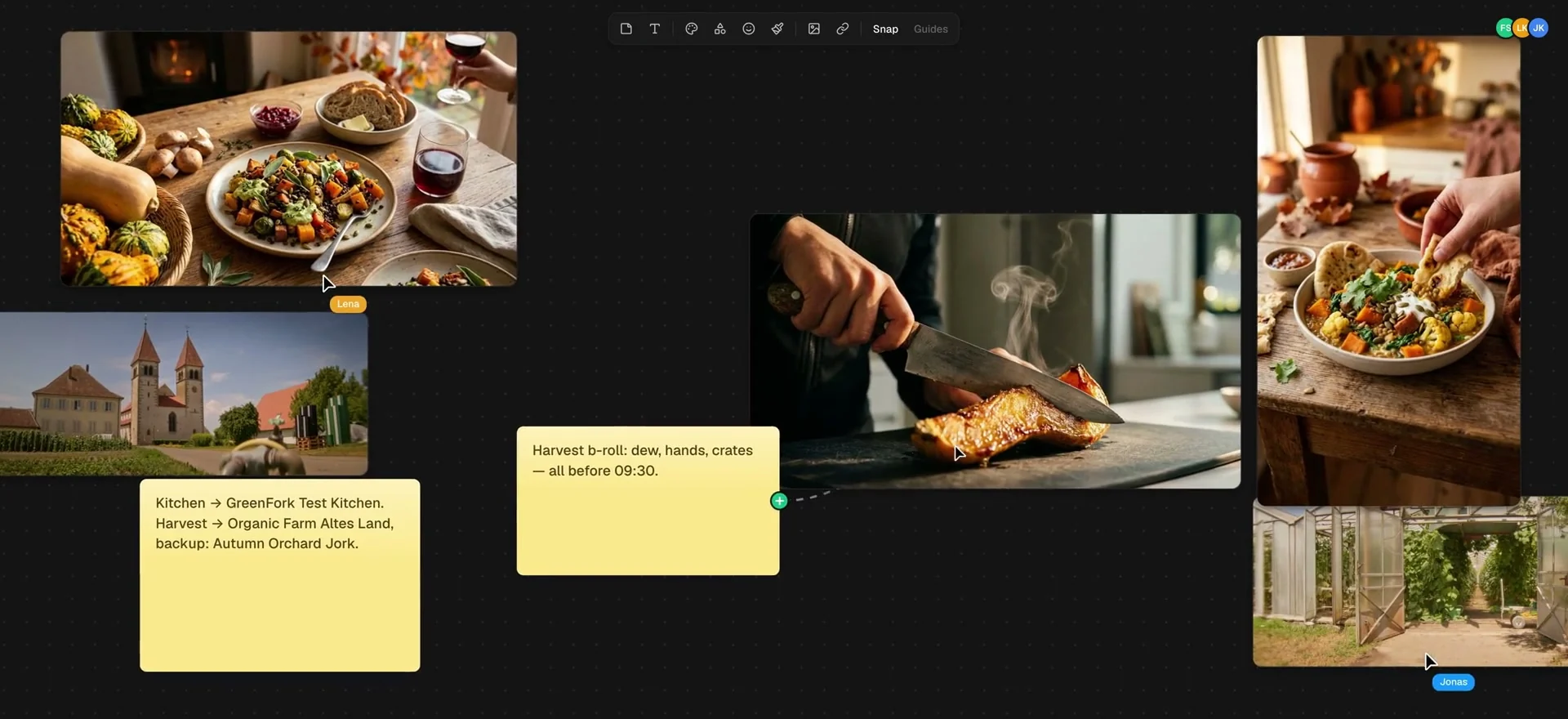
Stills next to locations
Food, light, the farm, the test kitchen. The references for every beat hang side by side, as big as you drag them.
Decisions on sticky notes
A note says which location it will be and where the backup is. It sits right where the pictures hang.
Everyone at the same wall
Collaborators show up by name at their cursor. Snap and guides keep the wall in order.
A treatment the crew can read
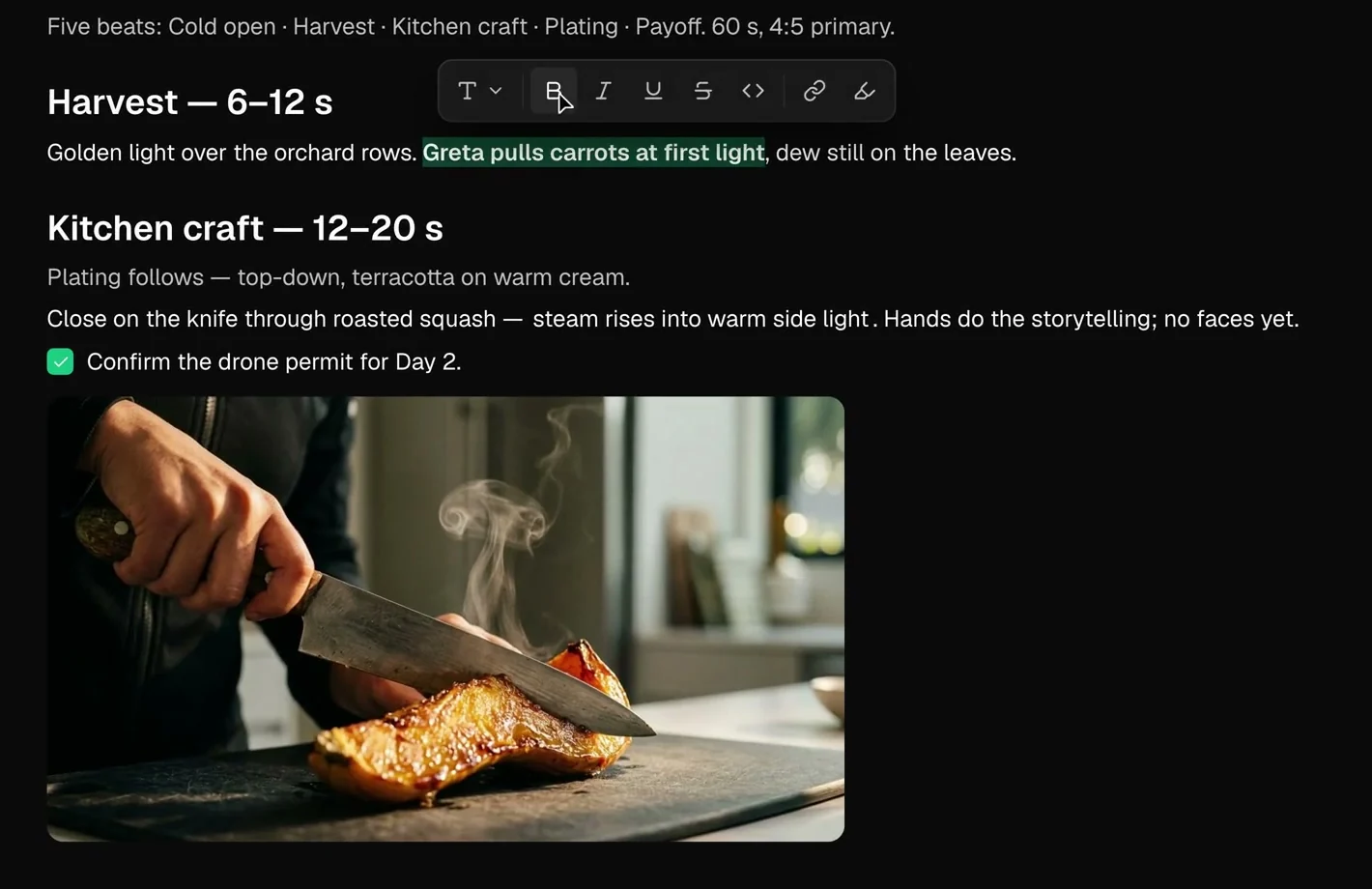
Beats with a time window
Harvest from second 6 to 12, Kitchen craft from 12 to 20. The structure is in the text before the first line of the shot list is written.
Open points as to-dos
The drone permit sits as a checkbox right under the beat it belongs to.
The picture in the paragraph
The reference still sits under the description it belongs to. Select a phrase and the formatting bar appears.
One concept for the whole crew
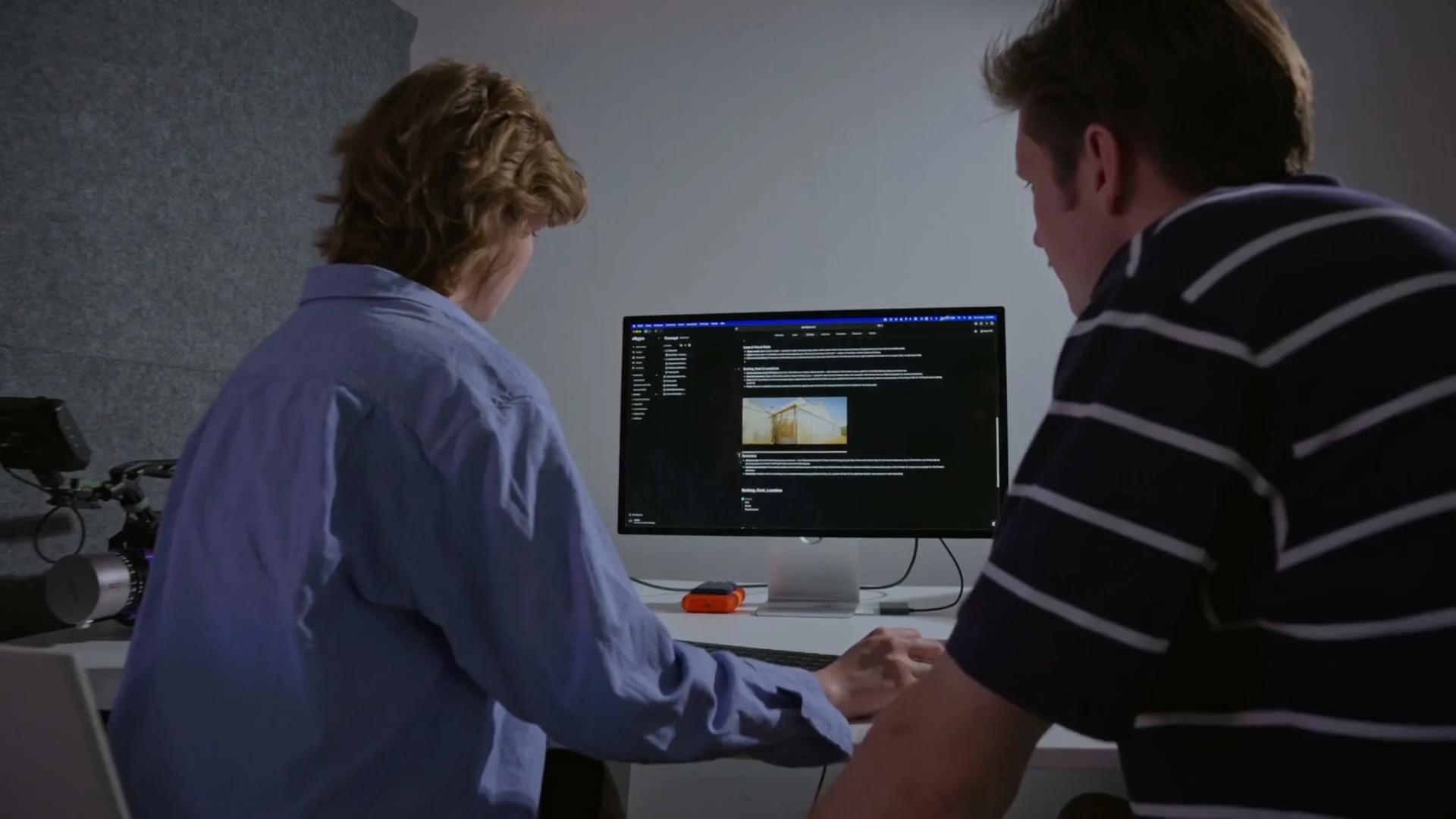
Several concepts per project
The creative concept, the moodboard and last year's first draft sit side by side, older versions in folders.
With its own shots
Concepts, moodboards and references live in the project, each with its own shots. The idea and the shot list stay together.
To the client as a PDF
Export the concept as a PDF for everyone who doesn't have an account.
From teams planning with TillyBoard
“We finally have a structured workflow for our social media videos. From the first idea to the shoot, everyone knows what’s coming up.”
“We plan everything in TillyBoard, from the first idea to the call sheet. One tool instead of three.”
Frequently asked questions
What goes into a concept?
A document for the treatment and a canvas for the moodboard. The document takes headings, lists, to-dos, quotes, tables, images and PDFs. The canvas takes images, sticky notes, text and connecting lines.
What does Tilly AI do in the concept?
Tilly AI writes the first draft, you set the direction. It develops a concept idea for the project, summarises the active concept in a few sentences, or sharpens the core message and target audience.
Can several people work on the moodboard at once?
Yes. Collaborators show up by name at their cursor, and the top of the concept shows who is in the document right now.
How does the concept get to the client?
As a PDF export. Custom branding on exports is included from the Team plan up.
What does it cost?
You can start for free. The plans are listed under Pricing on the homepage.