Review & Approval
Notes that land on the frame.
Upload the cut and the client draws right into the picture. Every note carries its timecode, every version keeps its own notes, and once the cut holds, it gets approved and downloaded in the same place.
Start for free
Teams shooting for these brands plan with TillyBoard


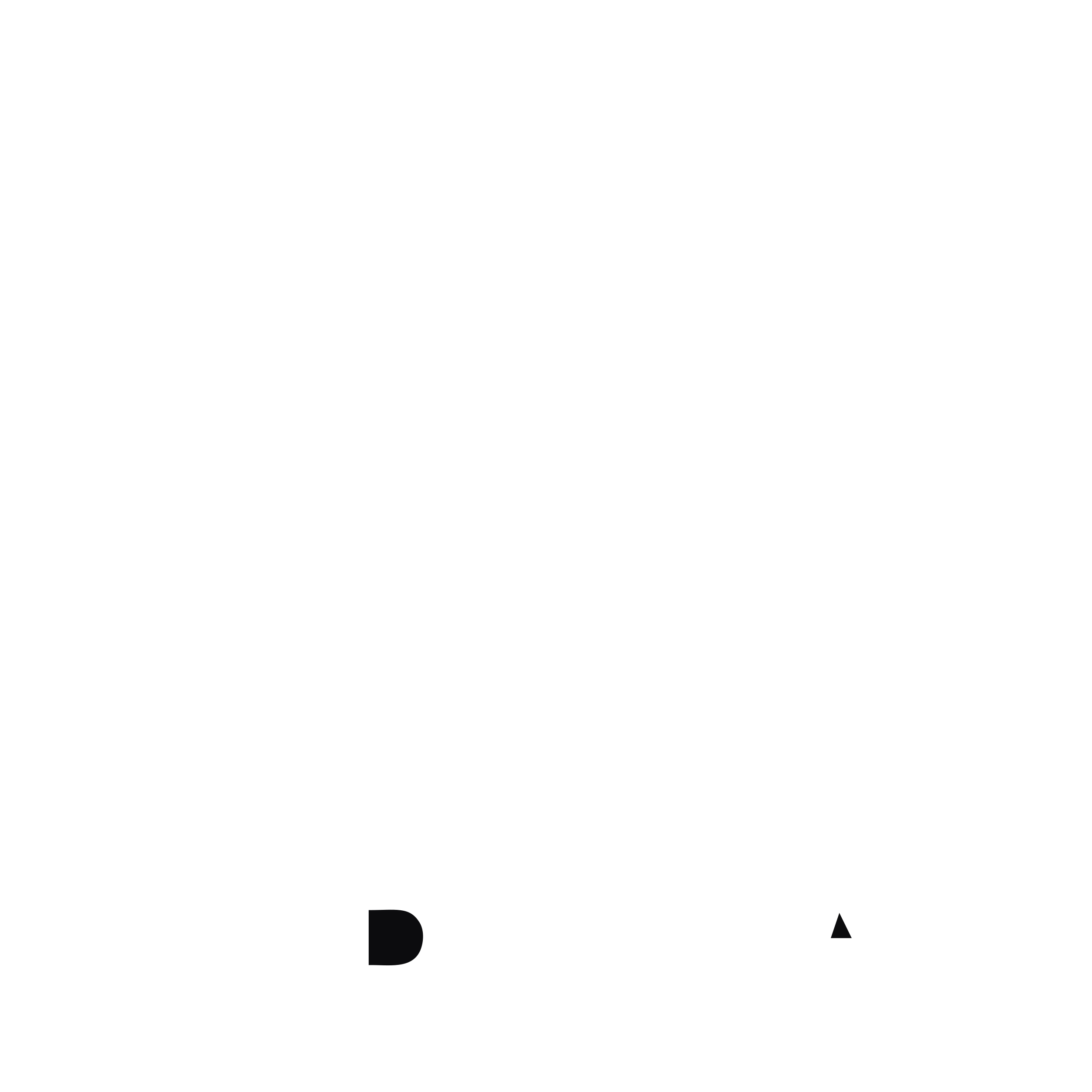


Watch a round of notes
15 seconds from the real app: drawing on the frame, commenting on the timecode, ticking notes off.
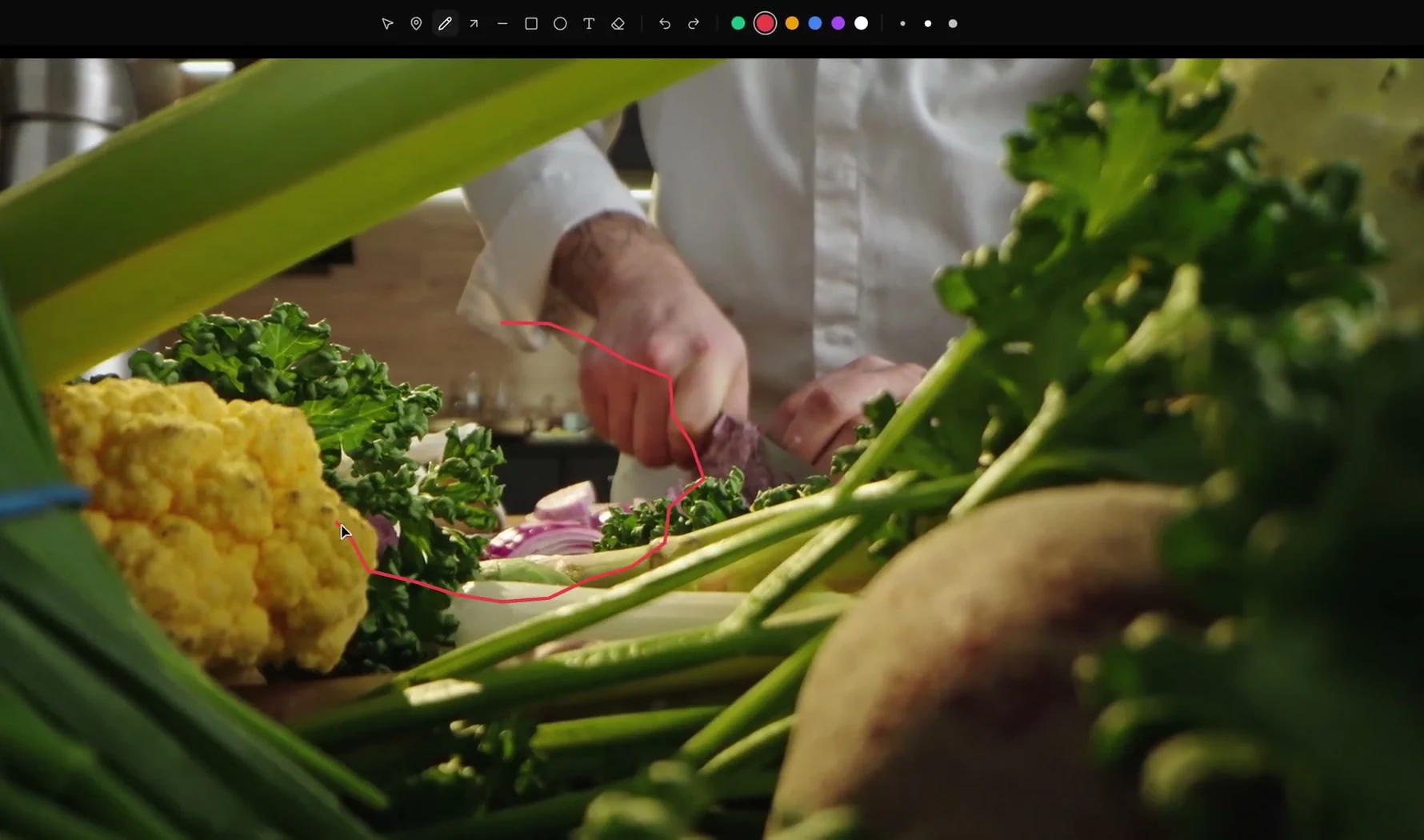
Draw where you mean it
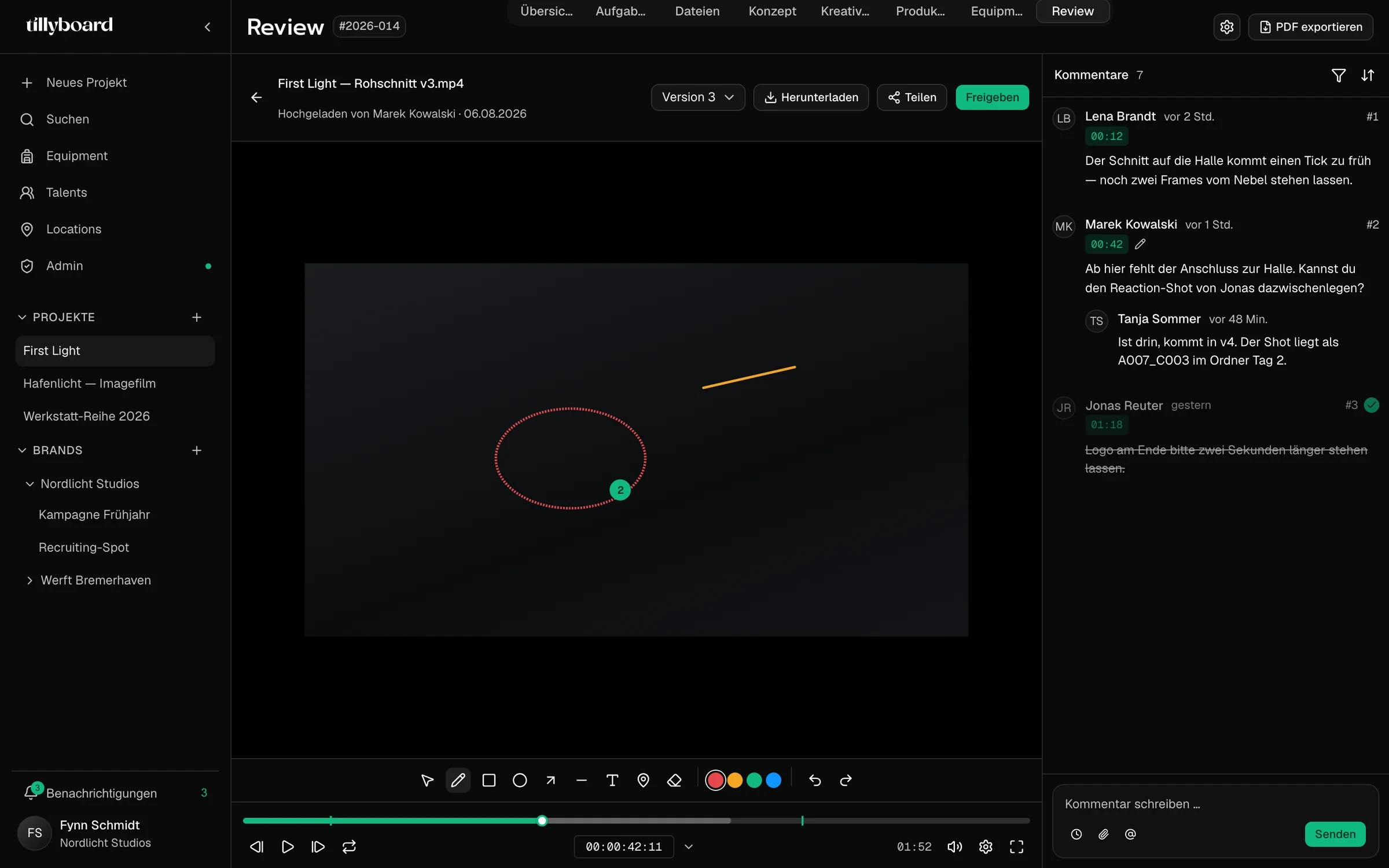
Pen, arrow, line, rectangle, circle, text and pin, in six colours and three stroke weights. Circle the knife and nobody has to explain which one you mean.
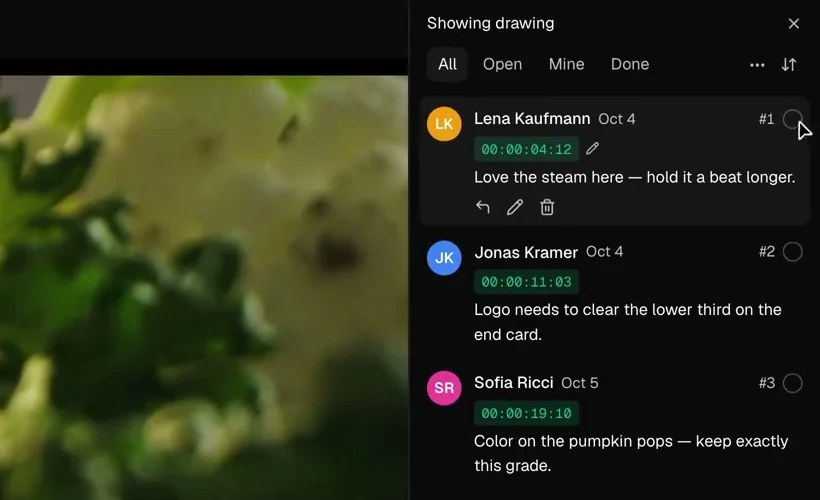
Every note on a timecode
Notes are numbered and pinned to the frame: 00:00:11:03 instead of “somewhere near the end”. Reply, edit or delete right on the note.
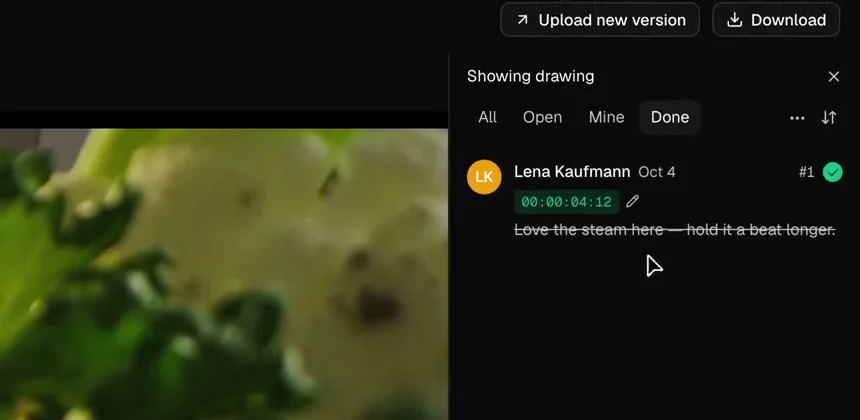
Tick off what’s done
A note that’s been fixed gets its tick and is struck through. Filter by All, Open, Mine or Done, and the edit suite sees only what’s left.
Everything a note needs
The kit the client and the edit suite share, from the first rough cut to the approval.
See where every cut stands
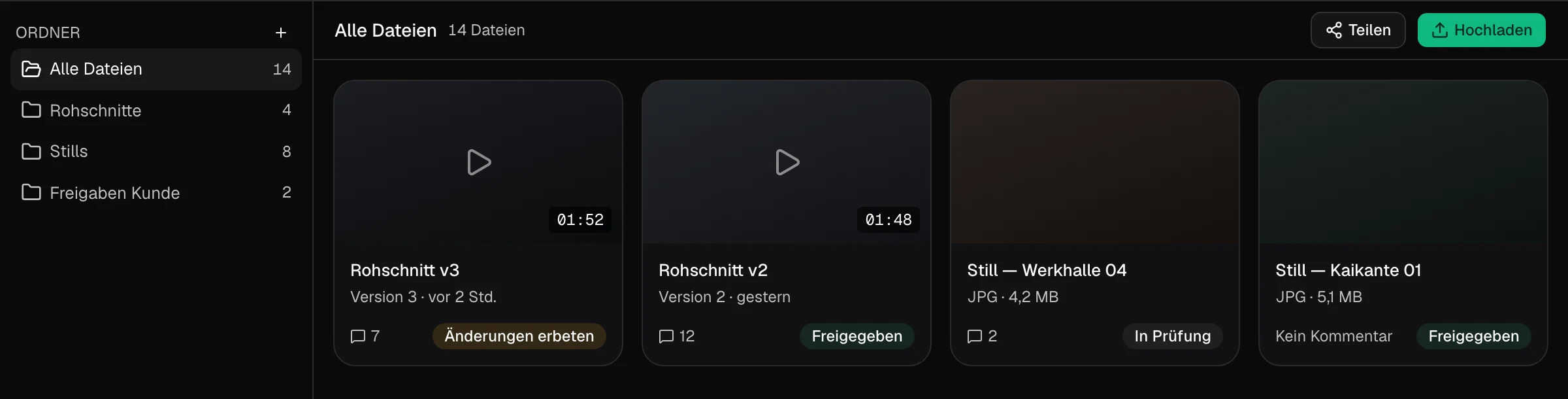
A status per file
In review, changes requested, approved. Every card shows where it stands and how many notes it carries.
Rough cuts and stills
Sort rough cuts, stills and client approvals into folders. A still gets notes and a status just like a video.
Upload and share
Upload the file, share the link. The client gets the review, not the rest of the project.
One cut, every version, one approval
Stacked, not renamed
A new version stacks on top of the old ones. v1 to v4 stay one click apart, and old notes stay with the cut they were written on.
Approve in one click
When the cut holds, the client clicks Approve. In the overview the file then shows as approved.
Download straight from you
The client downloads the finished video straight from the project. No transfer link on the side.
Client, director and editor on the same frame
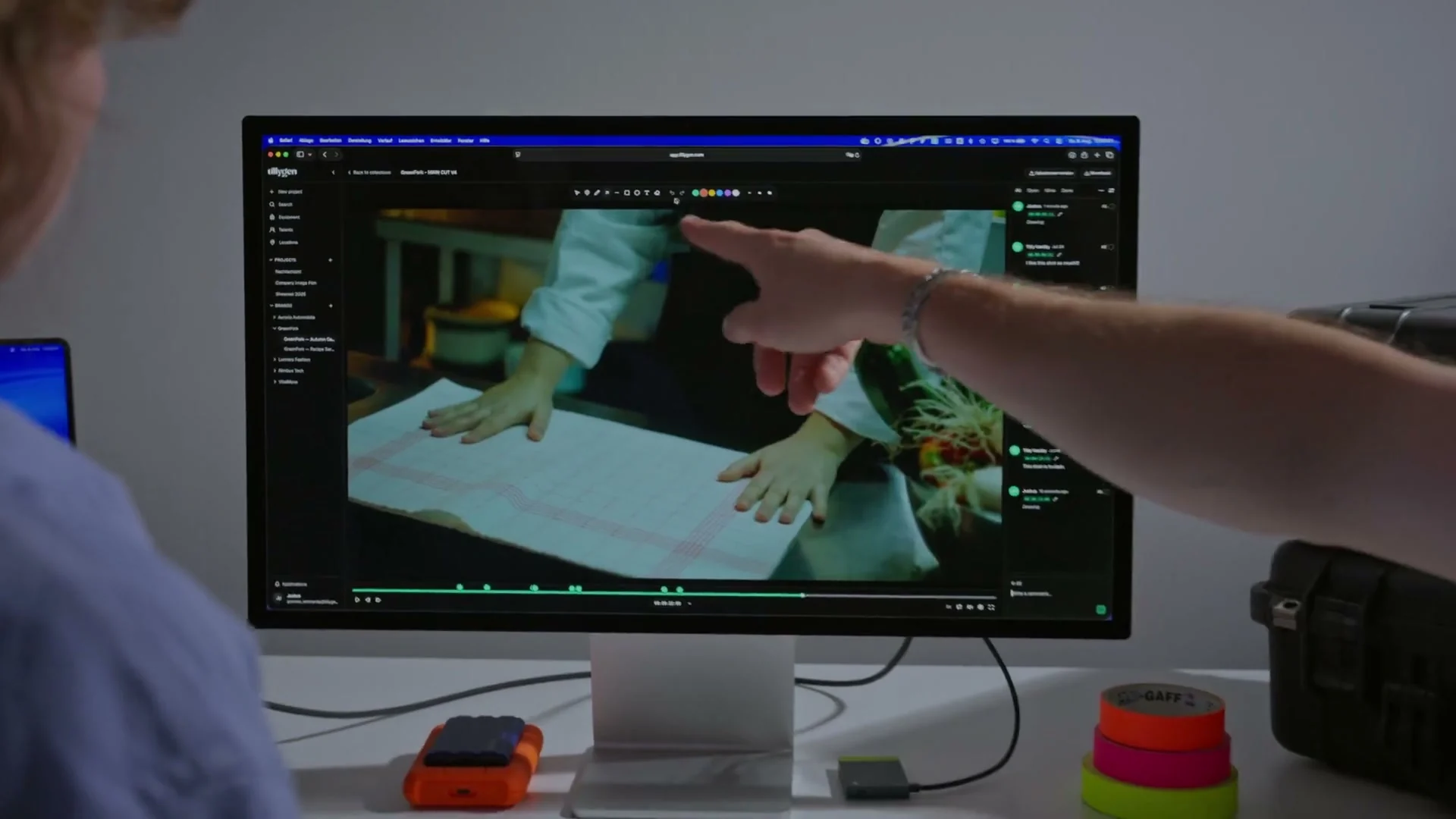
In without an account
Clients review and approve right in the project, without signing up.
Markers on the timeline
Every note sits as a marker on the timeline. You see where the feedback piles up before you read the first one.
Mention the right person
Type @ to pull the editor or the colourist into the note, use the paperclip to attach a reference still.
From teams planning with TillyBoard
“We finally have a structured workflow for our social media videos. From the first idea to the shoot, everyone knows what’s coming up.”
“We plan everything in TillyBoard, from the first idea to the call sheet. One tool instead of three.”
Frequently asked questions
Can the client comment on a specific frame?
Yes. Every note is pinned to a timecode, and you can draw straight into the picture: circle, arrow, rectangle, pen or text. The drawing stays with the note.
Does the client need an account?
No. Clients review and approve right in the project, without seeing the schedule, the packing list or anything else in it.
How do versions work?
Use Upload new version to stack the next cut on the old one. Every version stays within reach, and each keeps the notes written against it.
Does it work for stills?
Yes. Stills sit in the same review next to the cuts and get notes and a status just like a video.
What does it cost?
You can start for free. The plans are listed under Pricing on the homepage.