Shot list
A shot list that adds up.
One row per shot: action, on-screen text, sound, cast, location, duration and a preview frame. Segments add up their runtime against the target, so you know before the shoot whether the 30-second spot fits into 30 seconds.
Start for free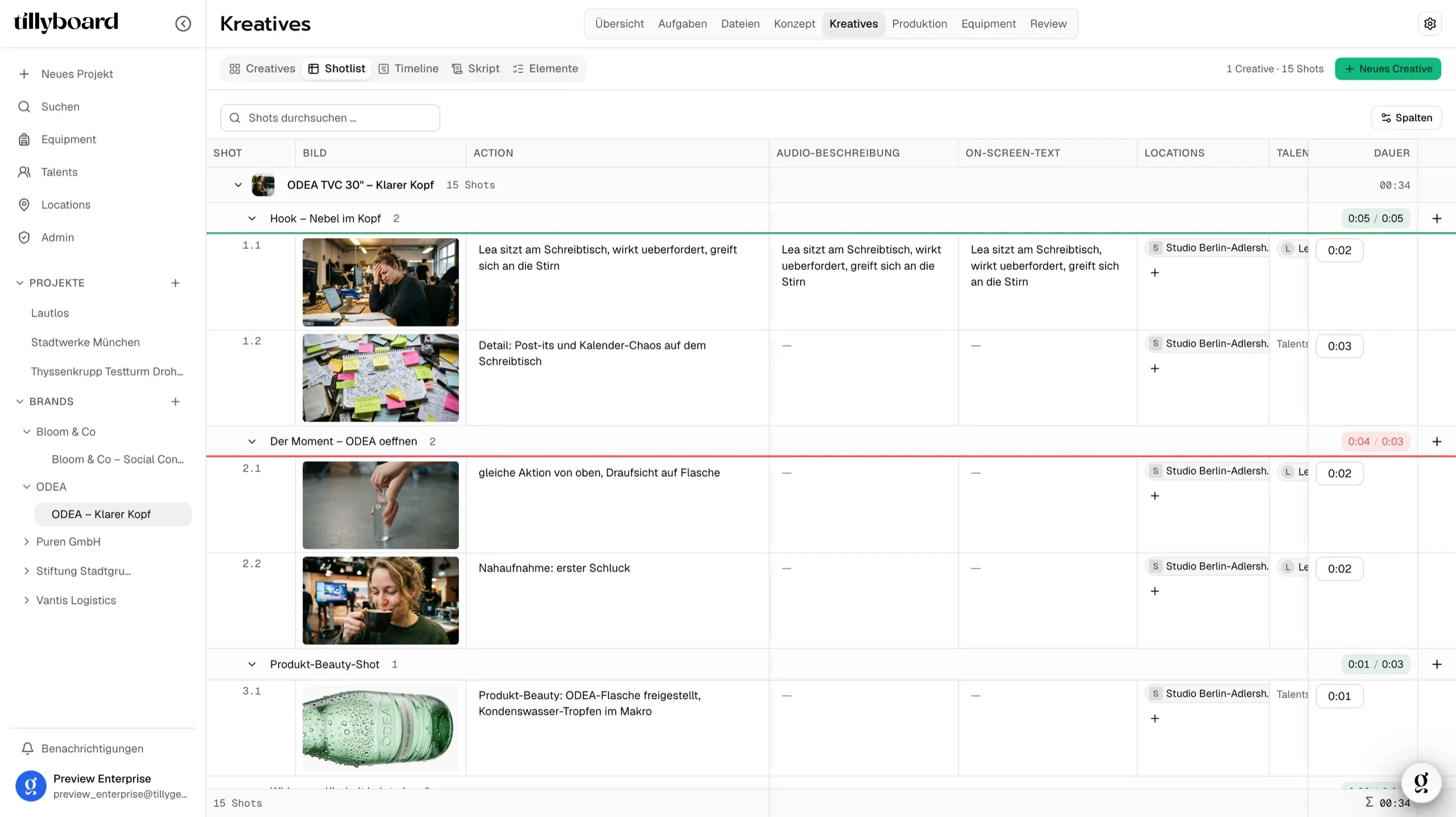
Teams shooting for these brands plan with TillyBoard





Watch a shot list come together
Just under 20 seconds from the real app: building segments, assigning cast, generating preview frames.
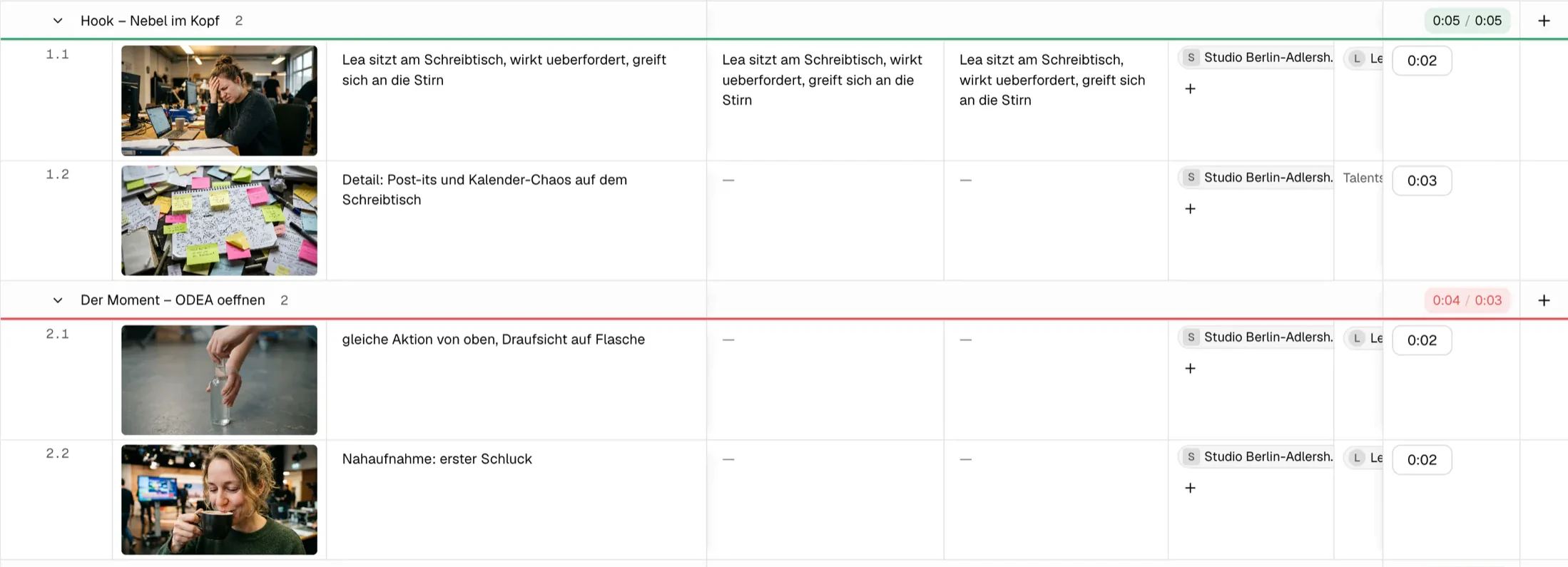
Runtime per segment
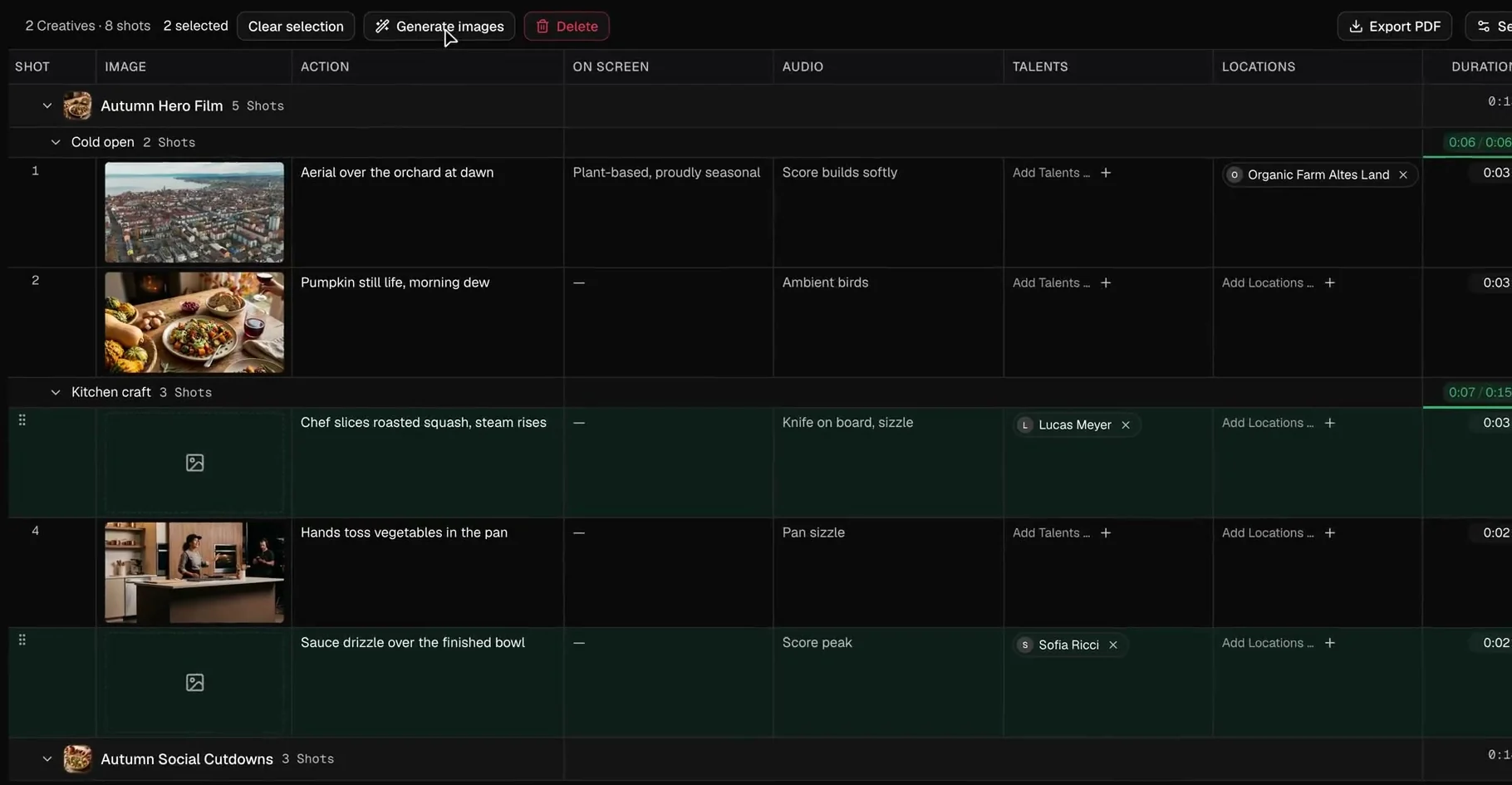
Every segment adds up its shots against the target. Green fits, red runs long, in this case by one second.
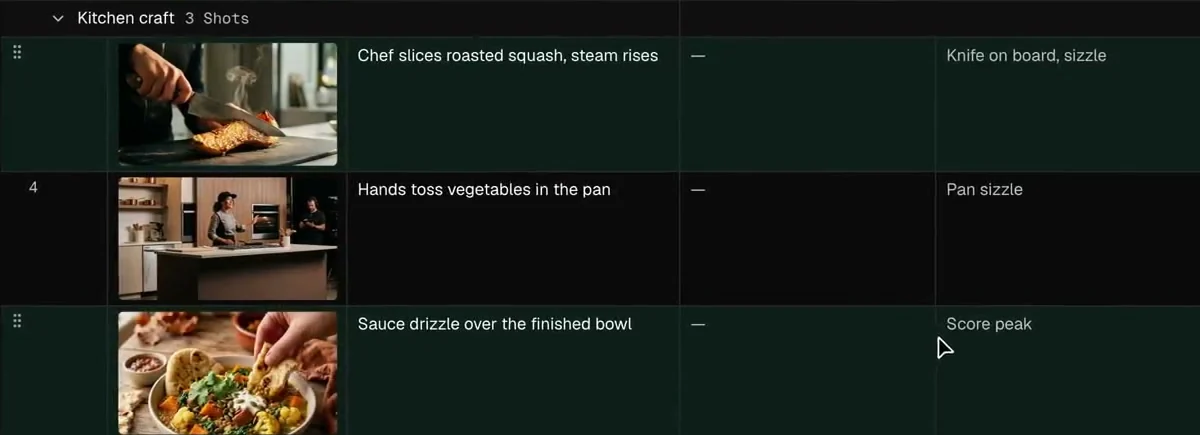
Preview frames from the action text
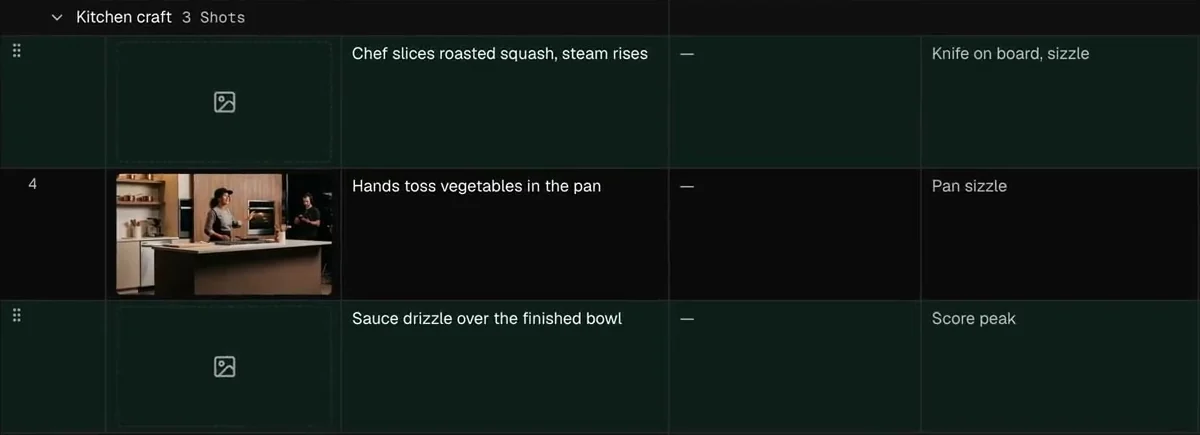
Select the rows, click Generate images, and every shot gets a frame for framing and mood.
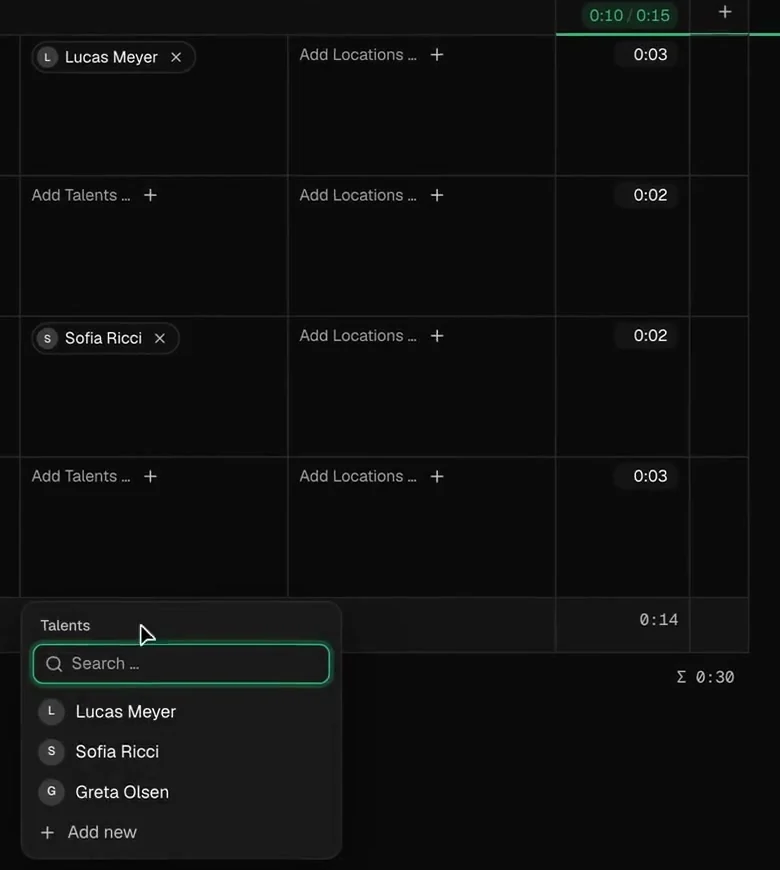
Cast and locations from the project
Search and pick right in the row. Someone new is added straight from the list.
One row, every answer
The columns are the questions the crew asks on the day. You answer them once, here, for every shot.
Know before the shoot whether the cut fits
A target per segment
Give the cold open six seconds and the product shot three. The counter shows planned against target.
Red means too long
When a segment runs over, its counter turns red. You notice while writing, not in the edit.
The total under the list
The list closes with the total across all creatives. When the client wants one more shot, you see right away what it costs.
Preview frames for shots nobody has drawn yet
Select and generate
Select the rows and click Generate images. Each frame is built from the shot's action text.
Your cast as reference
Tick the option and talent headshots and location photos go in as references.
A reference, not the picture
The preview shows the crew framing and mood. The picture itself is still made on set.
One list for director, camera and client
Set up once
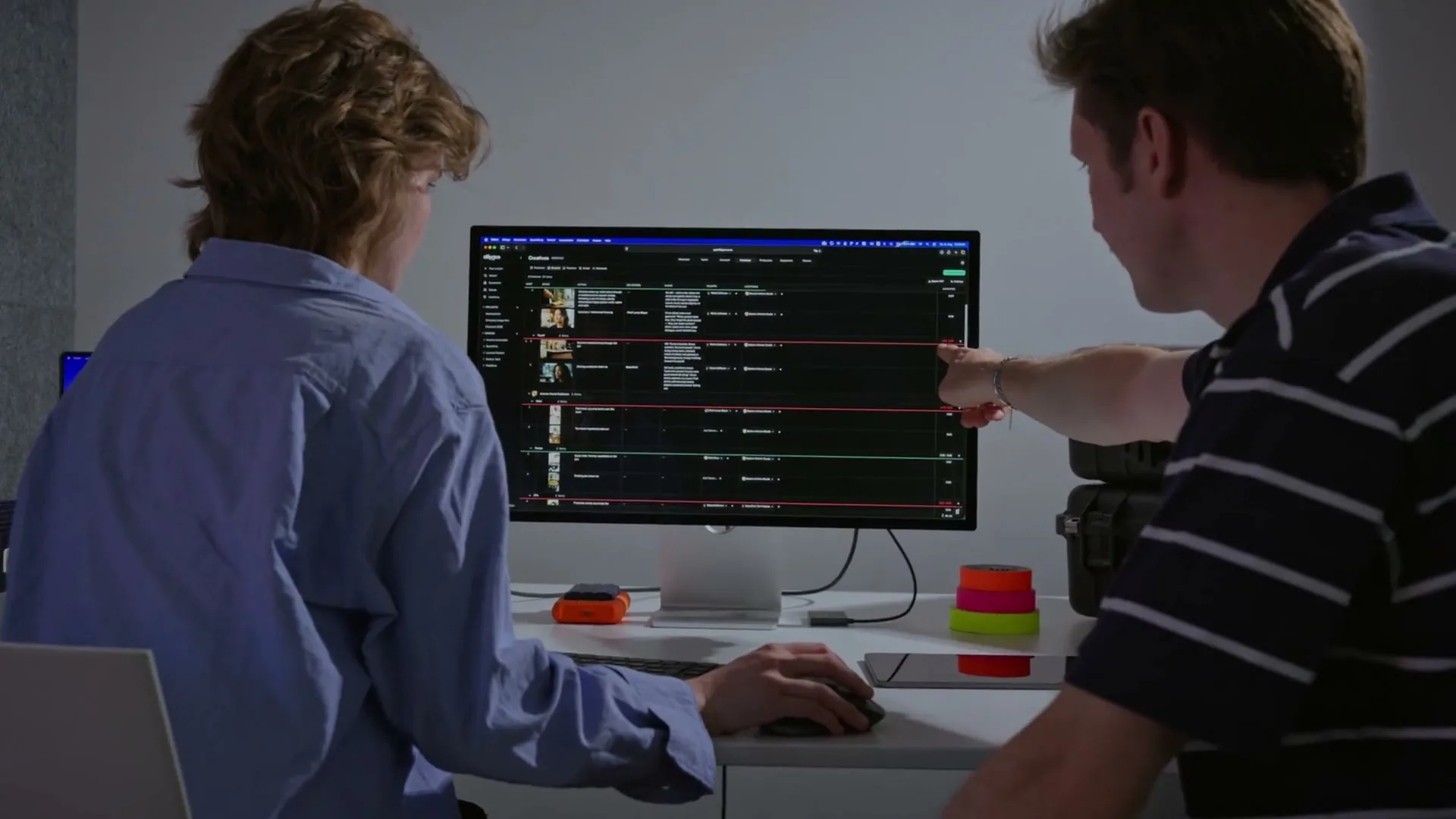
Talents and locations live in the project. In the row you only search and pick.
Same shots, other views
Switch to Creatives, Timeline or Script. It's the same shots, not a copy.
To set as a PDF
Export the list as a PDF for everyone who doesn't have an account.
From teams planning with TillyBoard
“We finally have a structured workflow for our social media videos. From the first idea to the shoot, everyone knows what’s coming up.”
“We plan everything in TillyBoard, from the first idea to the call sheet. One tool instead of three.”
Frequently asked questions
How is the runtime calculated?
Every shot has a duration. A segment adds up its shots and compares the sum with its target. If it runs long, the counter turns red. The list closes with the total across all creatives.
Do the preview frames use my cast?
Only if you tick the option. Then talent headshots and location photos go into the generation as references.
Can I switch between the list and other views?
Yes. Creatives, Timeline and Script show the same shots. What you change in one view shows up in the others.
How does the list get to set?
In the browser, in the iOS app, or as a PDF export for everyone without an account.
What does it cost?
You can start for free. The plans are listed under Pricing on the homepage.