For production companies
Several jobs in prep. One kit room.
For commercial studios and production companies running jobs side by side: every project carries its own concept, shot list, shoot days, packing lists and budget, and all of them draw on the same inventory. When a piece is planned twice, Tilly AI warns you before the kit leaves the office.
Start for free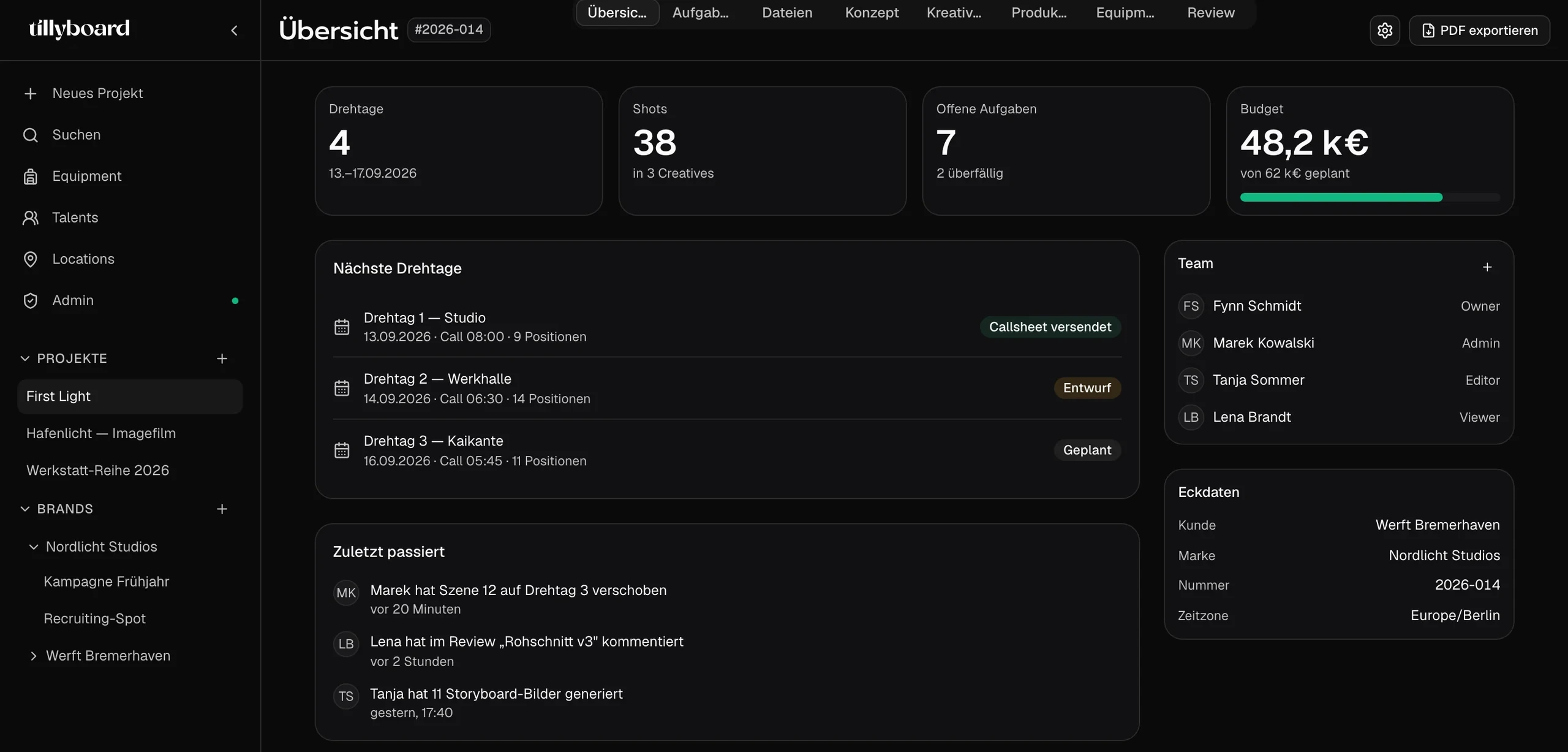
Teams shooting for these brands plan with TillyBoard





See how a production comes together
Just under 30 seconds from brief to set: moodboard and Tilly AI, the shot list, tasks on the board and on the iPhone, then the shoot day itself.
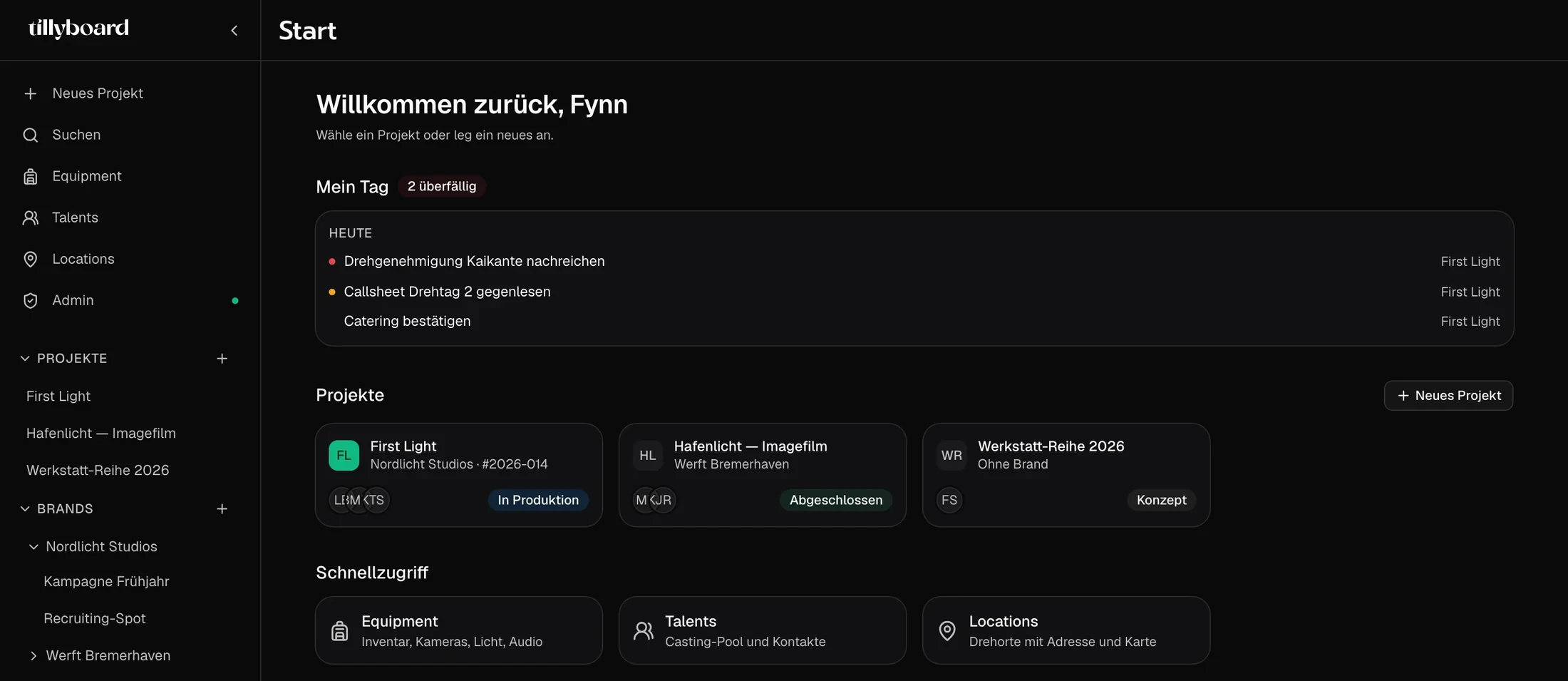
Every job at a glance
The start page lists your projects with client and status: one in production, one wrapped, one still at concept. Above them sit your tasks for today, each with the project it belongs to.
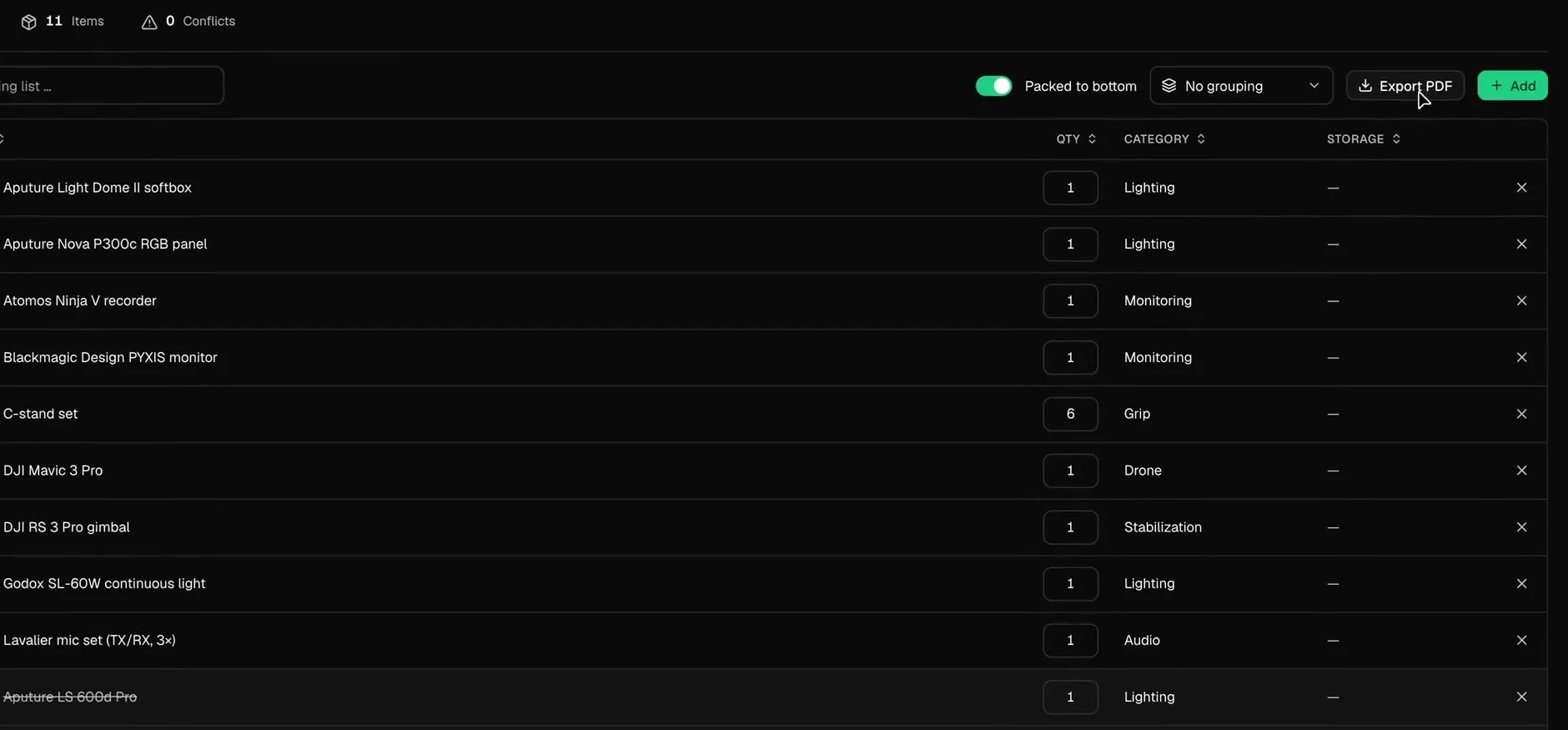
Conflicts before the truck is loaded
Every packing list counts its conflicts next to its items. When a piece is planned for two parallel productions, Tilly AI tells you while there is still time to re-plan.
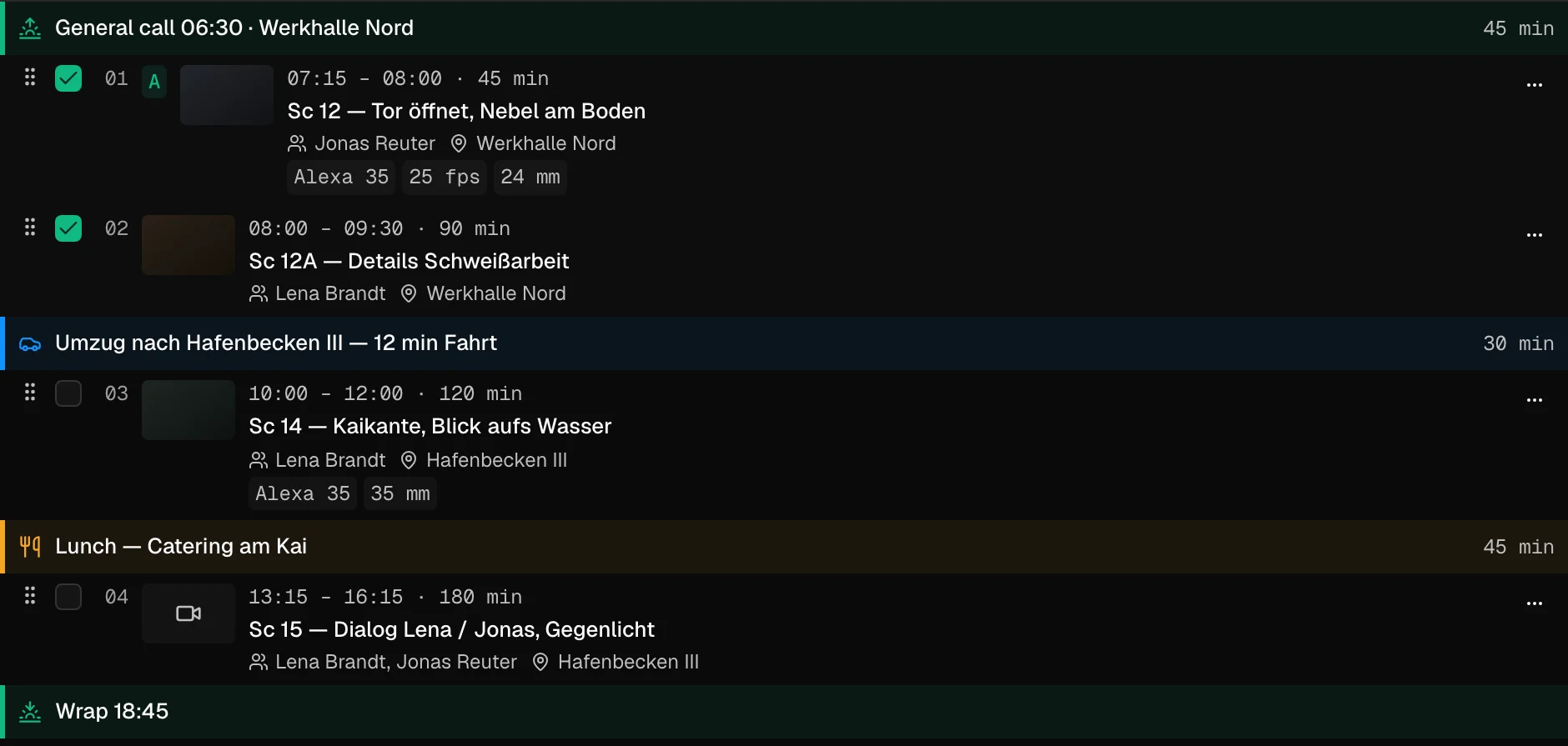
The move and lunch are in the day
Shots, company moves with drive time and breaks are blocks with their own time slot. Drag a shot to a new slot and the times after it recalculate.
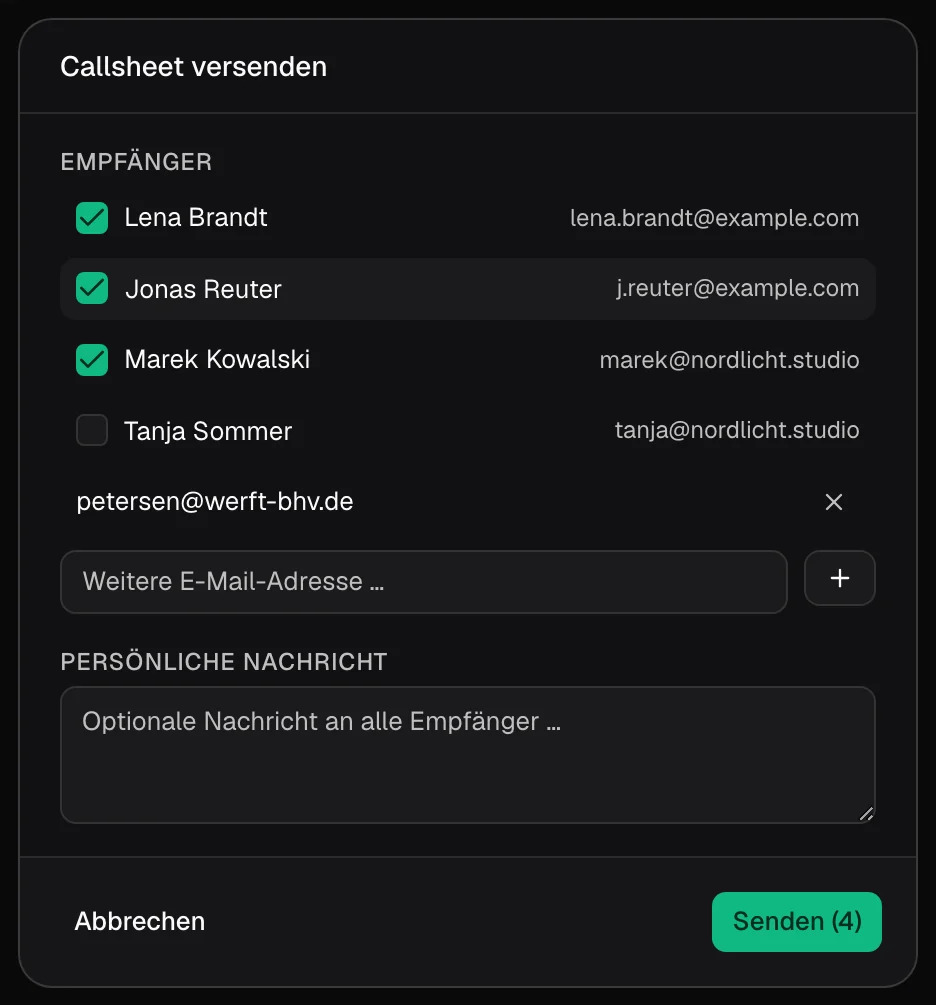
Out to cast and crew
Tick recipients from the project, add an outside address, write a line for everyone. Cast and crew confirm via link, without an account.
From brief to sign-off
Every desk in the production office has its place in the project. These are the pieces a job is made of.
One kit room for every job
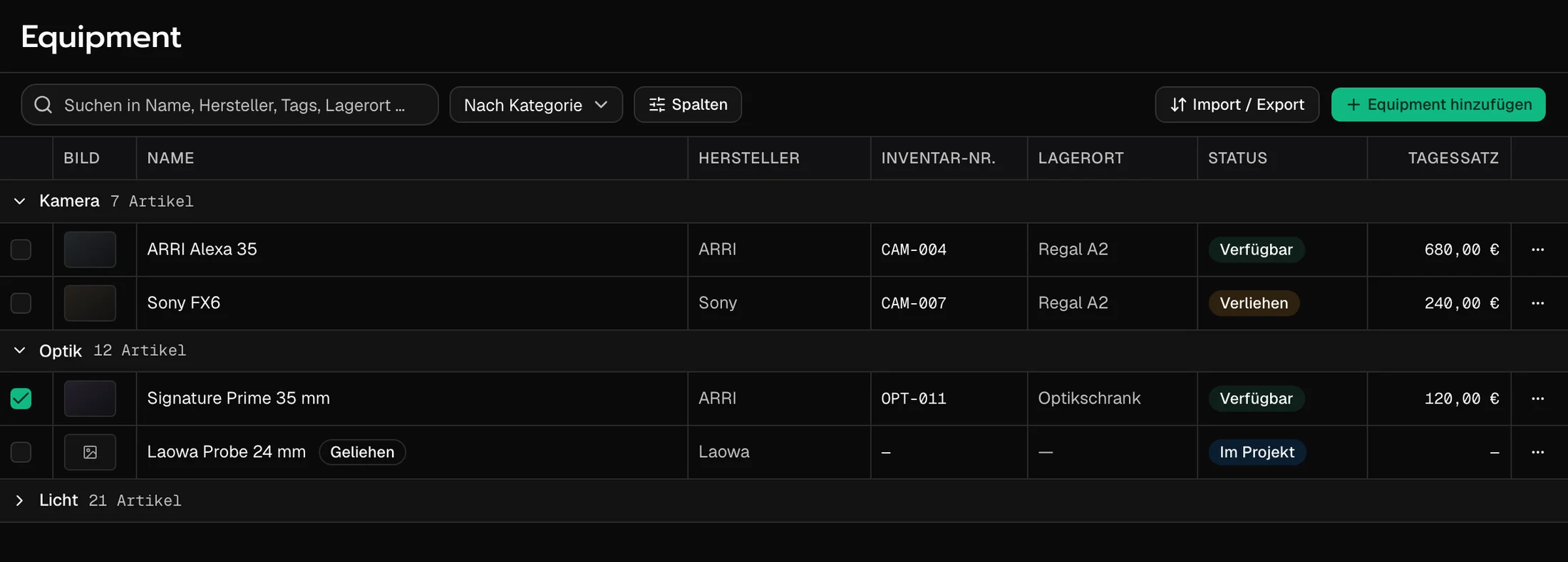
Status in the row
Before you promise the Alexa 35 to the next job, the row tells you whether it is available, lent out or already in a project.
A day rate on every item
Inventory number, storage location and day rate sit on the item. The kit room and the producer talk about the same piece.
Borrowed stays borrowed
The lens you hired for the week carries its own label and sits next to your kit without being mistaken for it.
Every shoot day, its call sheet built from the plan
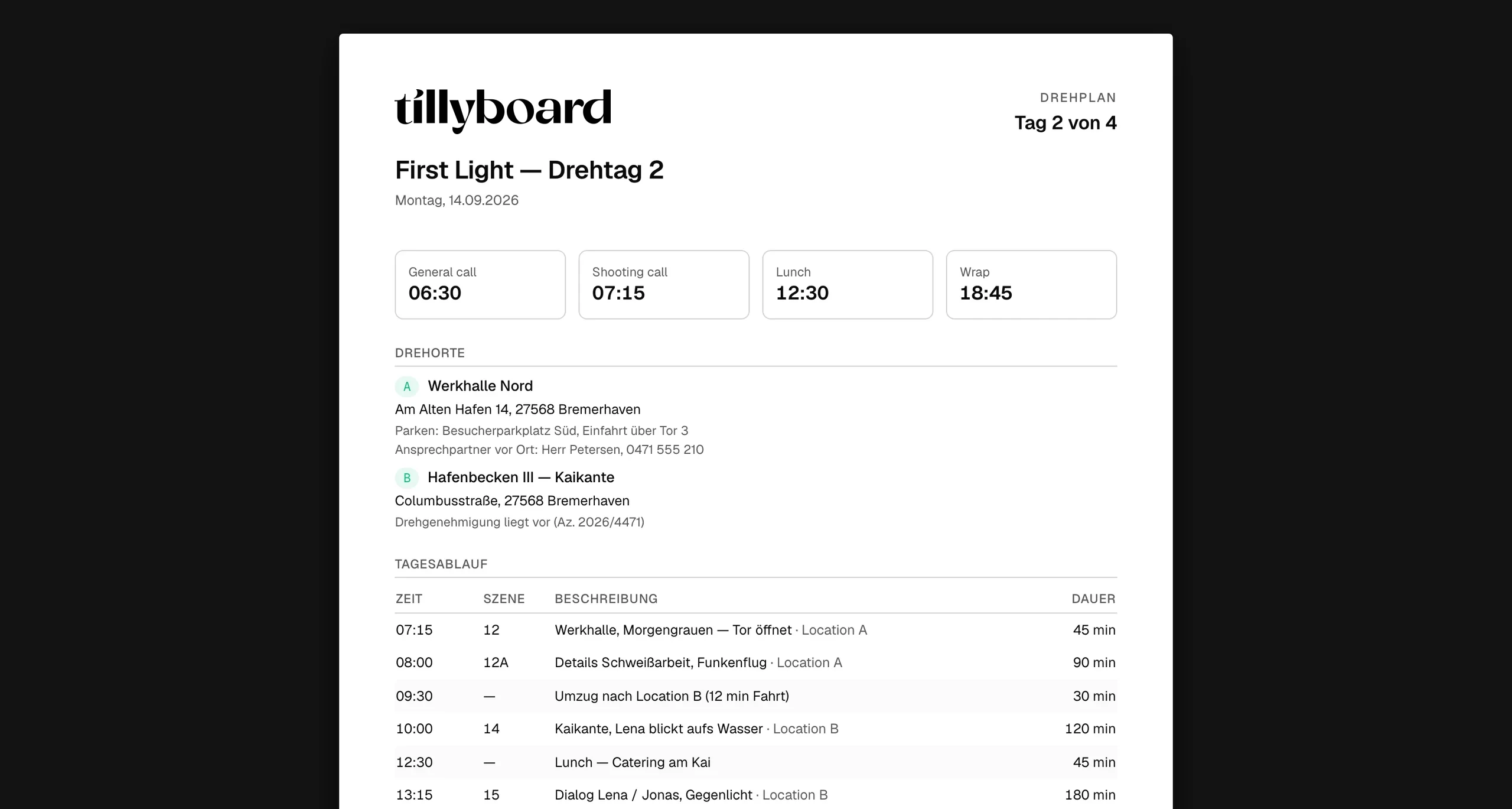
Times at the top
General call, shooting call, lunch and wrap as four numbers. The first thing anyone reads, whichever job they are booked on.
Locations with the paperwork
Address, parking, the contact on site and the permit reference. Plus the nearest hospital.
Confirmed without an account
Freelancers confirm the call sheet via link. They carry the day's schedule and call sheet on the iPhone and their call times on the Apple Watch.
Client notes on the frame, not in the inbox
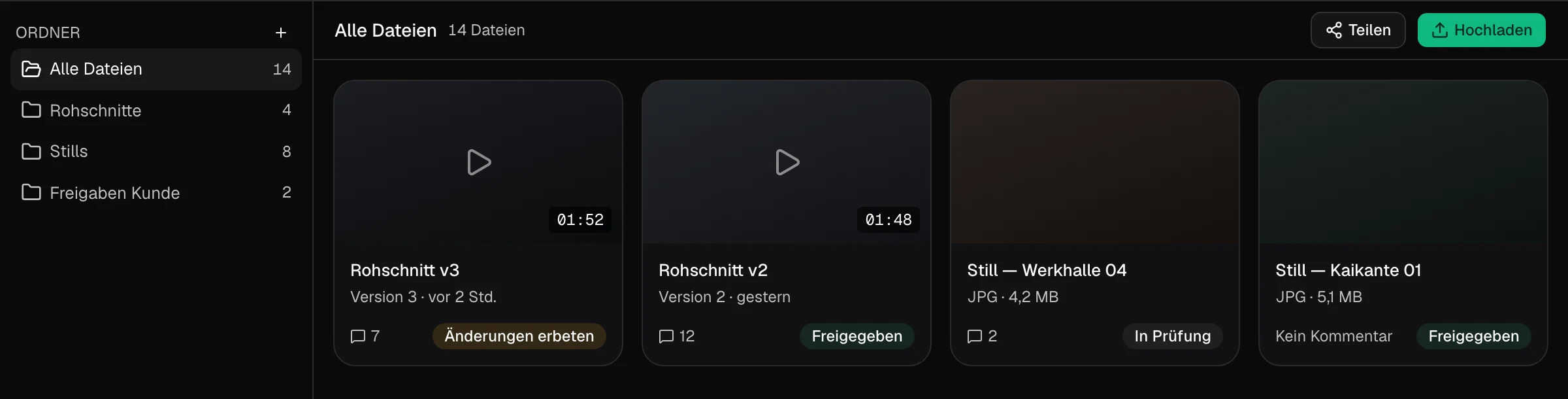
A status per cut
In review, changes requested, approved. Every card shows where it stands and how many notes it carries.
The client sees the review only
Share the link and the client comments and approves without signing up. The schedule, the packing list and the budget stay with you.
Download straight from you
Once the cut holds, the client downloads the finished video straight from the project. No transfer link on the side.
Why production companies choose TillyBoard
A production company runs on overlap: one job is in prep while the next one shoots. TillyBoard keeps every job in its own project and everything they share in one place.
Every job its own project
Concept, shot list, shoot days, packing lists and review per project. The overview shows shoot days, shots, open tasks and budget at a glance.
One inventory, no double bookings
Every packing list draws on the same inventory. Tilly AI warns when a piece is planned for parallel productions.
Roles for the whole office
Directors, DPs and producers work in the same project at the same time, with roles and permissions from owner to viewer.
Change it once, the rest follows
When the shot list changes, the schedule, call sheet and packing list follow. Nobody reconciles three files by hand.
Crew, budgets and logistics
On the Enterprise plan: crew planning, time tracking and budgets, plus hotels, travel, catering and dietary restrictions per person.
Your brand, your systems
With white label, clients work in a workspace that looks like your own platform. The REST API connects TillyBoard to the systems you already run on.
Your productions stay yours
On the Enterprise plan, Tilly Terra runs every AI feature fully hosted in the EU.
With Tilly Terra your data stays in the EU and is processed in line with the GDPR.
Tilly Terra never uses your projects to train models.
Clients review and crews confirm via link, without an account.
Call sheet, schedule, shot list and packing list go out as PDFs.
The iOS app puts the day's schedule and call sheet in every pocket.
From teams planning with TillyBoard
“We finally have a structured workflow for our social media videos. From the first idea to the shoot, everyone knows what’s coming up.”
“We plan everything in TillyBoard, from the first idea to the call sheet. One tool instead of three.”
Frequently asked questions
Can we plan several productions at the same time?
Yes. Every production is its own project with concept, creatives, shoot days, packing lists and review. The start page shows all projects with their client and status.
How do we keep gear from being booked twice?
All packing lists draw on one inventory, and each one counts its conflicts. Tilly AI warns when the same piece is planned for parallel productions, so you can re-plan before the kit leaves the office.
Do freelancers and clients need an account?
No. Cast and crew confirm the call sheet via link. Clients review and approve right in the project without seeing the schedule, the packing list or anything else in it. Whoever plans with you works in the project with roles and permissions.
What does the Enterprise plan add?
Production planning with crew planning, time tracking and budgets, plus hotels, travel, catering and dietary restrictions per person. On top come EU hosting with Tilly Terra, white label and a REST API for your own tools.
What does it cost?
You can start for free. The plans are listed under Pricing on the homepage.