Every cutdown on length
Pre-production for content creators and social teams.
Reels, Shorts and cutdowns are short, but they still need a plan. Write the idea with Tilly AI, break it into shots, give every cutdown its runtime and take the list to set on your iPhone.
Start for free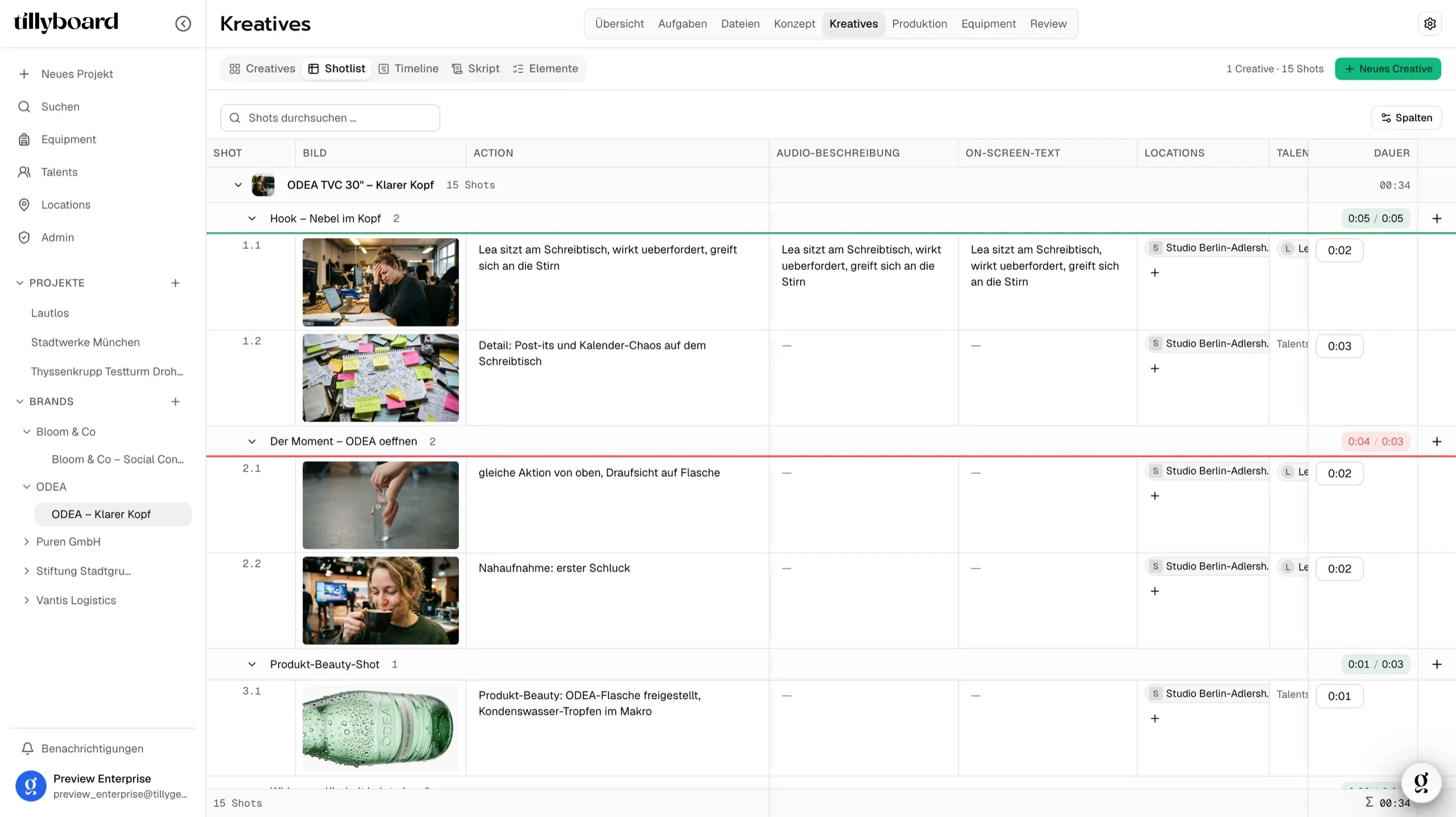
Teams shooting for these brands plan with TillyBoard





See how a shot list comes together
Just under 20 seconds from the real app: building segments, assigning cast, generating preview frames.
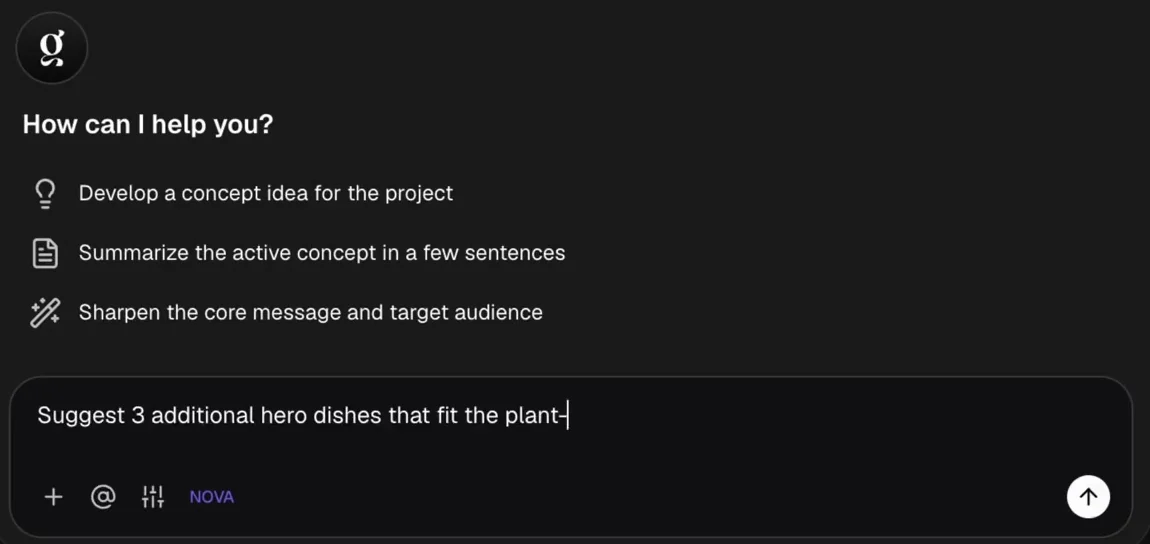
Tilly AI writes the first draft
Have Tilly AI develop a concept idea, sum up the active concept or sharpen core message and audience. The direction stays with you.
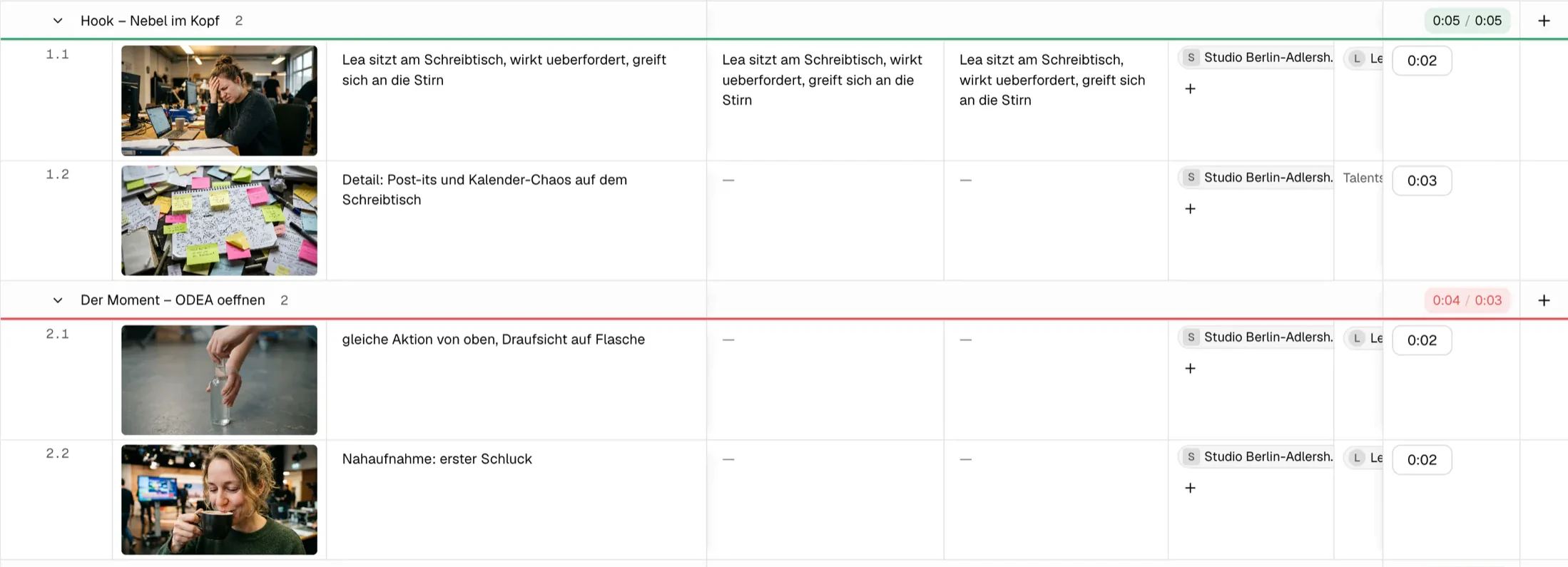
Seconds per segment
The hook at five of five seconds, the next segment one second over. You see it while writing, not in the edit.
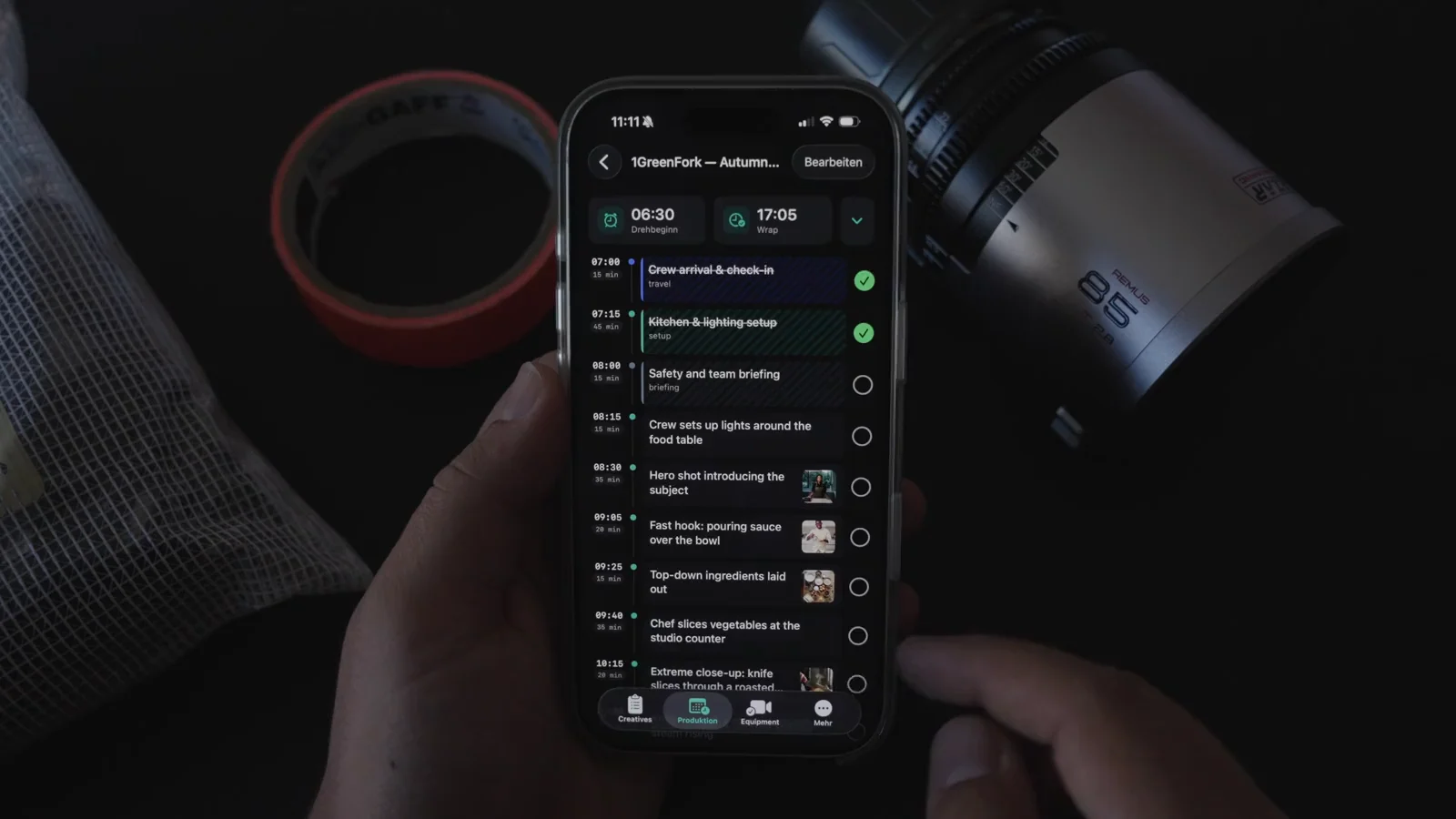
The day plan in your hand
On the iPhone the day runs as a list with times. Whatever is shot gets its tick, right there on set.
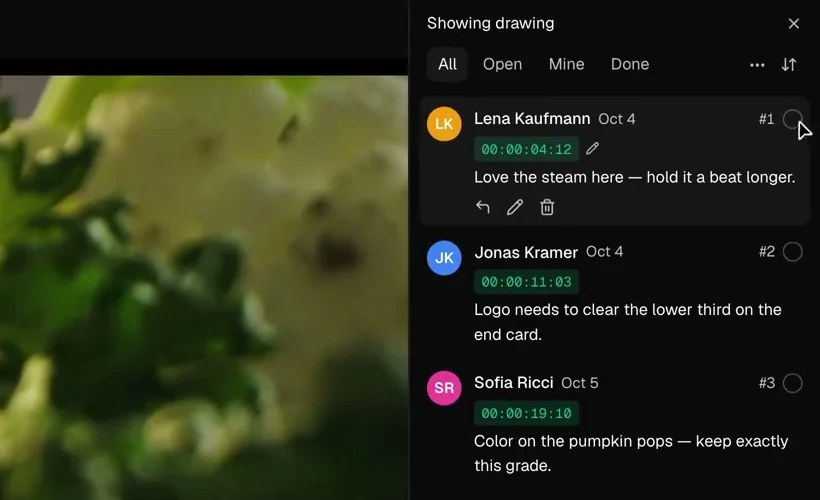
Notes on the timecode
Upload the cut and share the link. The client comments frame-accurate and approves without an account.
From first hook to approved cut
Every part of a short-form video has its place in a TillyBoard project. These are the pieces you plan with.
From idea to shot list in one sitting
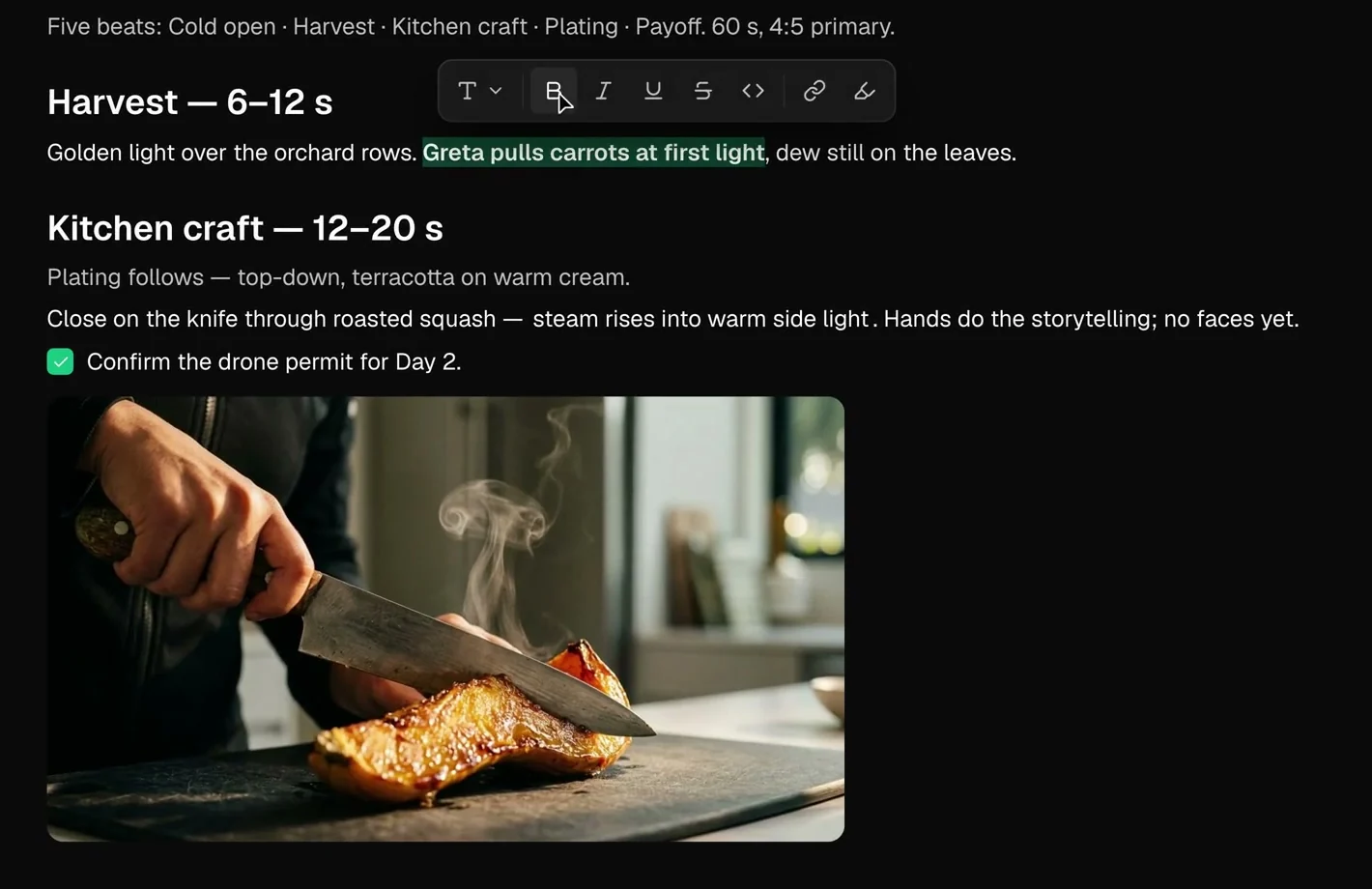
Beats with a time window
Every beat gets its seconds in the treatment. You know the shape of the video before the first shot is written.
Tilly AI for the first draft
Tilly AI works in the concept you have open and hands you a draft. You cut, rewrite and decide.
Idea and shots together
Concepts, moodboards and references live in the project, each with its own shots.
A runtime for every cutdown
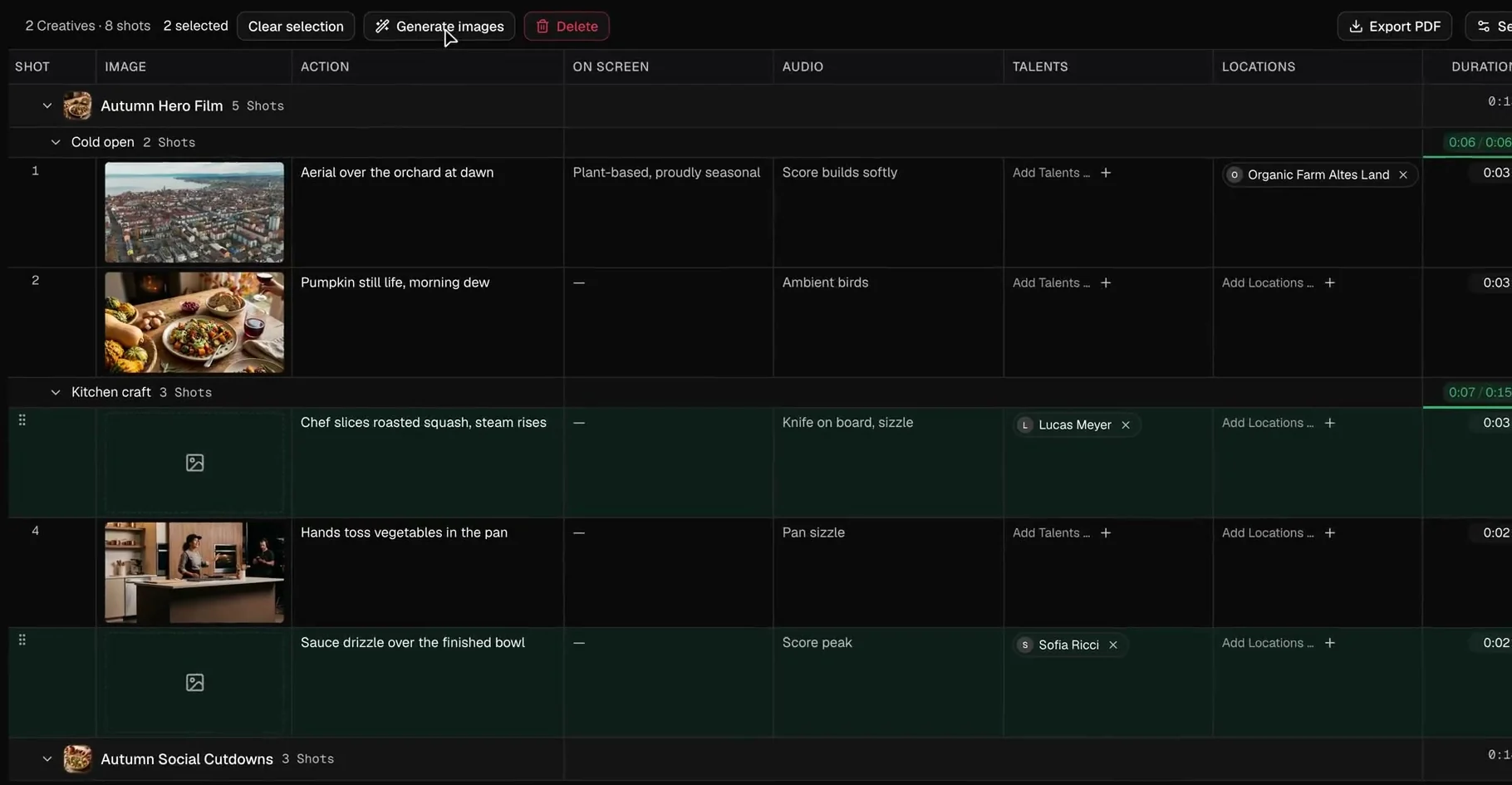
Main film and cutdowns side by side
The hero film and its social cutdowns are separate creatives in one project, each with its own shots.
Red means too long
Give the hook its seconds. When a segment runs over its target, the counter turns red.
Text and sound per shot
On-screen text and audio have their own columns, so the overlay and the sound are planned along with the picture.
The list is on your phone
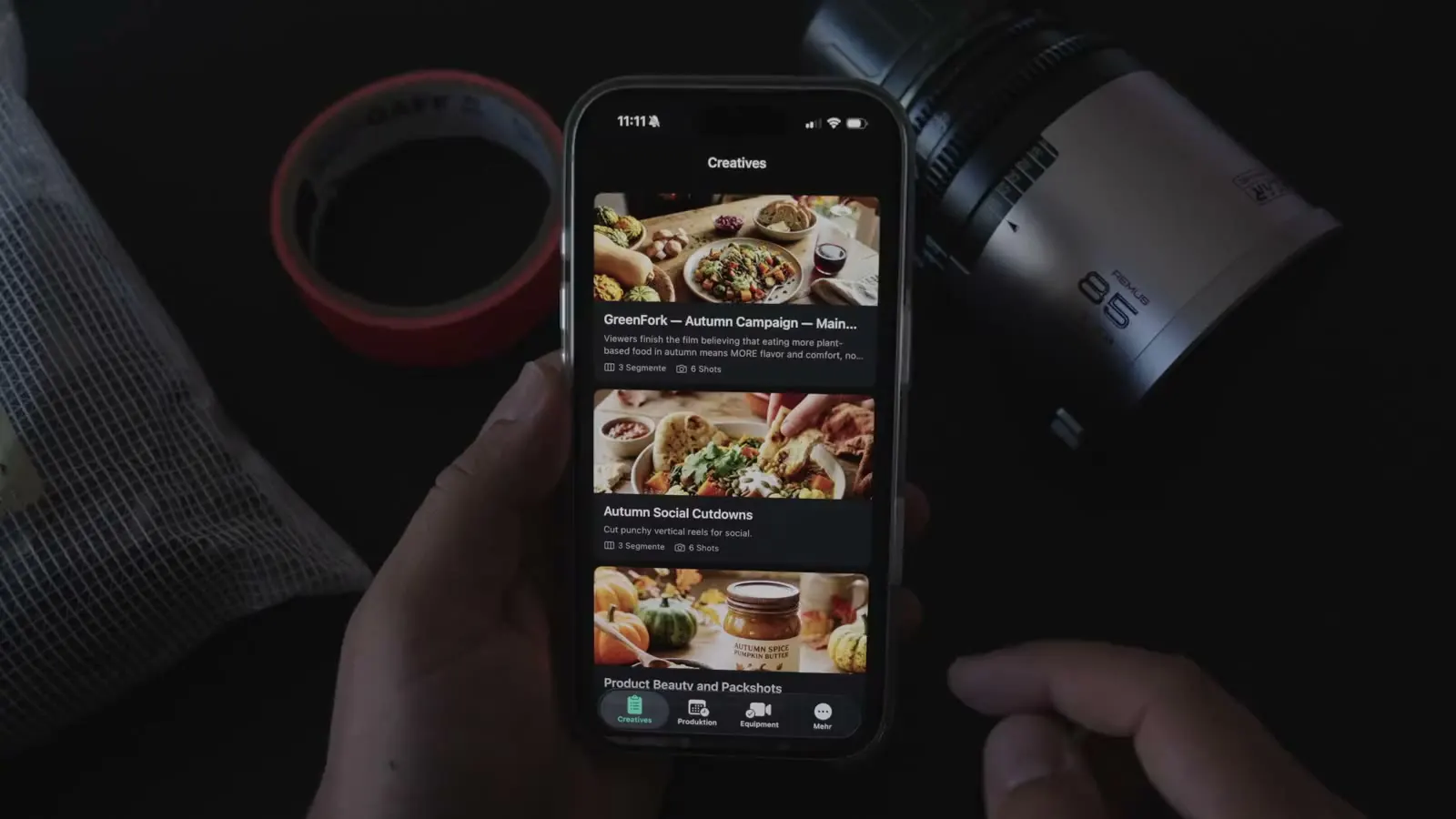
Creatives in your pocket
Every creative with its segments and shots, on the iPhone next to the camera.
Tick off what you have
The day plan runs in time order. Each shot you have gets its tick.
Offline on location
No signal on the rooftop? The app keeps working and syncs as soon as you are back online.
Why content creators choose TillyBoard
Short formats come in series and on deadline. TillyBoard keeps idea, shots, shoot day and feedback in one project instead of five different apps.
Formats with a memory
Set up a recurring format as a brand. Tone, audience and no-gos are stored once, and Tilly AI drafts new creatives along them.
Runtime you can see
Every segment counts against its target. You know whether the 15-second cut fits before you press record.
Frames before the shoot
A preview frame is generated from the action text, so even a crew of two agrees on framing and mood.
Made for small crews
Whoever plans with you works in the same project, with roles and permissions. Talent confirms the call sheet via link.
Phone first
Day plan and call sheet on the iPhone, call times on the Apple Watch, the full workspace in the browser.
Feedback in one place
The client comments on the timecode and approves in the project, instead of sending notes across three chats.
Your projects stay yours
Unreleased campaigns and client briefs need discretion. This is how TillyBoard handles your work.
With Tilly Terra, the AI is hosted entirely in the EU and your data stays there.
With Tilly Terra, GDPR-compliant processing, suitable for regulated industries too.
With Tilly Terra, your content is never used to train models.
Clients review and approve via link, without an account.
Concept, shot list and call sheet export as PDF.
Start for free and upgrade when the crew grows.
From teams planning with TillyBoard
“We finally have a structured workflow for our social media videos. From the first idea to the shoot, everyone knows what’s coming up.”
“We plan everything in TillyBoard, from the first idea to the call sheet. One tool instead of three.”
Frequently asked questions
Does TillyBoard work for Reels and Shorts?
Yes. A short format is a creative with segments and shots like any other. Give each segment a target in seconds, and the counter shows whether the cut fits.
Can I plan the main film and its cutdowns together?
Yes. Each cutdown is its own creative in the same project, with its own shots. The list closes with the total across all creatives.
Does it work on my phone on set?
Yes. The iOS app shows creatives, day plan and call sheet. It works offline and syncs as soon as you are back online.
What does Tilly AI do for a recurring format?
Set the format up as a brand with tone, audience and no-gos. Tilly AI then drafts new creatives and complete shot lists along those rules. The creative decisions stay with you.
What does it cost?
You can start for free. The plans are listed under Pricing on the homepage.