Everyone on the same version
Production planning for producers.
For producers, line producers, production managers and ADs. The shoot plan, the call sheet, the packing lists and the client approval come out of one project, so what changes on set is in the office seconds later.
Start for free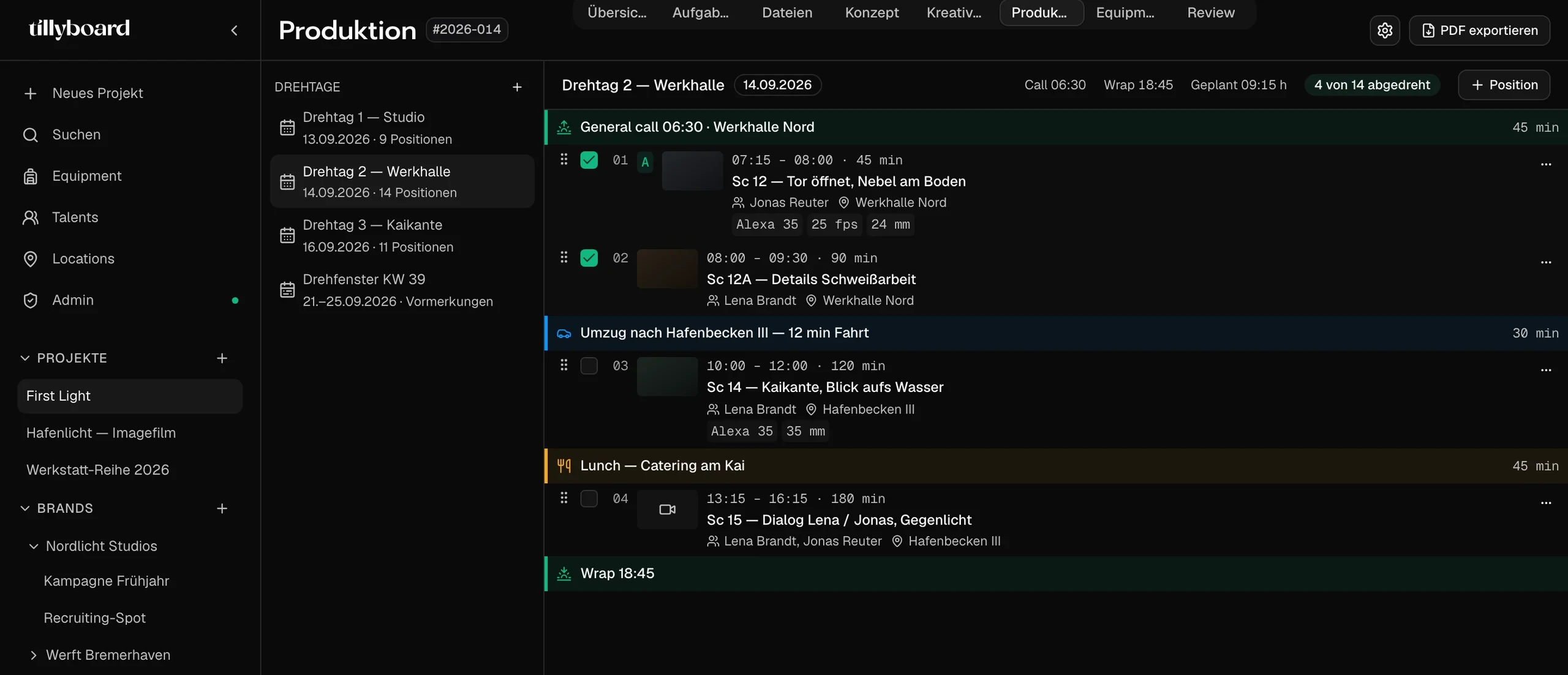
Teams shooting for these brands plan with TillyBoard





See how a shoot day comes together
About 20 seconds from the real app: the shoot plan with daylight and weather, a shot moved to a new slot, then the call sheet.
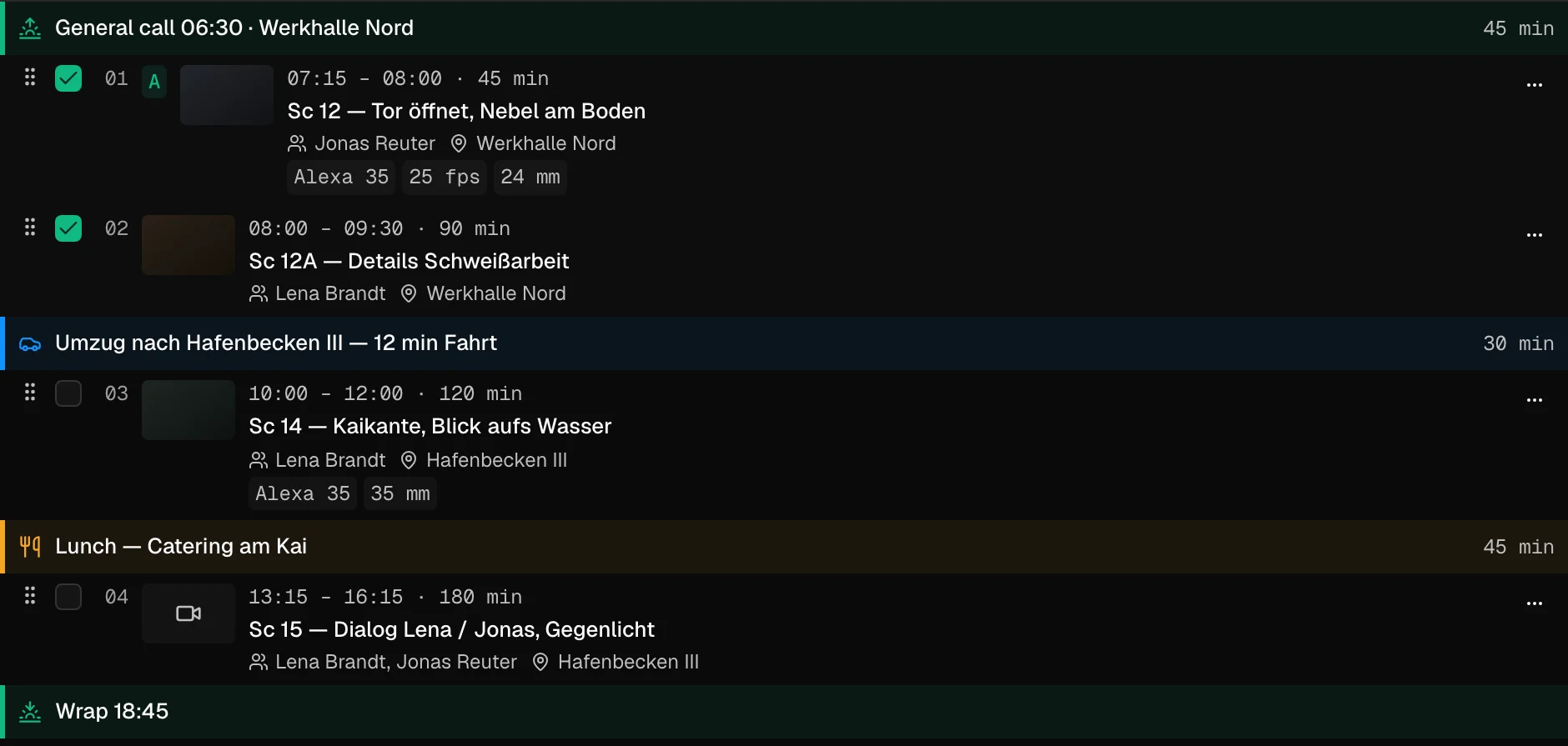
Moves and breaks are blocks too
The company move gets its drive time, lunch gets its 45 minutes. Both sit in the day like any shot, with their own slot.
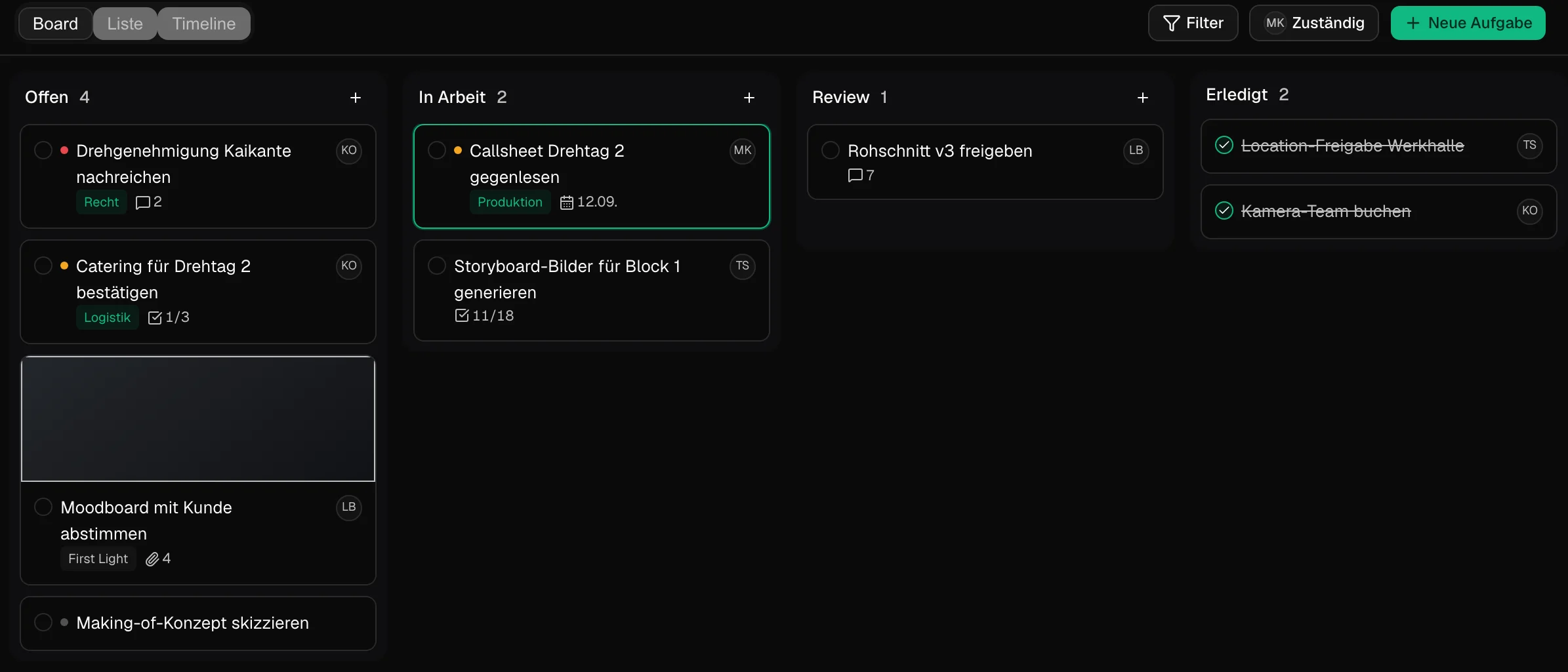
The permit next to the rough cut
Permits, catering, proofreading the call sheet, approving the rough cut. The to-dos live in the project, with an owner and a date.
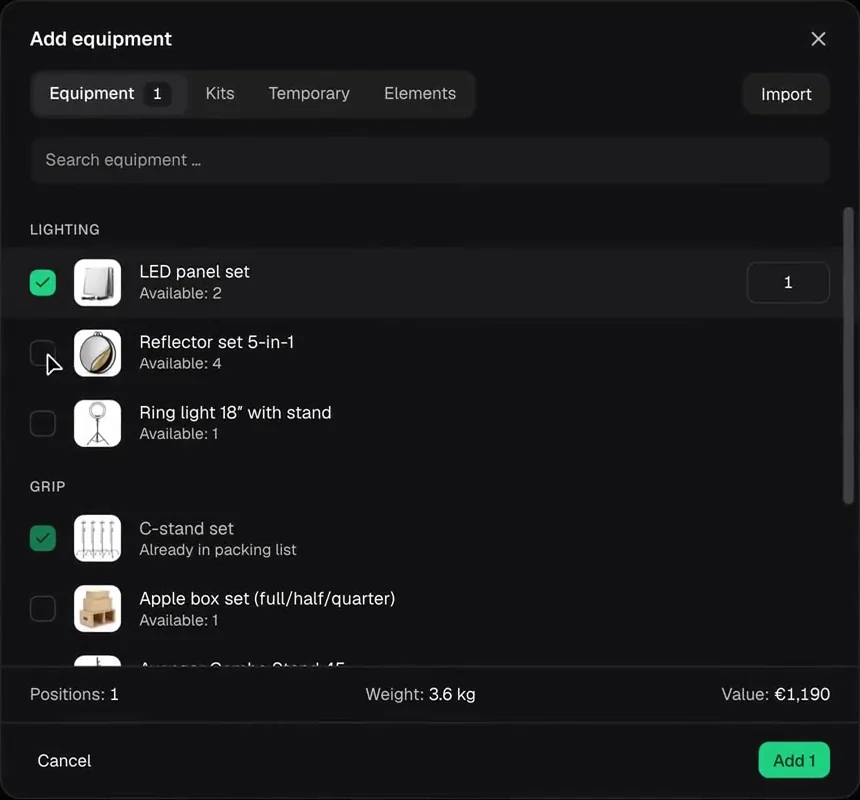
Picked from the inventory
Search, tick, set the quantity. Every item shows how many are available, weight and value add up at the bottom.
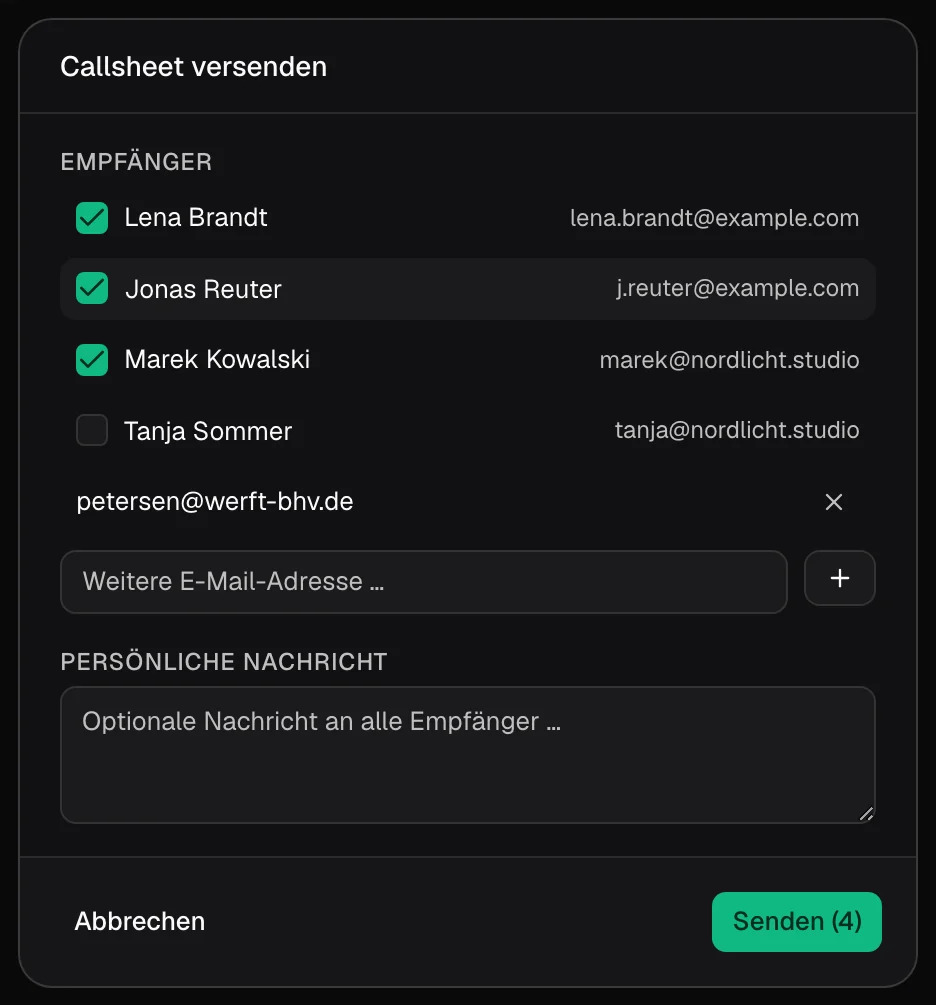
Out to cast and crew
Tick who gets it, add an outside address, write a line for everyone. Cast and crew confirm via link, without an account.
From the first shoot day to sign-off
The pieces a production office juggles every day. In TillyBoard each one has its place in the project.
The call sheet comes out of the plan
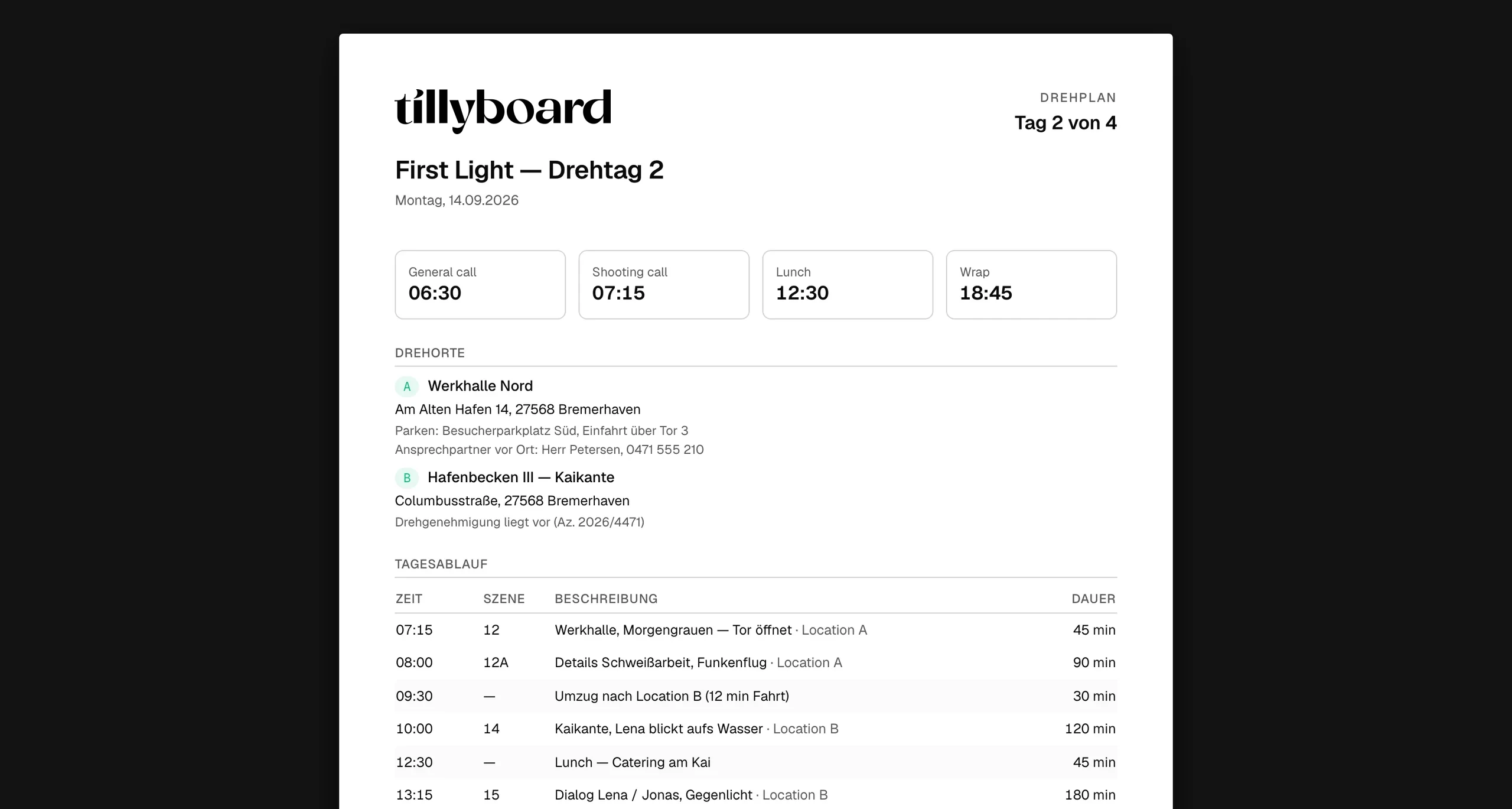
Times at the top
General call, shooting call, lunch and wrap as four numbers. The first thing anyone reads.
Locations with everything around them
Address, parking, the contact on site, the permit reference and the nearest hospital.
Nothing retyped
Running order, cast and crew come from the project. Move a shot in the plan and the times follow.
Catch the double booking before the kit leaves
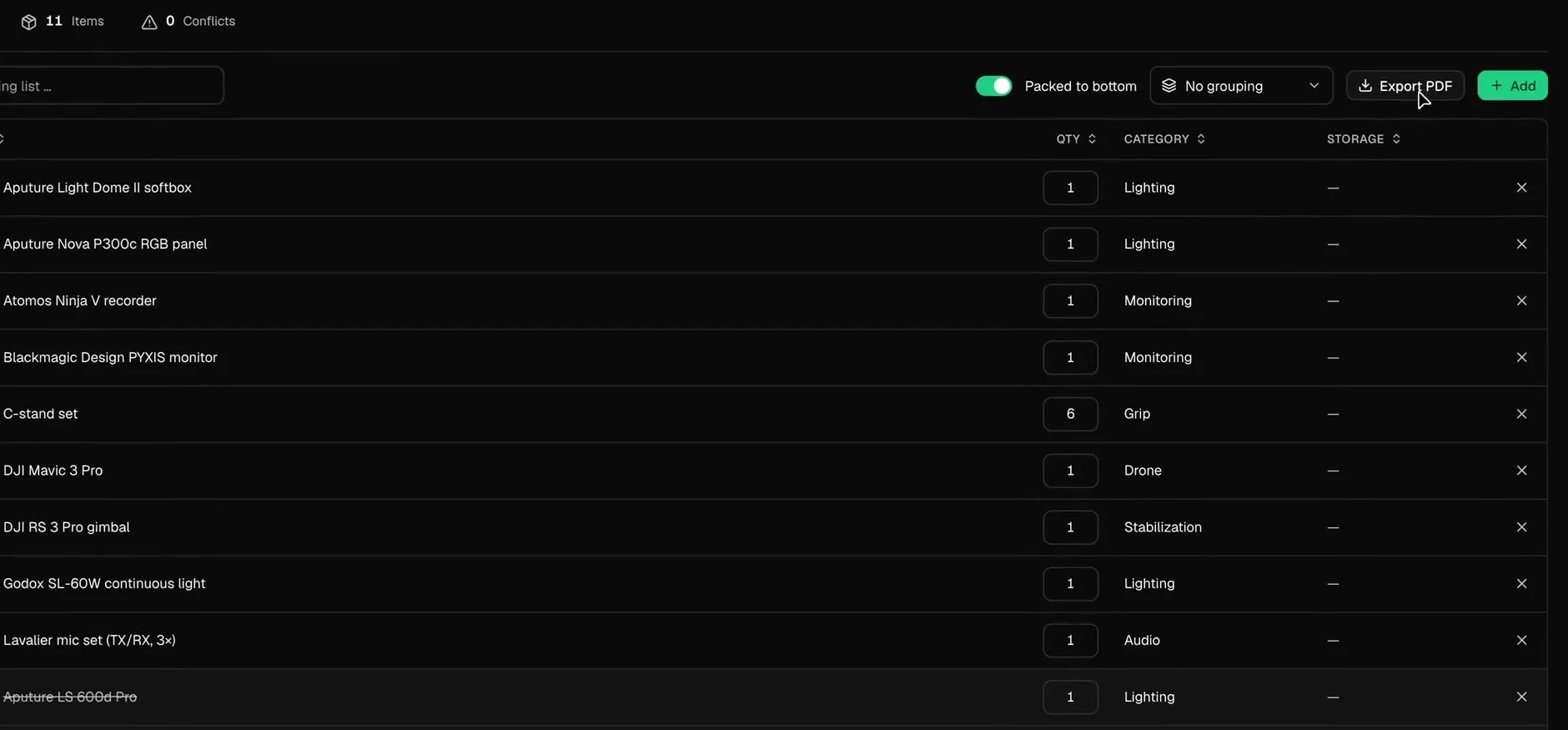
Conflicts in plain sight
Next to the item count sits the conflict count. Tilly AI warns when a piece is planned for parallel productions.
A list for every cart
Camera cart, lighting truck, sound. Each list adds up its items, its weight and its customs value.
PDF for the loader, CSV for customs
Print the list for the loader or pull a carnet CSV when the kit crosses a border. On set it is ticked off on the iPhone, offline too.
Sign-off in the same project
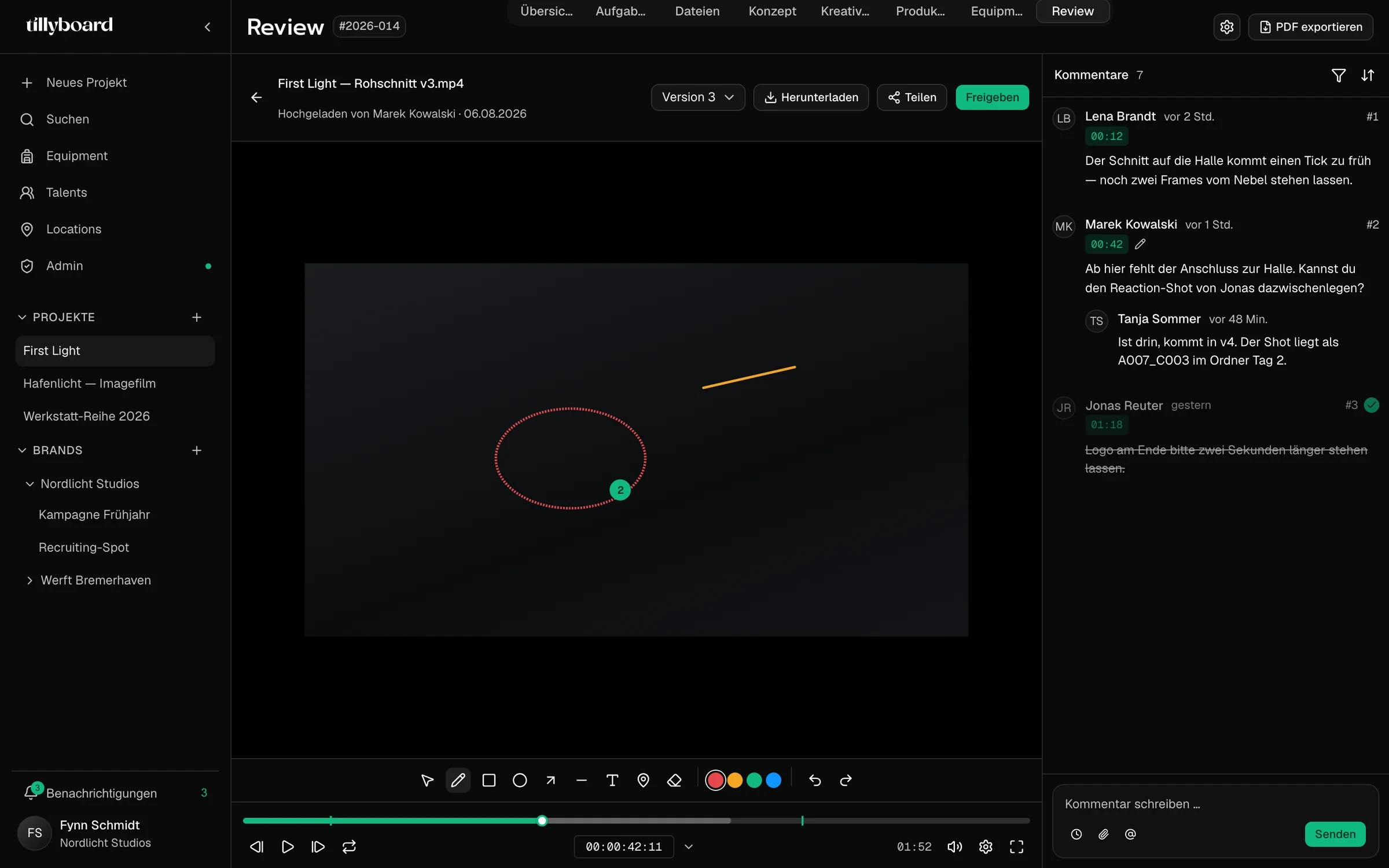
The client gets the review only
Clients review and approve without an account, and without seeing the schedule or the packing list.
Every version, its own notes
A new cut stacks on the old one. Notes stay with the version they were written on.
Approved and downloaded
When the cut holds, the client clicks Approve and downloads the finished video straight from the project.
Why producers choose TillyBoard
The plan, the paperwork and the approval hang off the same project, so a change reaches everyone who needs it.
One plan, one version
When the shot list changes, the shoot plan, the call sheet and the packing list follow.
Call sheets without retyping
Times, locations, weather and emergency contacts are built from the project and sent from TillyBoard.
Confirmations come back
Every person has their own call time. Confirmations via link flow back into the project.
Gear you can account for
One inventory for all projects with status and day rate, packing lists per shoot, conflicts flagged.
Set and office in sync
What changes on set is in the office seconds later. Call times land on the Apple Watch.
Budget and tasks in the project
Budget, tasks and the client approval sit next to the schedule instead of in separate tools.
Your productions stay yours
Crew lists, call sheets and client cuts are sensitive. This is how TillyBoard handles them.
With Tilly Terra, the AI runs fully hosted in the EU and your data stays in the EU.
With Tilly Terra, processing is GDPR-compliant.
With Tilly Terra, your content is never used for model training.
Roles and permissions for everyone who plans with you.
Cast and crew confirm, clients approve, all via link and without an account.
Call sheet, schedule and packing list export as PDF, the schedule also as CSV.
From teams planning with TillyBoard
“We finally have a structured workflow for our social media videos. From the first idea to the shoot, everyone knows what’s coming up.”
“We plan everything in TillyBoard, from the first idea to the call sheet. One tool instead of three.”
Frequently asked questions
Do I maintain the call sheet separately?
No. Times, locations, running order, cast and crew come from the project instead of being retyped. You send it from TillyBoard or export it as a PDF.
Do cast and crew need an account?
No. Cast and crew confirm the call sheet via link, clients review and approve without signing up. Whoever plans with you works in the same project, with roles and permissions.
How are double bookings caught?
Every packing list counts its conflicts next to the item count. Tilly AI warns when the same piece is planned for parallel productions, so you can re-plan before the kit leaves the office.
Can I get the schedule into other software?
Yes. The schedule exports as CSV for scheduling software. Call sheet, schedule, concept, shot list and packing list export as PDF.
What does it cost?
You can start for free. The plans are listed under Pricing on the homepage.