Scheduling
A shoot day that holds up.
Plan the day in blocks: shots, company moves with drive time and breaks, each in its own time slot. Sunrise, sunset and the weather for the location sit right above the plan. The call sheet is built from the same day.
Start for free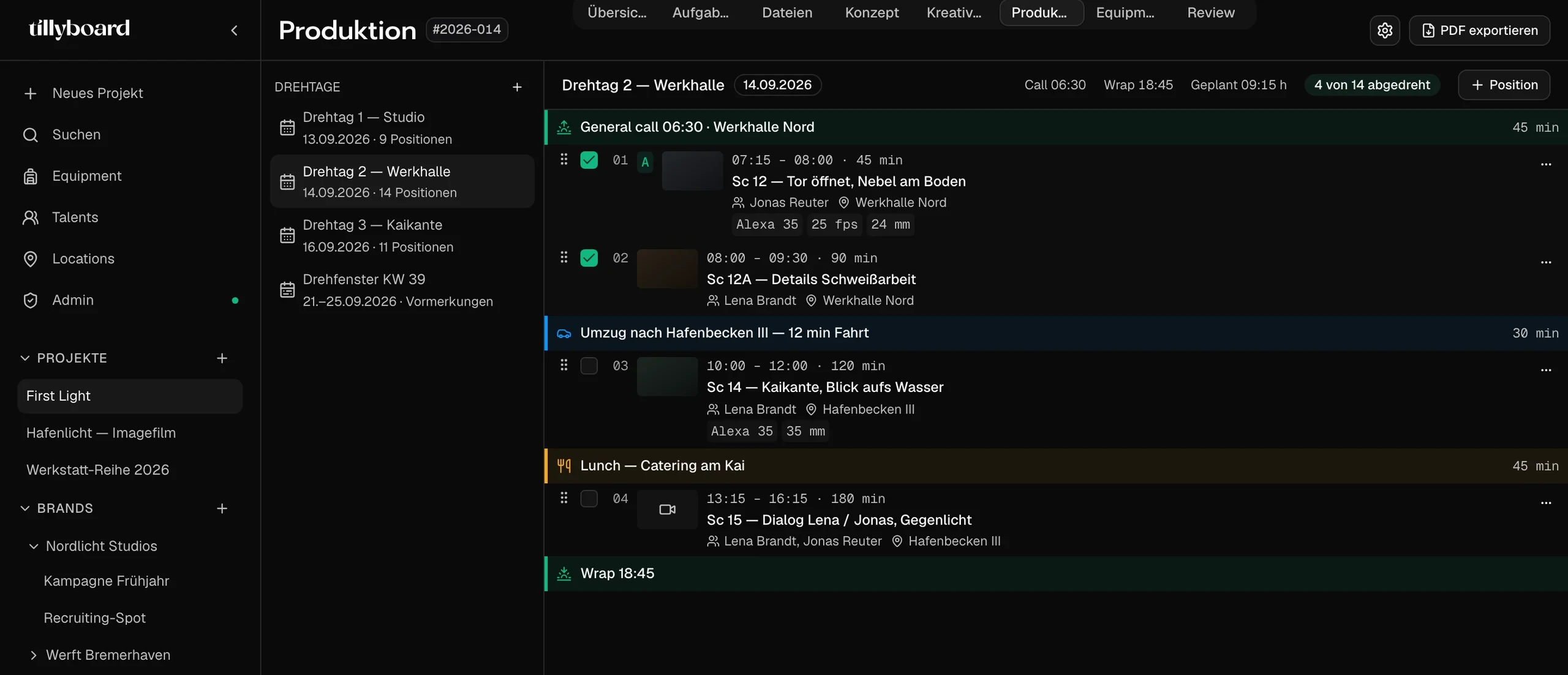
Teams shooting for these brands plan with TillyBoard





Watch a shoot day take shape
About 20 seconds from the real app: the shoot plan with daylight and weather, a shot dragged to a new slot, then the call sheet.
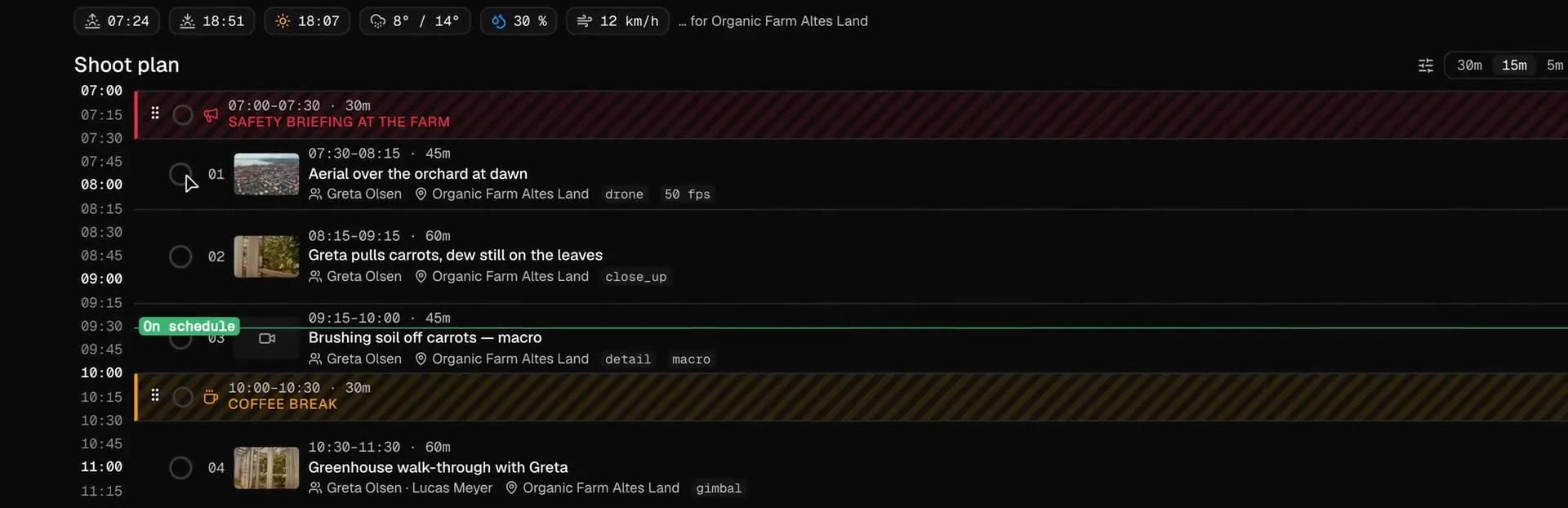
The sun above the plan
Sunrise, sunset, golden hour, temperature, chance of rain and wind for the location, right above the first block. The aerial at dawn goes where the light is.
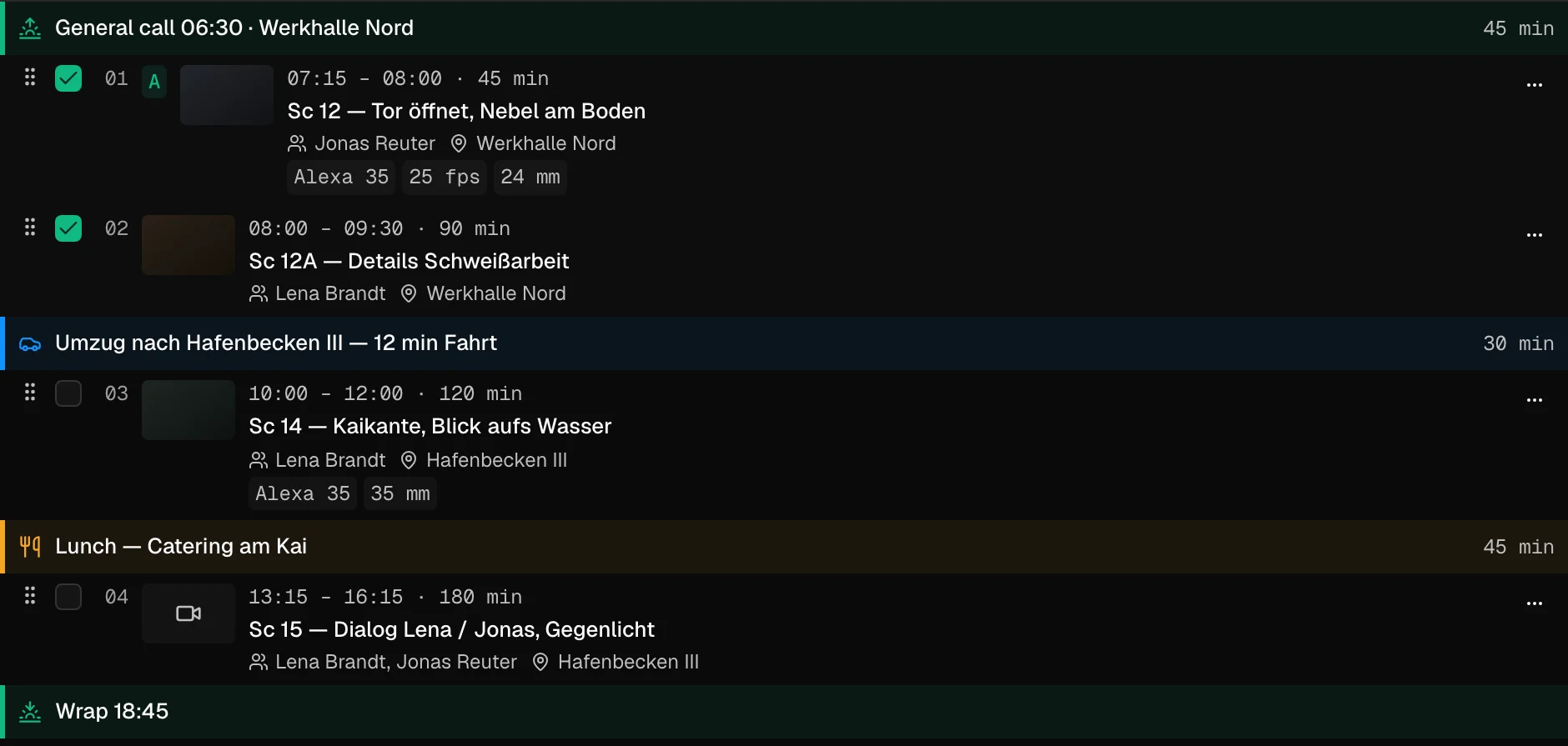
Moves and breaks are blocks too
The company move gets its drive time, lunch gets its 45 minutes. Both sit in the day like any shot, with their own time slot.
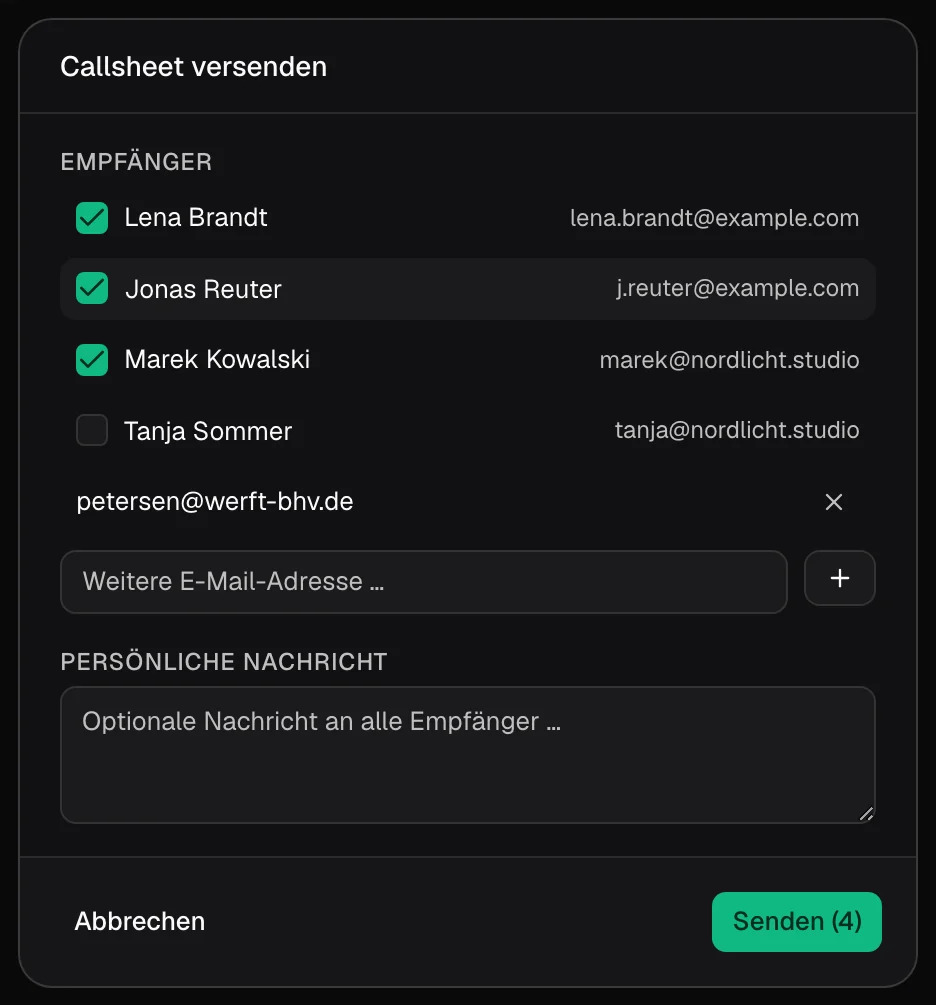
Out to cast and crew
Tick who gets it, add an address for the contact on location, write a line for everyone. Then send.
Everything a shoot day is made of
These are the pieces the AD juggles on the day. In TillyBoard each one has its place in the plan.
Move a shot, the day recalculates
Grab and drop
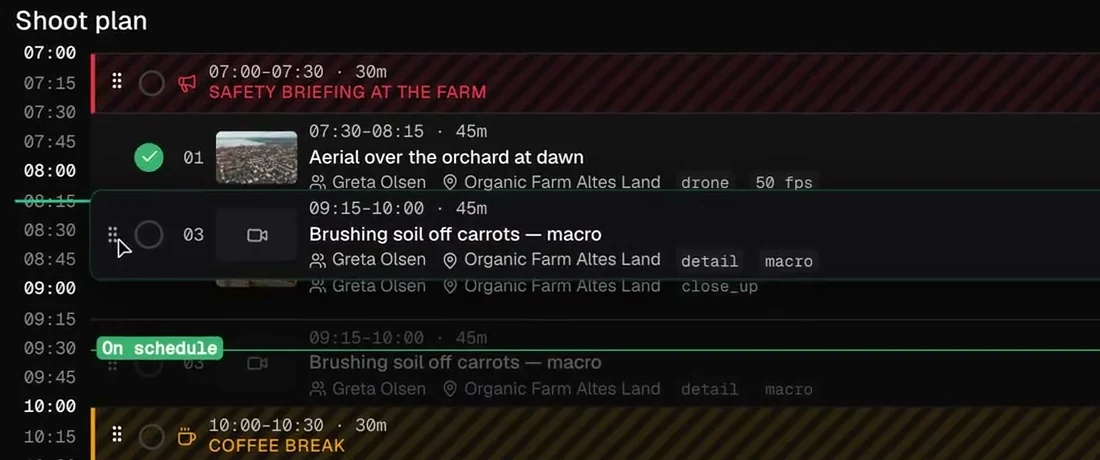
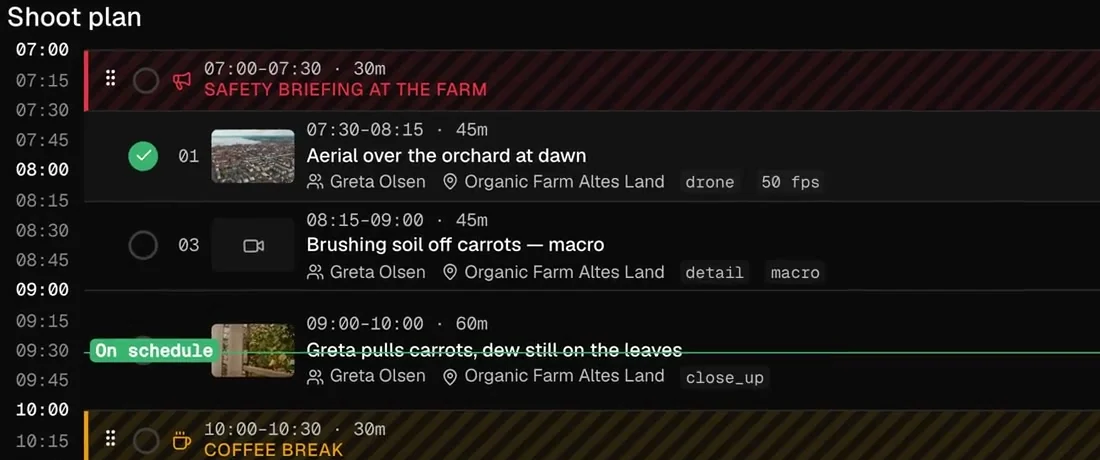
Take a shot by its handle and drop it where it belongs. Here the carrot macro moves ahead of the close-up.
The times follow
The macro now runs from 08:15 to 09:00, the close-up after it from 09:00 to 10:00. Nobody retypes a single time.
Where the day stands
Shots in the can get their tick. A line marks the current time, with a label that tells you whether you are on schedule.
The call sheet comes out of the plan
Times at the top
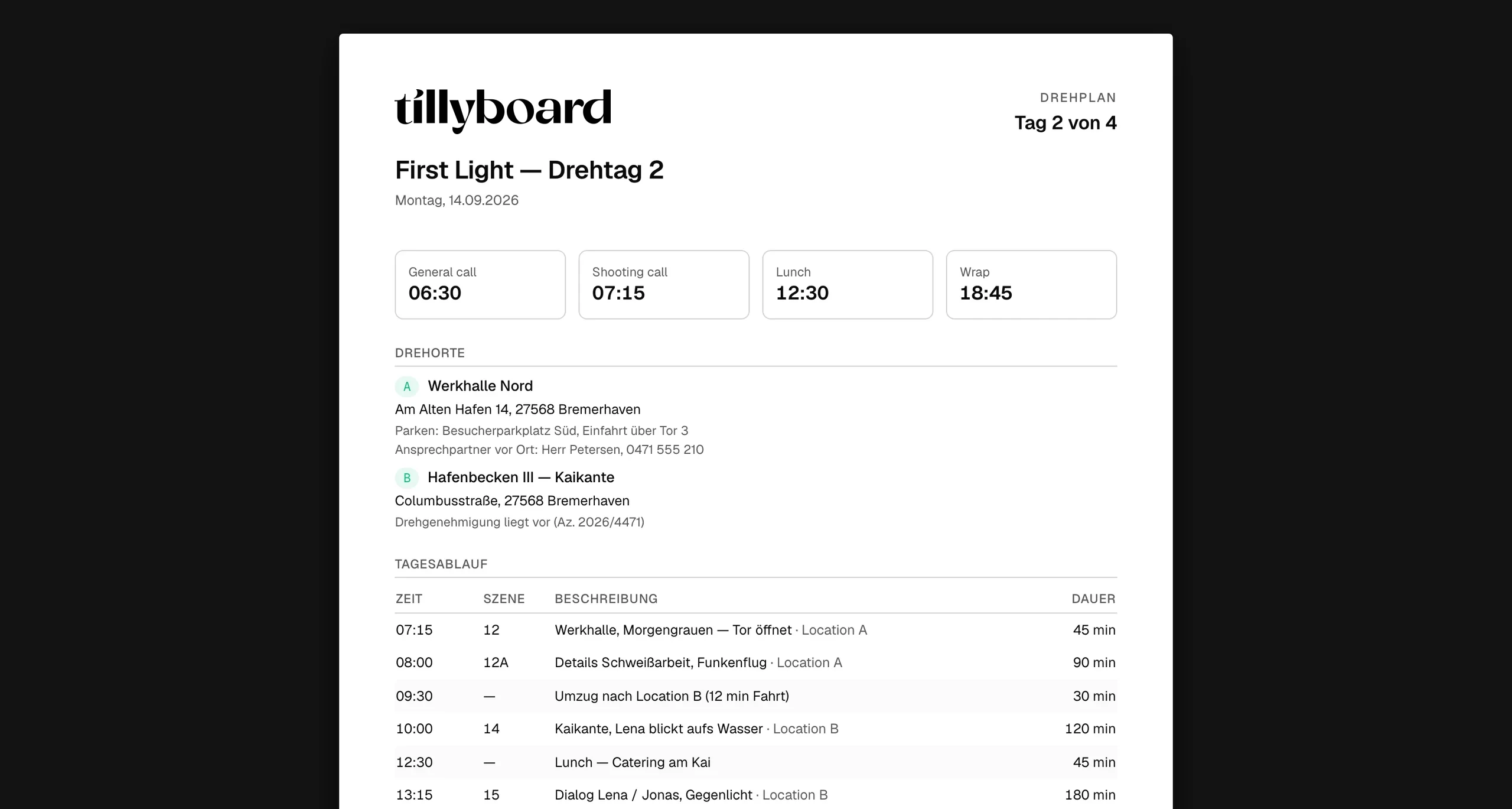
General call, shooting call, lunch and wrap as four numbers. The first thing anyone reads.
Locations with everything around them
Address, parking, the contact on site and the permit reference. Plus the nearest hospital.
Running order, cast and crew
The running order with scene and duration, talents with call and makeup times, the crew with their calls. Notes on safety, sun and weather at the end.
One day, the same for everyone
Out by e-mail
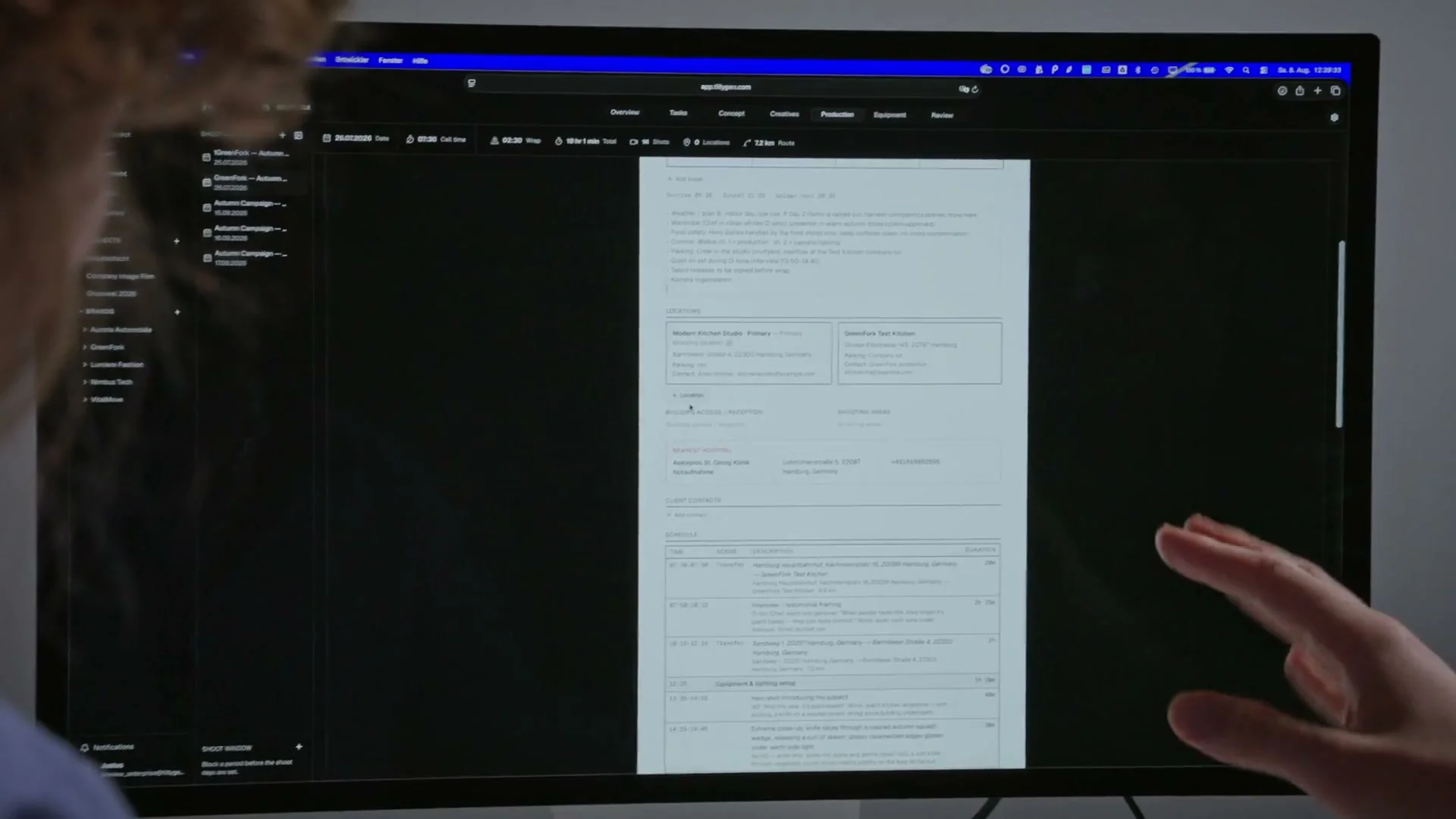
Tick recipients from the project, add outside addresses, write a personal message.
Confirm without an account
Cast and crew confirm the call sheet via link. Nobody needs a TillyBoard login for that.
In the pocket and on the wrist
The day's schedule and call sheet on iPhone, call times on Apple Watch, a PDF for everyone else.
From teams planning with TillyBoard
“We finally have a structured workflow for our social media videos. From the first idea to the shoot, everyone knows what’s coming up.”
“We plan everything in TillyBoard, from the first idea to the call sheet. One tool instead of three.”
Frequently asked questions
Does the plan know about daylight?
Yes. Above the shoot plan TillyBoard shows sunrise, sunset and golden hour for the location, plus temperature, chance of rain and wind. You place the exteriors inside the window where they can be shot.
What happens when I move a shot?
You drag it by its handle to the new slot. Start and end times of the shots that follow are recalculated.
Do I maintain the call sheet separately?
No. Times, locations, running order, cast and crew come from the project instead of being retyped. You send it from TillyBoard or export it as a PDF. The schedule is also available as CSV for scheduling software.
Does the crew need an account?
No. Cast and crew confirm the call sheet via link. Whoever plans with you works in the same project, with roles and permissions.
What does it cost?
You can start for free. The plans are listed under Pricing on the homepage.