Moodboard tool
The moodboard tool that already knows the film.
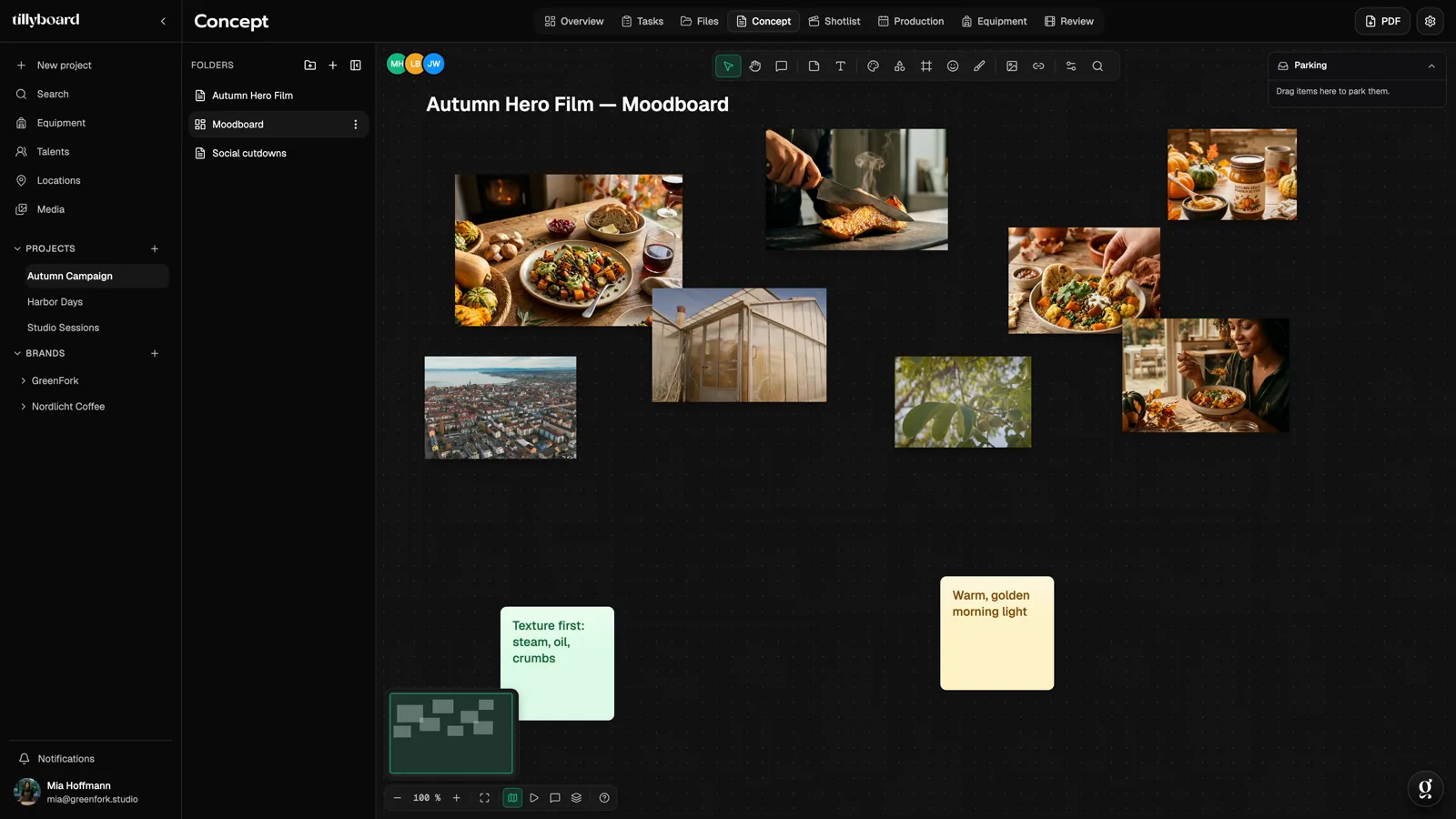
Stills, locations and sticky notes on an open canvas, linked with lines and edited together live. The moodboard sits in the same project as the treatment, shot list and schedule. The look you agree on here doesn't get lost on the way to set.
- Free plan, no card
- Live cursors for the whole team
- PDF export
Teams shooting for these brands plan with TillyBoard




What is a moodboard?
A moodboard is a collection of images, colours, textures and short notes that shows how a film should feel before a single shot is filmed. It replaces long descriptions with something everyone sees at the same time.
What a moodboard is used for in film
In pre-production the moodboard is the shared language of director, DP, production design, wardrobe and client. One picture of warm morning light through a greenhouse roof says more than a paragraph about a “natural, warm mood”. In advertising there's a second purpose: the client signs off on the look at the moodboard stage, before money goes into shoot days.
Moodboard, treatment or storyboard?
The three are often confused. The moodboard shows the mood: light, colour, textures, places, types. The treatment describes in words what happens and in which order. The storyboard shows shot by shot what the camera sees. A good workflow goes in exactly that order, and in TillyBoard all three sit in the same project.
How to create a moodboard for a film: six steps
- Start from the brief. Write the core message and three adjectives for the mood on a sticky note. Every image has to measure up to them.
- Collect widely. Film stills, photography, your own location photos, colour swatches, fabrics. Better too much than too little, you'll cut later.
- Group by beat or theme. Light, locations, colours, types, props. Or by the beats of the treatment, so every scene gets its own corner.
- Write the decisions next to it. A sticky note next to the picture says which location it will be and where the backup is. A line connects the note to the picture it means.
- Cut hard. A moodboard with 80 images no longer says anything. Twelve to twenty strong references are enough for a spot.
- Get sign-off and build on it. Send the moodboard to the client as a PDF. Then the look becomes the treatment and the treatment becomes the shot list.
Common mistakes
- Collecting only beautiful pictures that have nothing to do with the budget. A helicopter shot on the moodboard sets expectations.
- No notes. Without text, nobody remembers two weeks later why a picture is up there.
- Treating the moodboard as the end point. It's the start of pre-production, not the result.
Watch a moodboard take shape
About 35 seconds from the real app: a moodboard with notes and references, then the treatment with beats, a to-do and an image.
From moodboard to shoot day
In most moodboard tools the work ends at the board. In TillyBoard that's where pre-production begins. Every image is a capture from the real app.
-
01
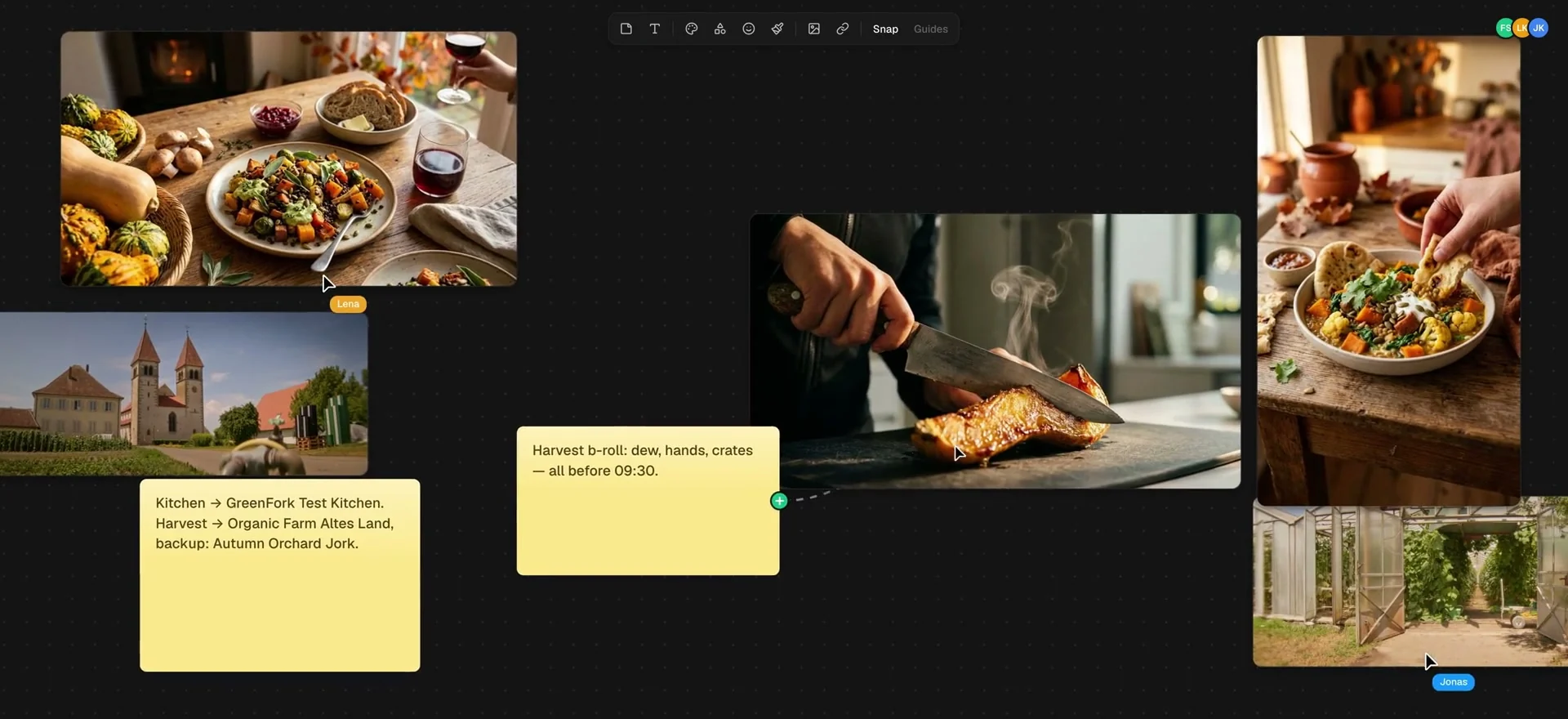
The references on one wall
Food, light, the farm, the test kitchen: the references for every beat hang side by side, as big as you drag them. Snap and guides keep the wall in order.
-
02
Notes on the wall, lines between them
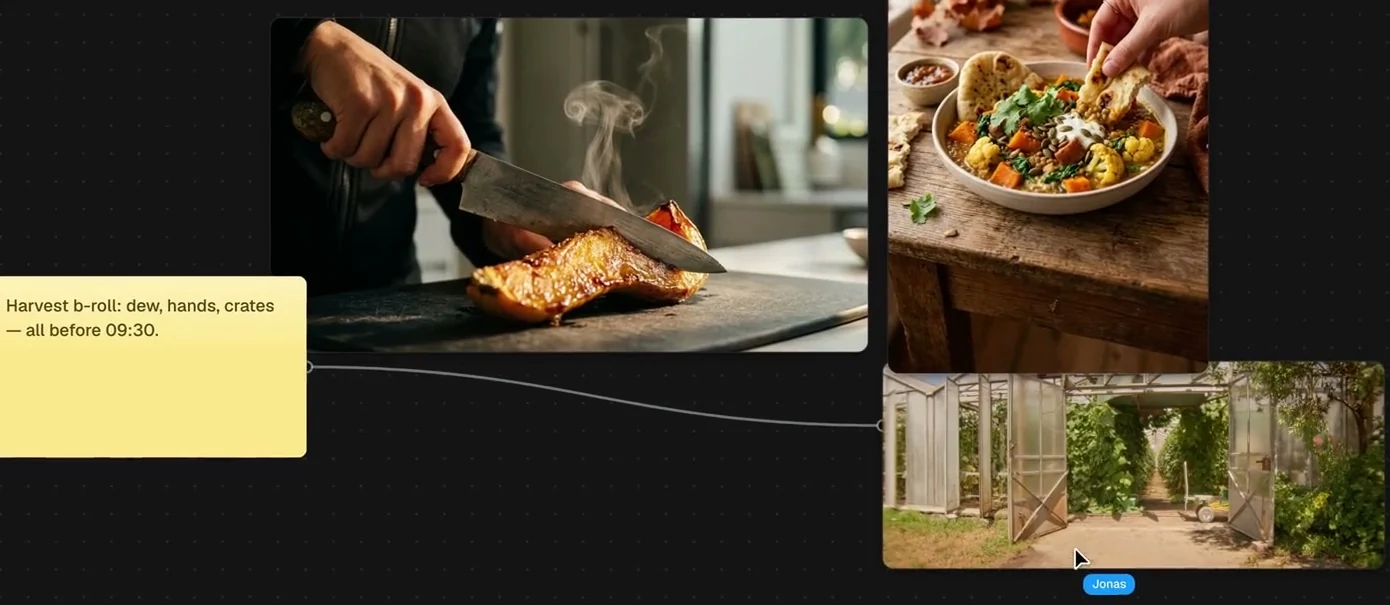
Stills, locations and sticky notes sit on the canvas. Draw a line from the note to the picture it means: “Harvest b-roll: dew, hands, crates, all before 09:30” then hangs right on the greenhouse.
Whoever is working along shows up by name at their cursor.
-
03
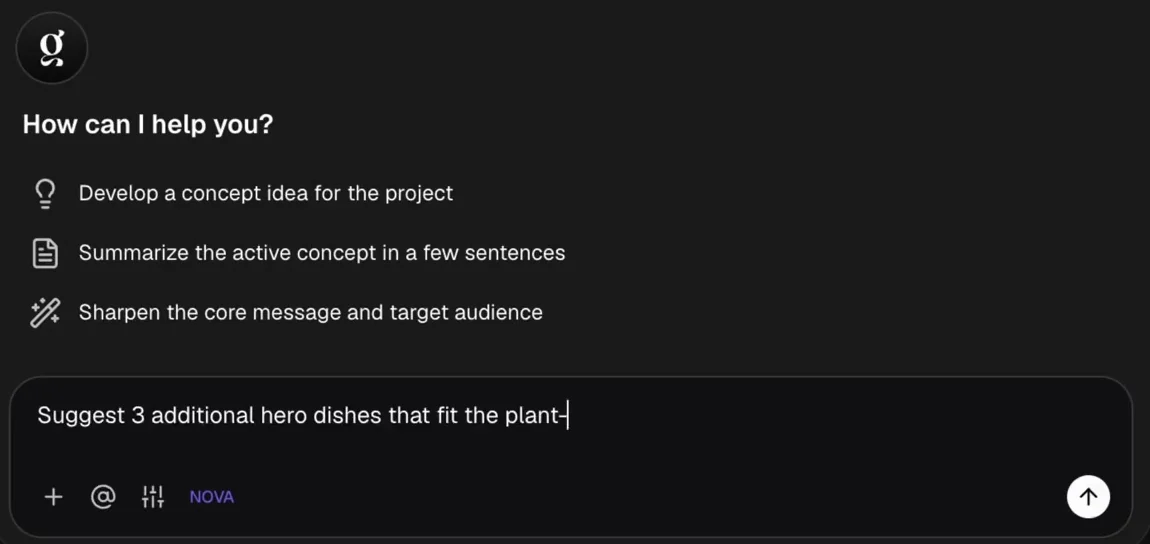
Tilly AI works in the concept you have open
Have Tilly AI develop a concept idea, summarise the active concept in a few sentences, or sharpen the core message and target audience. Or ask your own question. Tilly AI writes the first draft, you set the direction.
-
04
The look becomes the treatment
Next to the moodboard sits the treatment as a document. Type a slash and pick a block: heading, list, to-do, quote, table, image or PDF. The reference still sits right under the description it belongs to.
More about concept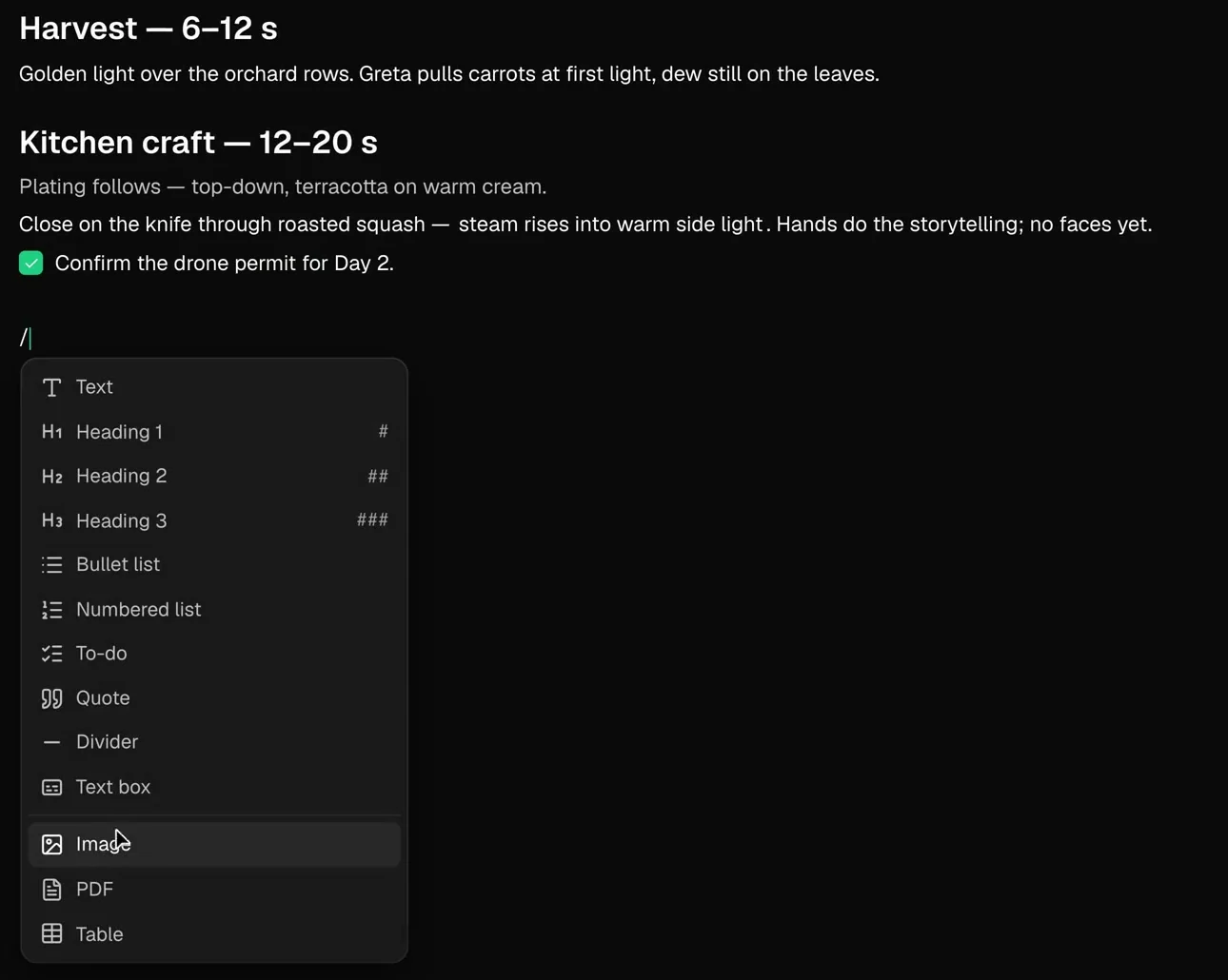
-
05
And the treatment becomes the shot list
Concepts, moodboards and references live in the project, each with its own shots. For the shots TillyBoard generates preview frames from the action text, optionally with talent headshots and location photos as references.
More about the shot list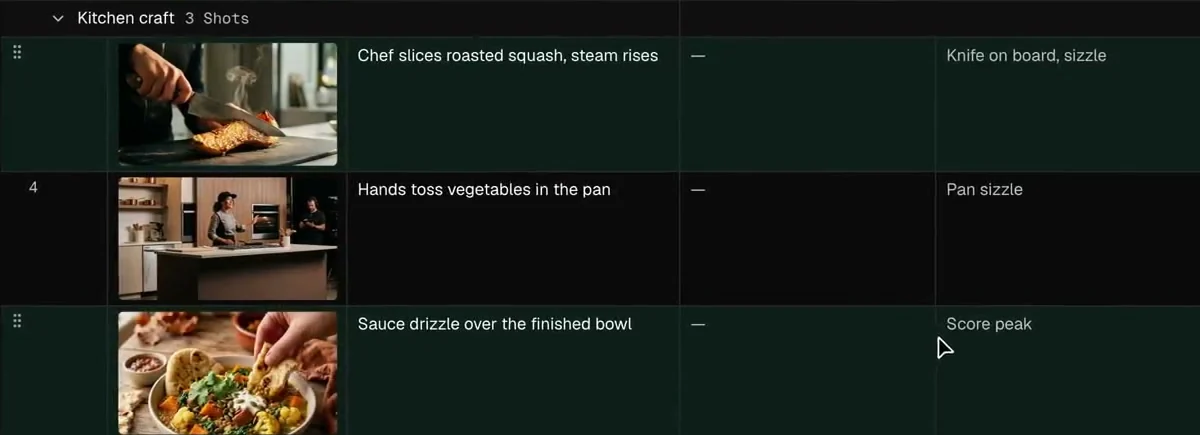
-
06
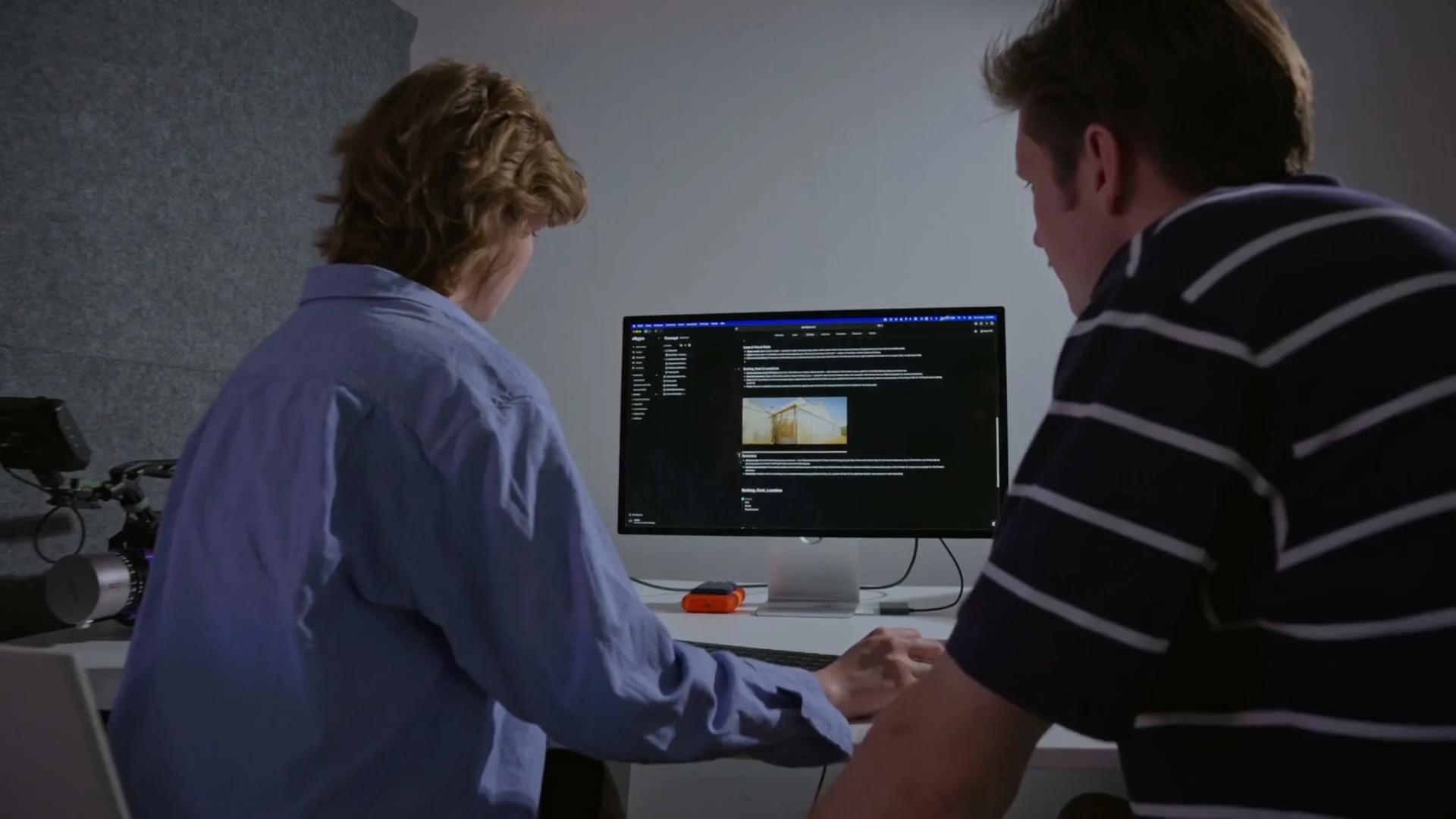
To the client as a PDF
Export the concept as a PDF for everyone who doesn't have an account. Custom branding on exports is included from the Team plan up. Several concepts per project stay side by side, older versions in folders.
What a moodboard in TillyBoard is made of
The moodboard is an open canvas, the treatment a document. These are the building blocks.
Images
Stills, location photos and references, freely scaled and arranged.
Sticky notes & text
Decisions, questions and timings right next to the picture.
Connectors
Lines from the note to the picture, so it's clear what's meant.
Live collaboration
Names at the cursor, and the top of the concept shows who's in the document right now.
Several boards per project
Hero film, social cutdowns, campaign: every concept with its own board and its own shots.
PDF export
For clients and crew without an account, with custom branding from the Team plan up.
Who the moodboard tool is made for
Production companies
The look is agreed with the client and flows straight into the shot list and schedule.
Agencies
Moodboards for pitches and campaigns, with the stored brand guidelines in the same workspace.
In-house teams
One board per format, so the series looks the same over months.
Creators
Look, shot list and day plan in one place, even when you shoot alone.
Film schools
Learn moodboard, treatment and storyboard in the right order, on the free plan.
Directors and DPs
Show light, colour and visual language instead of describing them, with the note attached to the picture.
TillyBoard, Milanote or StudioBinder?
Milanote is a flexible board tool for many creative fields, StudioBinder a production suite with mood boards. The table only compares what the providers list on their websites. As of October 2026.
| Feature | TillyBoard | Milanote | StudioBinder |
|---|---|---|---|
| Moodboard | ✓ open canvas with images, notes and lines | ✓ notes, images, videos, sketches | ✓ |
| Treatment / documents | ✓ | ✓ | ✓ |
| Storyboard | ✓ AI preview frame per shot | ✓ | ✓ |
| Shot list | ✓ | – | ✓ |
| Schedule & call sheets | ✓ | – | ✓ |
| Mobile app | ✓ iPhone, iPad, Apple Watch | ✓ | – |
| Free plan | ✓ 1 project, 1 GB, 10 AI images per month | ✓ 100 notes, images or links, 10 file uploads | ✓ “Start for free” |
| Paid entry price | Creator: €22 per month billed monthly, excl. VAT | $9.99 per person per month billed annually, $12.50 billed monthly | See the provider's website |
Where TillyBoard doesn't fit: if you need a board for inspiration beyond film, say for interior design, writing or product design, a general board tool like Milanote serves you better. TillyBoard pays off when the moodboard is meant to become a shoot.
Moodboard tool: frequently asked questions
What is a moodboard?
A moodboard is a collection of images, colours, textures and notes that shows how a film should feel. It's the shared reference for director, DP, production design and client before the shoot.
How do I create a moodboard for a film?
Start with the core message and three mood adjectives, collect widely, group by beat or theme, write the decisions on sticky notes next to the images, cut down to twelve to twenty strong images and get the look signed off. In TillyBoard you create a moodboard inside the concept for this.
Is the moodboard tool free?
Yes, the moodboard is part of the free plan, with no time limit and no credit card. The Free plan includes one project of your own and 1 GB of storage. More projects and storage come with the Creator plan and up.
Can several people work on the moodboard at once?
Yes. Collaborators show up by name at their cursor, and the top of the concept shows who is in the document right now.
What's the difference between a moodboard and a storyboard?
The moodboard shows the mood of the whole film: light, colour, places, types. The storyboard shows shot by shot what the camera sees. In TillyBoard the moodboard sits in the concept and the preview frames per shot in the shot list.
How does the moodboard get to the client?
As a PDF export. Custom branding on exports is included from the Team plan up.
Can I put other people's images on a moodboard?
As an internal reference within the team that's common practice. As soon as a moodboard is published or passed on, you need the rights to the images. When in doubt, use your own location photos and licensed stills.
Put the look on one wall.
Set up a project, drag the first references onto the moodboard and invite the director. Free and without a card.
Create a moodboard for free Free plan · no card · cancel monthlyFurther reading
Moodboard template
The structure of a moodboard for film and video.
How-toBuild a moodboard
Step by step from brief to finished board.
TemplateTreatment template
The next step after the moodboard.
How-toBuild a storyboard
From the look to the single shot.
SoftwareStoryboard software
Preview frames per shot, straight from the shot list.
SoftwarePre-production software
All of pre-production in one project, with a checklist.